> ## Documentation Index
> Fetch the complete documentation index at: https://devzone.nayax.com/llms.txt
> Use this file to discover all available pages before exploring further.
# Pre-Authorization (Israel)
Tweezercomm's pre-authorization transactions are processed, authorized, and either settled or canceled based on the response from the payment server. This process also includes a resilience mechanism for handling errors.
## Transaction Flow
To understand the pre-authorization transaction flow, consider the following sequence of events:
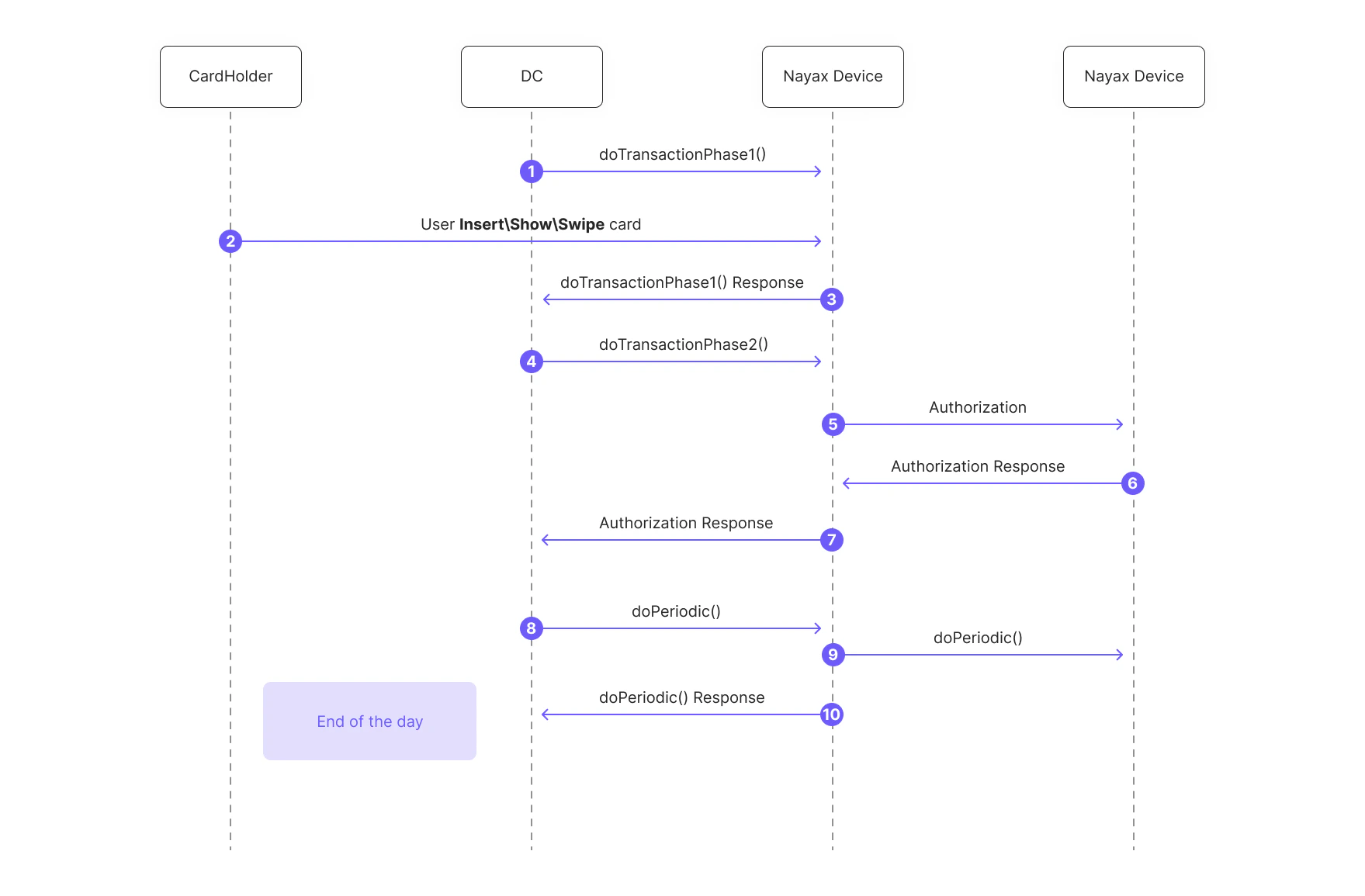 Here's a breakdown of each step:
1. The client application (POS) sends a [`doTransaction()`](/docs/integrate-pos-device/tweezercomm/israel-payment-methods/dotransaction-ashrait) request to the Nayax Device with a parameter (`Trancode=2`) to initiate a pre-authorization.
2. The cardholder inserts, shows, or swipes their card.
3. The Nayax Device communicates with the payment server to perform the pre-authorization.
4. The payment server responds, and the Nayax Device relays the `Authorization result` back to the POS.
5. At a later time, the POS sends another [`doTransaction()`](/docs/integrate-pos-device/tweezercomm/israel-payment-methods/dotransaction-ashrait) request, this time with a parameter (`Trancode=3`) to initiate the completion of the pre-authorized transaction.
6. The Nayax Device communicates with the payment server to complete the transaction.
7. The payment server responds with a `Completion result`, which the Nayax Device sends back to the POS.
8. At the end of the day, the POS sends a [`doPeriodic()`](/docs/integrate-pos-device/tweezercomm/israel-payment-methods/doperiodic) request. The Nayax Device communicates with the payment server to perform the settlement of the day's transactions and sends a [`doPeriodic()`](/docs/integrate-pos-device/tweezercomm/israel-payment-methods/doperiodic) result back to the POS.
## See Also
Here's a breakdown of each step:
1. The client application (POS) sends a [`doTransaction()`](/docs/integrate-pos-device/tweezercomm/israel-payment-methods/dotransaction-ashrait) request to the Nayax Device with a parameter (`Trancode=2`) to initiate a pre-authorization.
2. The cardholder inserts, shows, or swipes their card.
3. The Nayax Device communicates with the payment server to perform the pre-authorization.
4. The payment server responds, and the Nayax Device relays the `Authorization result` back to the POS.
5. At a later time, the POS sends another [`doTransaction()`](/docs/integrate-pos-device/tweezercomm/israel-payment-methods/dotransaction-ashrait) request, this time with a parameter (`Trancode=3`) to initiate the completion of the pre-authorized transaction.
6. The Nayax Device communicates with the payment server to complete the transaction.
7. The payment server responds with a `Completion result`, which the Nayax Device sends back to the POS.
8. At the end of the day, the POS sends a [`doPeriodic()`](/docs/integrate-pos-device/tweezercomm/israel-payment-methods/doperiodic) request. The Nayax Device communicates with the payment server to perform the settlement of the day's transactions and sends a [`doPeriodic()`](/docs/integrate-pos-device/tweezercomm/israel-payment-methods/doperiodic) result back to the POS.
## See Also