> ## Documentation Index
> Fetch the complete documentation index at: https://devzone.nayax.com/llms.txt
> Use this file to discover all available pages before exploring further.
# Upload Refund Documentation
export const EndpointCard = ({method = "API", title, children, href, arrow = true}) => {
const METHOD_STYLES = {
GET: {
bg: "mint-bg-green-400/20 dark:mint-bg-green-400/20",
text: "mint-text-green-700 dark:mint-text-green-400",
border: "mint-border-green-300 dark:mint-border-green-700"
},
POST: {
bg: "mint-bg-blue-400/20 dark:mint-bg-blue-400/20",
text: "mint-text-blue-700 dark:mint-text-blue-400"
},
PUT: {
bg: "mint-bg-yellow-400/20 dark:mint-bg-yellow-400/20",
text: "mint-text-yellow-700 dark:mint-text-yellow-400"
},
PATCH: {
bg: "mint-bg-orange-400/20 dark:mint-bg-orange-400/20",
text: "mint-text-orange-700 dark:mint-text-orange-400"
},
DELETE: {
bg: "mint-bg-red-400/20 dark:mint-bg-red-400/20",
text: "mint-text-red-700 dark:mint-text-red-400"
},
API: {
bg: "mint-bg-black",
text: "mint-text-white"
}
};
const MethodBadge = ({method}) => {
const style = METHOD_STYLES[method?.toUpperCase()] ?? METHOD_STYLES.GET;
return
{method?.toUpperCase()}
;
};
const content =
{}
{title}
{children &&
{children}
}
{}
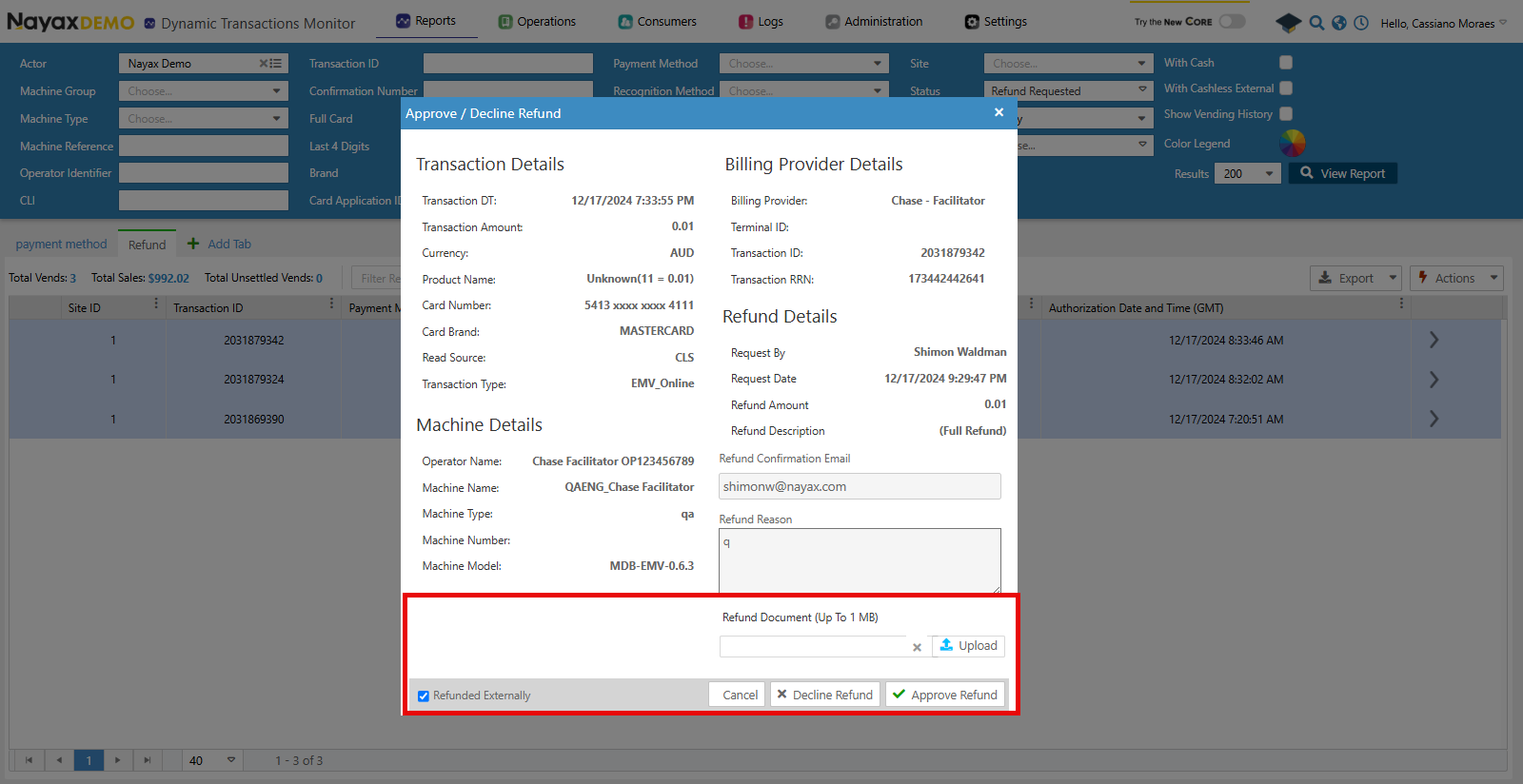 ## Lynx API
With Lynx API you can also upload the refund documentation to get the `RefundedDocumentUrl`. The endpoint below is used for this:
**Authentication**
Refer to the [Security & Token](/docs/manage-data-operations/lynx-api/security) page of this documentation to learn how to access your tokens and how to properly use them to authenticate your API requests.
Use the [Upload Refund Documentation](/reference/lynx/payment/upload-refund-documentation) endpoint to upload the file received by the billing provider. See the request example below:
```sh Request theme={null}
curl --request POST \
--url https://qa-lynx.nayax.com/operational/v1/payment/upload-refund \
--header 'Authorization: Bearer ' \
--header 'accept: application/json' \
--header 'content-type: application/json' \
--data '
{
"FileName": "string",
"FileData": "string",
"TransactionId": 0,
"SiteId": 0,
"MachineAuTime": "2024-10-10T16:30:37.179Z"
}
'
```
The table below details the body parameters of the request.
| **Name** | **Type** | **Description** |
| ------------- | --------- | ------------------------------------------------------------------------------------------------------------------------------------------------- |
| FileName | string | The name of the file being uploaded. |
| FileData | base64 | The base64-encoded content of the file being uploaded. You can use a [PDF to base 64 online convertor](https://base64.guru/converter/encode/pdf). |
| TransactionId | int64 | The unique identifier of the transaction associated with the file. |
| SiteId | int32 | The unique identifier of the site where the transaction occurred. |
| MachineAuTime | date-time | The machine's authorization time is associated with the transaction. |
The `TransactionId`, `SiteId` and `MachineAuTime` need to be the same as sent in the refund request.
Once the request is done successfully, the response will contain a URL with the uploaded document.
```json Response theme={null}
{
"FileURL": "string"
}
```
Now you can add this URL to the `RefundedDocumentUrl` flag when using the [Approve Refund](/docs/manage-data-operations/lynx-api/refunds/approve-or-decline-a-refund) endpoint.
## Lynx API
With Lynx API you can also upload the refund documentation to get the `RefundedDocumentUrl`. The endpoint below is used for this:
**Authentication**
Refer to the [Security & Token](/docs/manage-data-operations/lynx-api/security) page of this documentation to learn how to access your tokens and how to properly use them to authenticate your API requests.
Use the [Upload Refund Documentation](/reference/lynx/payment/upload-refund-documentation) endpoint to upload the file received by the billing provider. See the request example below:
```sh Request theme={null}
curl --request POST \
--url https://qa-lynx.nayax.com/operational/v1/payment/upload-refund \
--header 'Authorization: Bearer ' \
--header 'accept: application/json' \
--header 'content-type: application/json' \
--data '
{
"FileName": "string",
"FileData": "string",
"TransactionId": 0,
"SiteId": 0,
"MachineAuTime": "2024-10-10T16:30:37.179Z"
}
'
```
The table below details the body parameters of the request.
| **Name** | **Type** | **Description** |
| ------------- | --------- | ------------------------------------------------------------------------------------------------------------------------------------------------- |
| FileName | string | The name of the file being uploaded. |
| FileData | base64 | The base64-encoded content of the file being uploaded. You can use a [PDF to base 64 online convertor](https://base64.guru/converter/encode/pdf). |
| TransactionId | int64 | The unique identifier of the transaction associated with the file. |
| SiteId | int32 | The unique identifier of the site where the transaction occurred. |
| MachineAuTime | date-time | The machine's authorization time is associated with the transaction. |
The `TransactionId`, `SiteId` and `MachineAuTime` need to be the same as sent in the refund request.
Once the request is done successfully, the response will contain a URL with the uploaded document.
```json Response theme={null}
{
"FileURL": "string"
}
```
Now you can add this URL to the `RefundedDocumentUrl` flag when using the [Approve Refund](/docs/manage-data-operations/lynx-api/refunds/approve-or-decline-a-refund) endpoint.