

Choose a token type
Which token you need depends on who’s calling the API.Access token
An access token is a security credential used to authenticate API requests. Each request to the Lynx API must include a valid access token in theAuthorization header. This access token is also known as an API key or API token, and appears as a User Token in Nayax Core.
Follow these steps in the Nayax Back Office (Nayax Core) to find and copy an access token:
1
Log in to Nayax Core
Use your username and password.
2
Navigate to Account Settings
Click your username in the top right corner, then select Account Settings.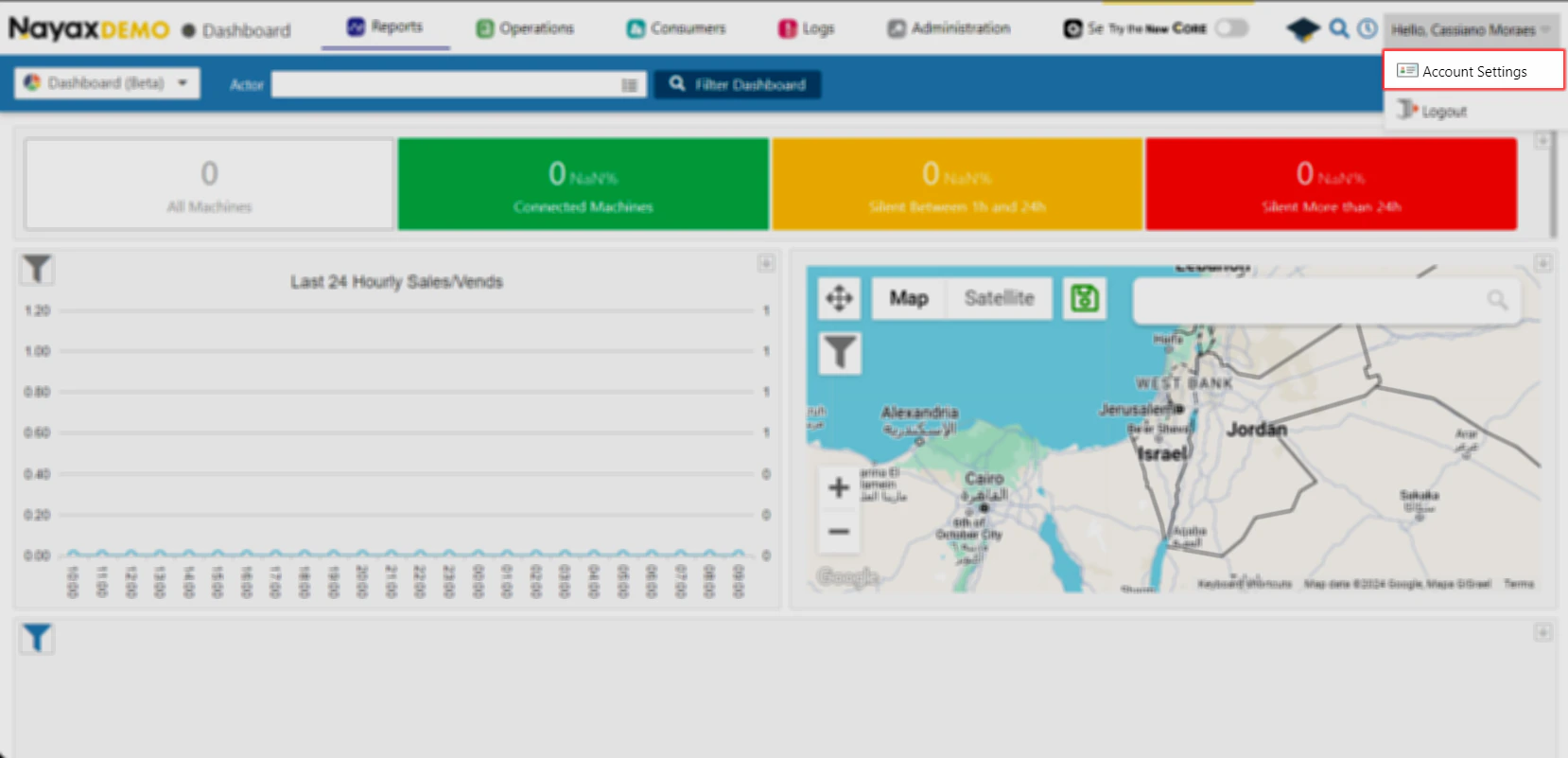
3
Open the Security and Login tab
It’s the second tab, next to Account.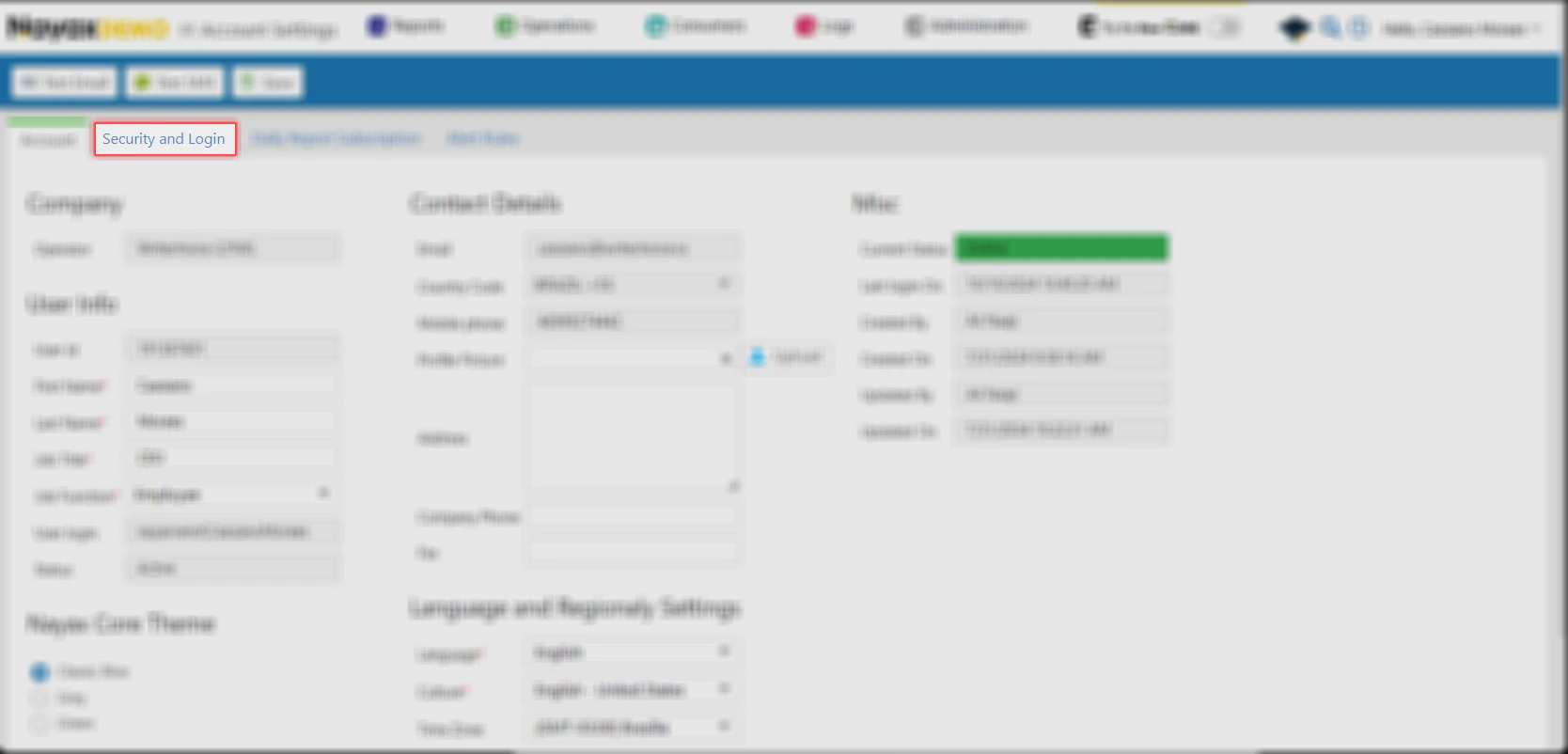
4
Find the User Tokens section
It’s below Your Trusted Devices.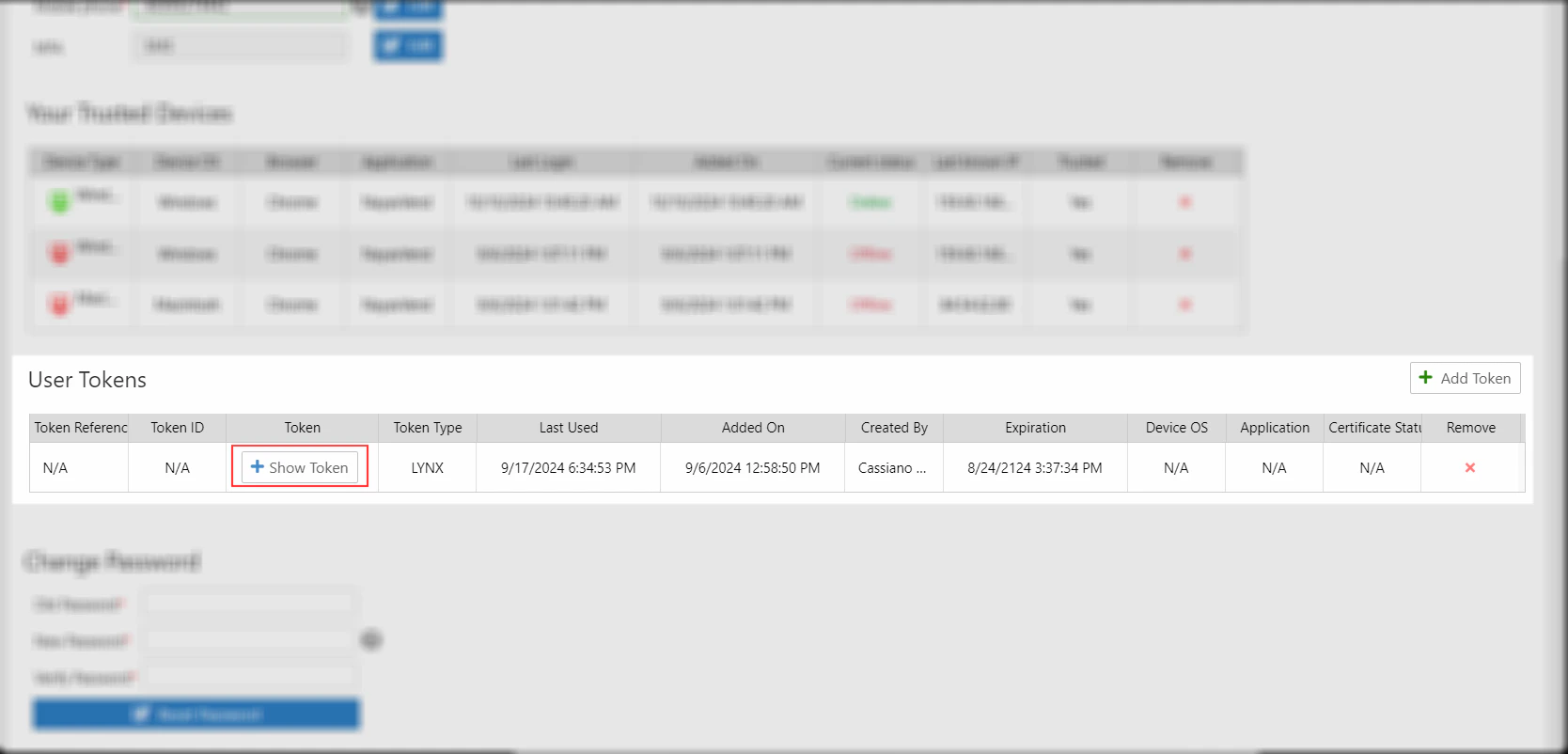
5
Show and copy the token
Click Show Token next to an existing token to reuse it, then copy it for use in API calls. If no token exists yet, click Add Token and select Lynx Token instead.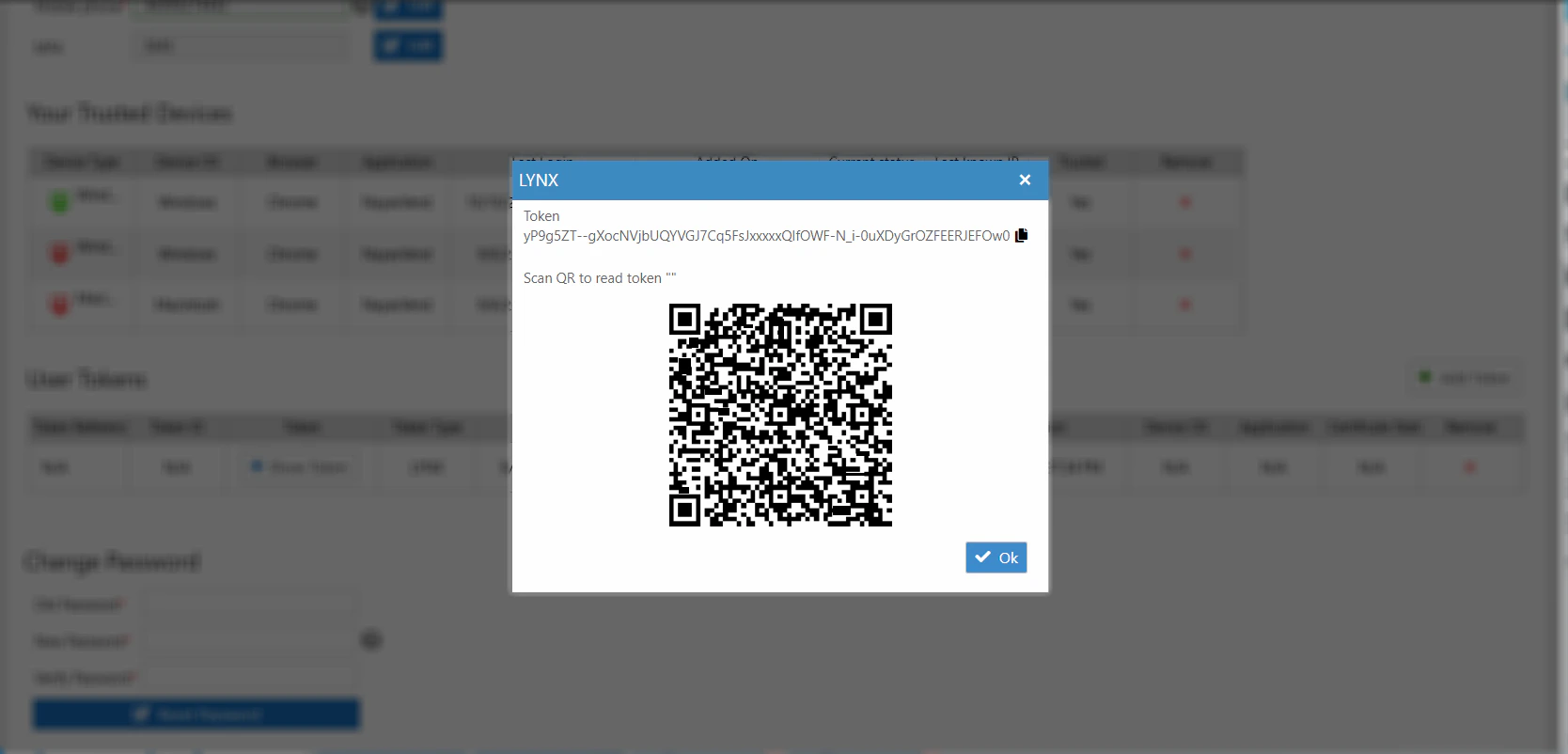
Use the token in API requests
Include the access token in theAuthorization header for each API request:
<YOUR_ACCESS_TOKEN> with your actual token retrieved from Nayax Core.
EnvironmentsThis example uses the QA base URL. See Environments on the Lynx overview page for the full list of base URLs.
See also
- Lynx overview for the full list of environment base URLs