> ## Documentation Index
> Fetch the complete documentation index at: https://devzone.nayax.com/llms.txt
> Use this file to discover all available pages before exploring further.
# 上传退款文件
export const EndpointCard = ({method = "API", title, children, href, arrow = true}) => {
const METHOD_STYLES = {
GET: {
bg: "mint-bg-green-400/20 dark:mint-bg-green-400/20",
text: "mint-text-green-700 dark:mint-text-green-400",
border: "mint-border-green-300 dark:mint-border-green-700"
},
POST: {
bg: "mint-bg-blue-400/20 dark:mint-bg-blue-400/20",
text: "mint-text-blue-700 dark:mint-text-blue-400"
},
PUT: {
bg: "mint-bg-yellow-400/20 dark:mint-bg-yellow-400/20",
text: "mint-text-yellow-700 dark:mint-text-yellow-400"
},
PATCH: {
bg: "mint-bg-orange-400/20 dark:mint-bg-orange-400/20",
text: "mint-text-orange-700 dark:mint-text-orange-400"
},
DELETE: {
bg: "mint-bg-red-400/20 dark:mint-bg-red-400/20",
text: "mint-text-red-700 dark:mint-text-red-400"
},
API: {
bg: "mint-bg-black",
text: "mint-text-white"
}
};
const MethodBadge = ({method}) => {
const style = METHOD_STYLES[method?.toUpperCase()] ?? METHOD_STYLES.GET;
return
{method?.toUpperCase()}
;
};
const content =
{}
{title}
{children &&
{children}
}
{}
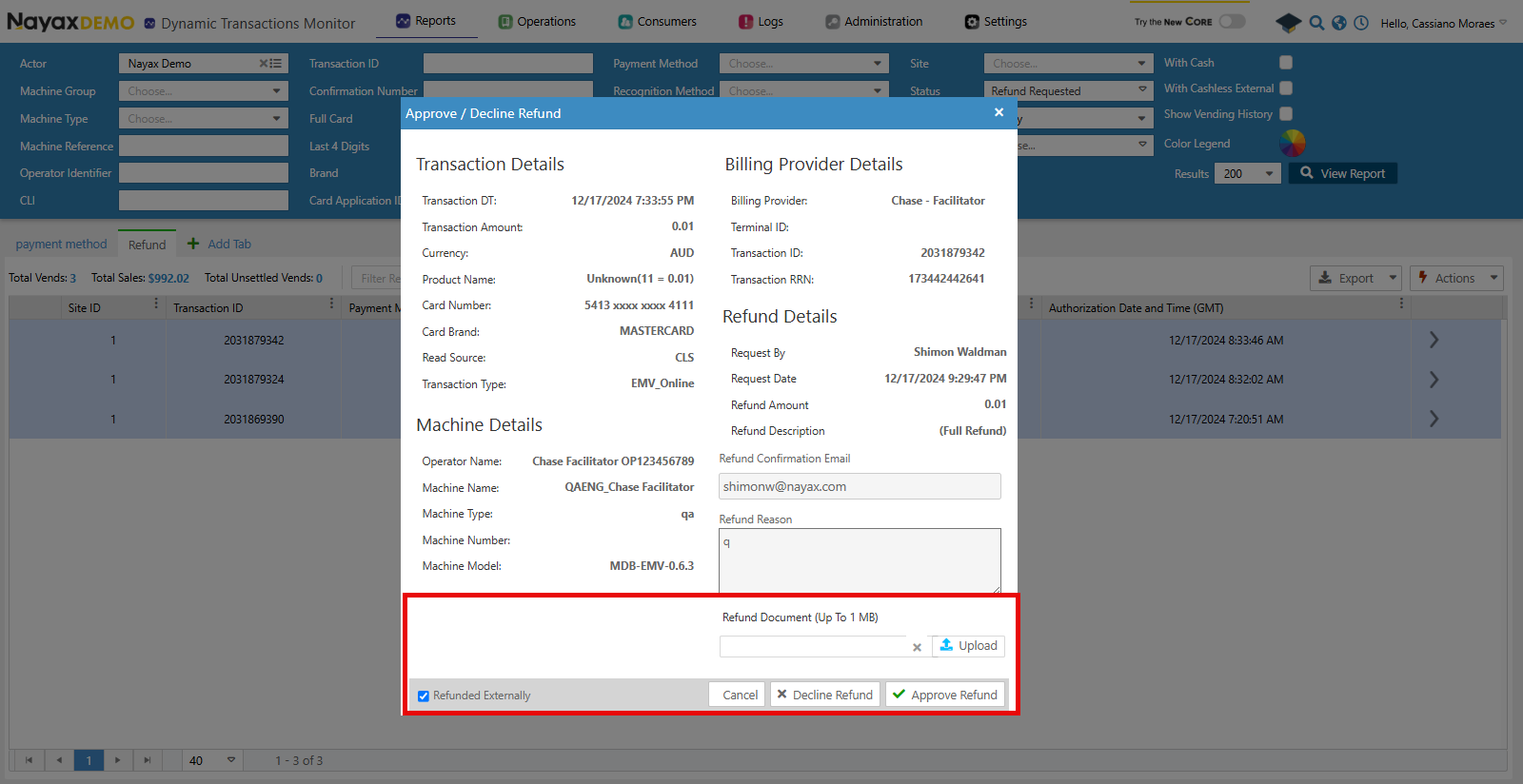 ## Lynx API
使用 Lynx API,您还可以上传退款文档以获取 `RefundedDocumentUrl`。以下端点用于此目的:
验证
请参阅本文档的[“安全和令牌”](/docs/manage-data-operations/lynx-api/security)页面,了解如何访问您的令牌以及如何正确使用它们来验证您的 API 请求。
使用[“上传退款文档”](/reference/lynx/payment/upload-refund-documentation)端点上传账单提供商收到的文件。请参阅以下请求示例:
```sh Request theme={null}
curl --request POST \
--url https://qa-lynx.nayax.com/operational/v1/payment/upload-refund \
--header 'Authorization: Bearer ' \
--header 'accept: application/json' \
--header 'content-type: application/json' \
--data '
{
"FileName": "string",
"FileData": "string",
"TransactionId": 0,
"SiteId": 0,
"MachineAuTime": "2024-10-10T16:30:37.179Z"
}
'
```
下表详细说明了请求的主体参数。
| 姓名 | 类型 | 描述 |
| - | - | - |
| 文件名 | string | 正在上传的文件的名称。 |
| 文件数据 | base64 | 正在上传的文件的 base64 编码内容。您可以使用[PDF 到 base 64 在线转换器](https://base64.guru/converter/encode/pdf)。 |
| 交易ID | int64 | 与文件关联的交易的唯一标识符。 |
| 站点编号 | int32 | 发生交易的站点的唯一标识符。 |
| 机器AuTime | 日期时间 | 机器的授权时间与交易相关联。 |
`TransactionId`、`SiteId` 和 `MachineAuTime` 必须与退款请求中发送的值相同。
一旦请求成功完成,响应将包含上传文档的 URL。
```json Response theme={null}
{
"FileURL": "string"
}
```
Now you can add this URL to the `RefundedDocumentUrl` flag when using the [Approve Refund](/docs/manage-data-operations/lynx-api/refunds/approve-or-decline-a-refund) endpoint.
This documentation is built and hosted on [Mintlify](https://mintlify.com), a developer documentation platform.
## Lynx API
使用 Lynx API,您还可以上传退款文档以获取 `RefundedDocumentUrl`。以下端点用于此目的:
验证
请参阅本文档的[“安全和令牌”](/docs/manage-data-operations/lynx-api/security)页面,了解如何访问您的令牌以及如何正确使用它们来验证您的 API 请求。
使用[“上传退款文档”](/reference/lynx/payment/upload-refund-documentation)端点上传账单提供商收到的文件。请参阅以下请求示例:
```sh Request theme={null}
curl --request POST \
--url https://qa-lynx.nayax.com/operational/v1/payment/upload-refund \
--header 'Authorization: Bearer ' \
--header 'accept: application/json' \
--header 'content-type: application/json' \
--data '
{
"FileName": "string",
"FileData": "string",
"TransactionId": 0,
"SiteId": 0,
"MachineAuTime": "2024-10-10T16:30:37.179Z"
}
'
```
下表详细说明了请求的主体参数。
| 姓名 | 类型 | 描述 |
| - | - | - |
| 文件名 | string | 正在上传的文件的名称。 |
| 文件数据 | base64 | 正在上传的文件的 base64 编码内容。您可以使用[PDF 到 base 64 在线转换器](https://base64.guru/converter/encode/pdf)。 |
| 交易ID | int64 | 与文件关联的交易的唯一标识符。 |
| 站点编号 | int32 | 发生交易的站点的唯一标识符。 |
| 机器AuTime | 日期时间 | 机器的授权时间与交易相关联。 |
`TransactionId`、`SiteId` 和 `MachineAuTime` 必须与退款请求中发送的值相同。
一旦请求成功完成,响应将包含上传文档的 URL。
```json Response theme={null}
{
"FileURL": "string"
}
```
Now you can add this URL to the `RefundedDocumentUrl` flag when using the [Approve Refund](/docs/manage-data-operations/lynx-api/refunds/approve-or-decline-a-refund) endpoint.
This documentation is built and hosted on [Mintlify](https://mintlify.com), a developer documentation platform.