> ## Documentation Index
> Fetch the complete documentation index at: https://devzone.nayax.com/llms.txt
> Use this file to discover all available pages before exploring further.
# 安全与令牌
要与 Lynx API 安全交互,需要使用访问令牌进行身份验证。本指南概述了如何生成和使用访问令牌,以及确保 API 安全的最佳实践。
## 访问令牌
访问令牌是用于对 API 请求进行身份验证的安全凭证。每个发送到 Lynx API 的请求都必须在 `Authorization` 标头中包含有效的访问令牌。该访问令牌也称为 API 密钥或 API 令牌,在 Nayax Core 中显示为 User Token。
确保你的代币安全
切勿在 GitHub 或 Bitbucket 等公共场所分享您的密钥,因为这可能会导致恶意 API 调用。
访问令牌可通过 Nayax 后台(Nayax Core)获取。请按照以下步骤获取访问令牌:
1. 使用您的用户名和密码**登录 Nayax Core** 。
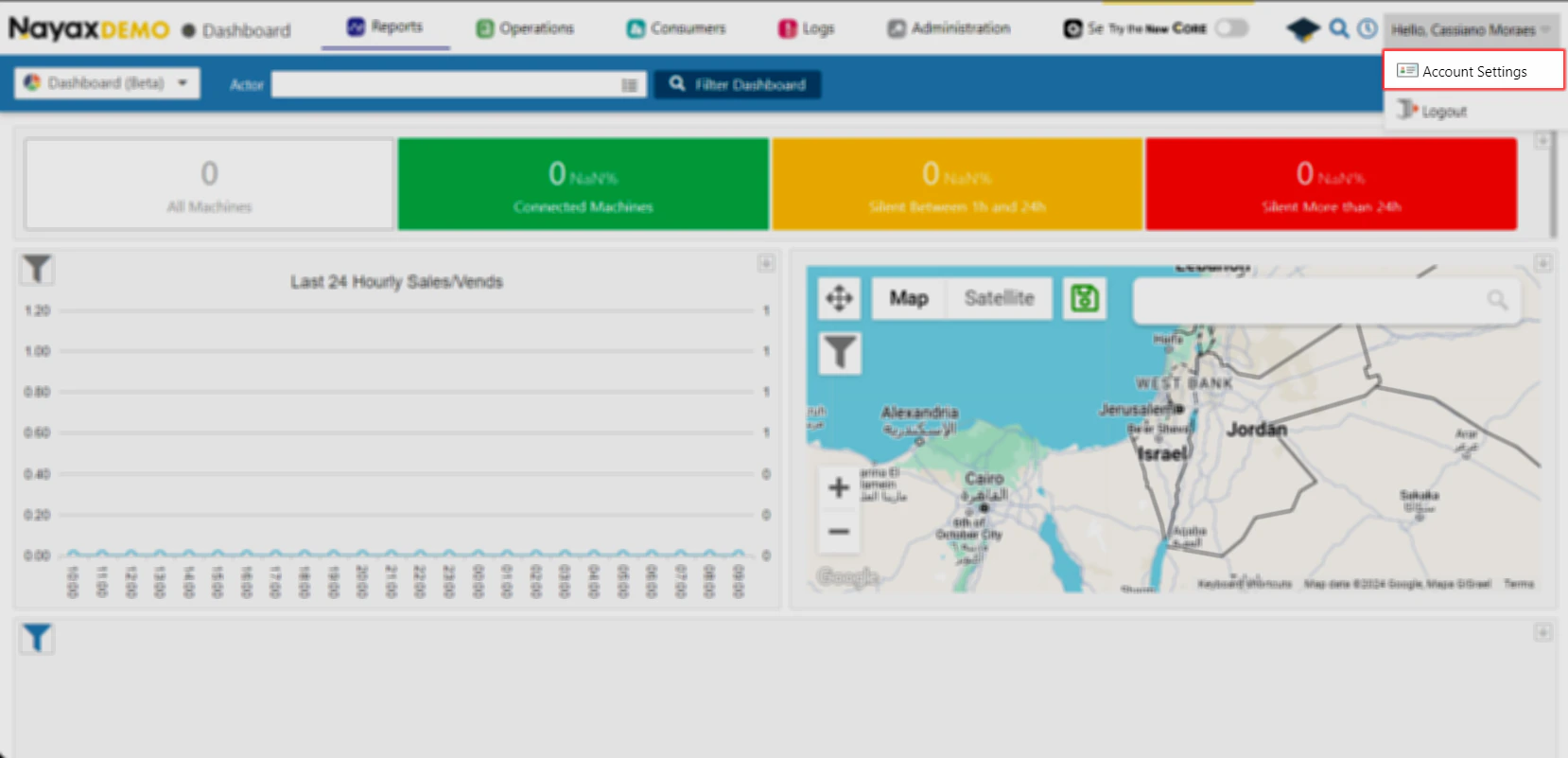
2. 单击右上角的用户名,然后选择\*\*“帐户设置”选项,导航至“\*\*\*\*帐户\*\*设置”。
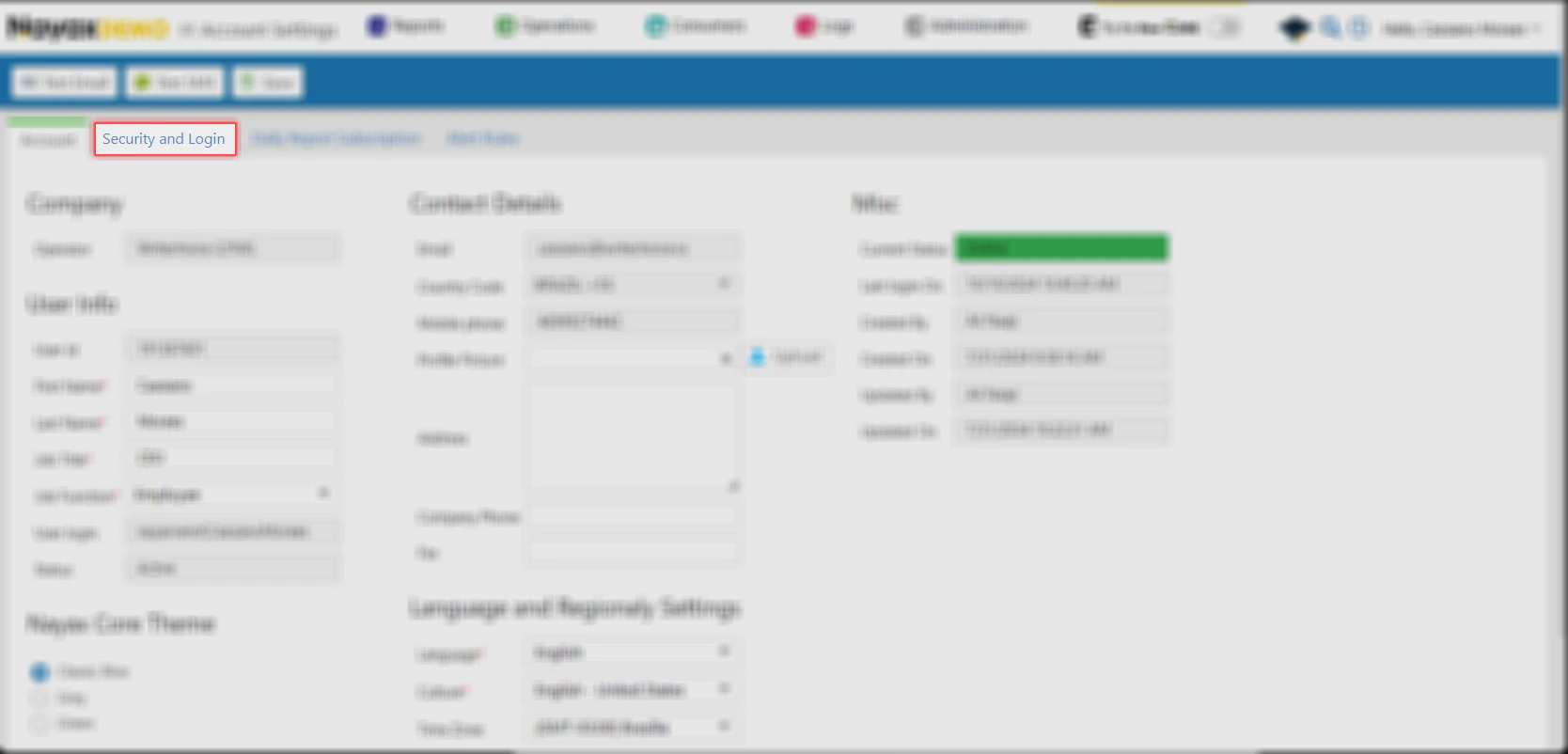
 3. 访问**安全和登录**选项卡。
 4. 向下导航到**用户令牌**部分。
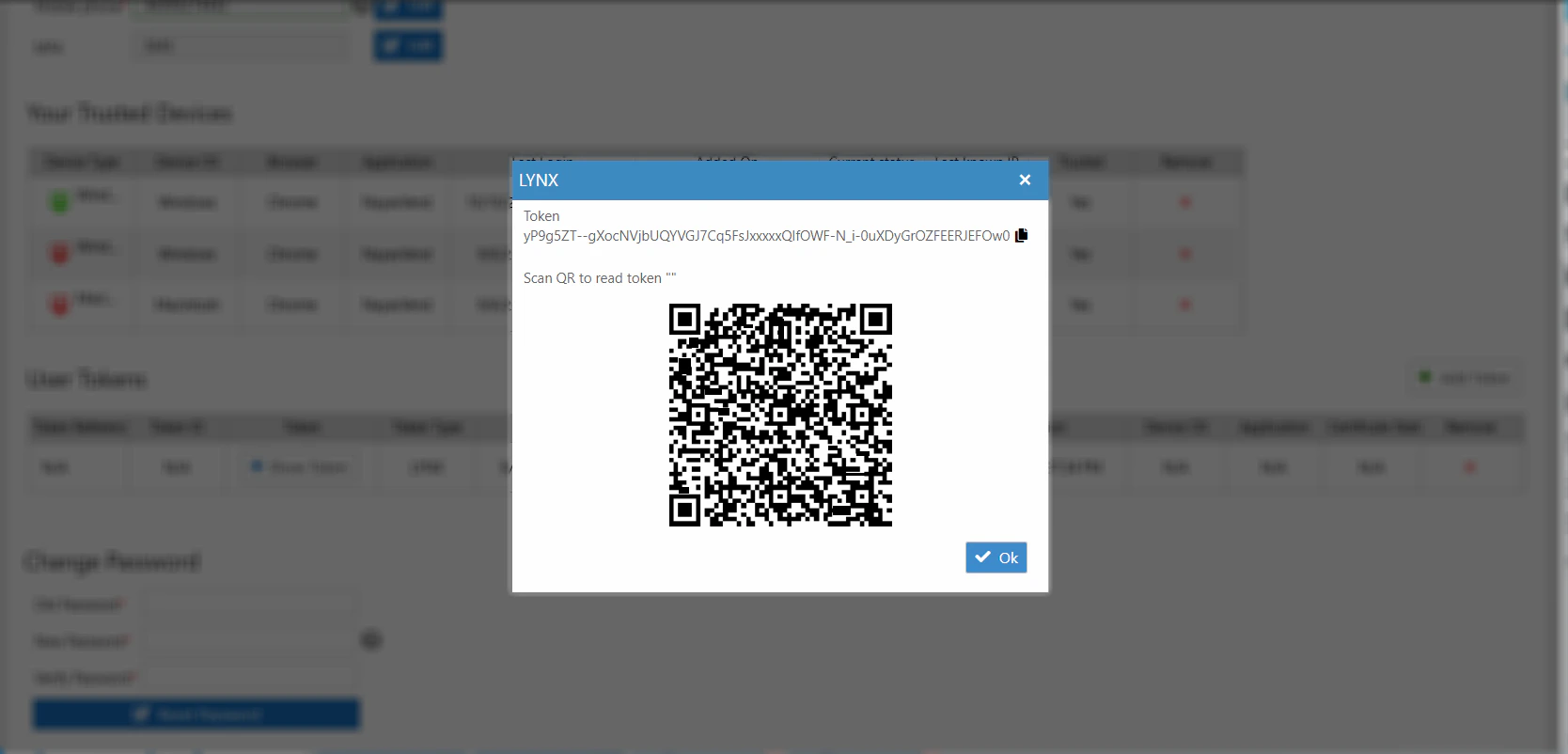
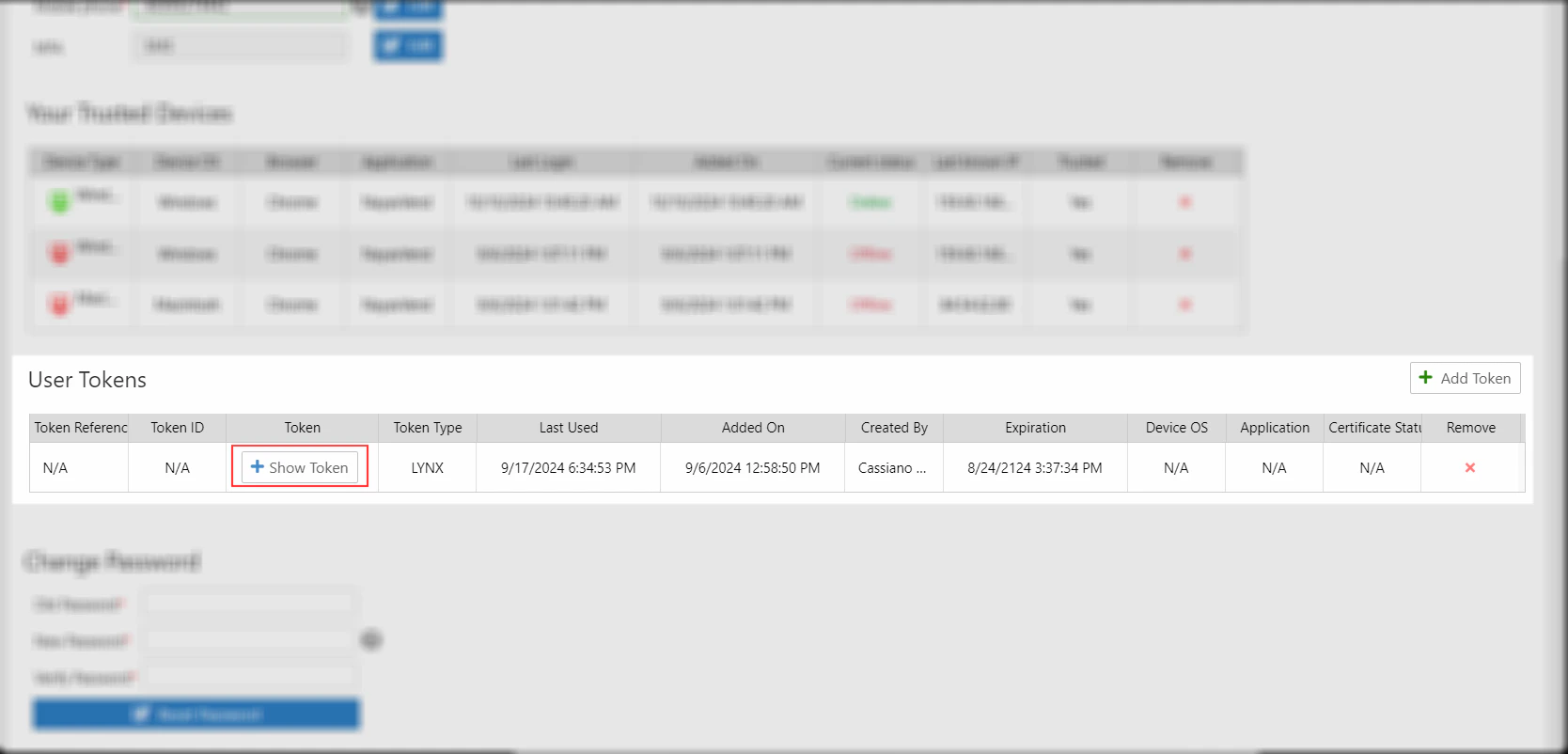 5. 单击现有令牌旁边的\*\*“显示令牌”\*\*按钮以显示它,并复制该令牌以用于 API 调用。
 ## 在 API 请求中使用令牌
在每个 API 请求的 `Authorization` 标头中包含访问令牌:
```sh theme={null}
curl -X GET "https://qa-lynx.nayax.com/operational/v1/devices" \
-H "Authorization: Bearer "
```
* 代替``使用从 Nayax Core 获取的实际令牌。
环境
本文档中的所有示例均使用 QA 基础 URL:`https://qa-lynx.nayax.com/operational`。对于生产环境,请将主机名替换为 `lynx.nayax.com`。
This documentation is built and hosted on [Mintlify](https://mintlify.com), a developer documentation platform.
## 在 API 请求中使用令牌
在每个 API 请求的 `Authorization` 标头中包含访问令牌:
```sh theme={null}
curl -X GET "https://qa-lynx.nayax.com/operational/v1/devices" \
-H "Authorization: Bearer "
```
* 代替``使用从 Nayax Core 获取的实际令牌。
环境
本文档中的所有示例均使用 QA 基础 URL:`https://qa-lynx.nayax.com/operational`。对于生产环境,请将主机名替换为 `lynx.nayax.com`。
This documentation is built and hosted on [Mintlify](https://mintlify.com), a developer documentation platform.