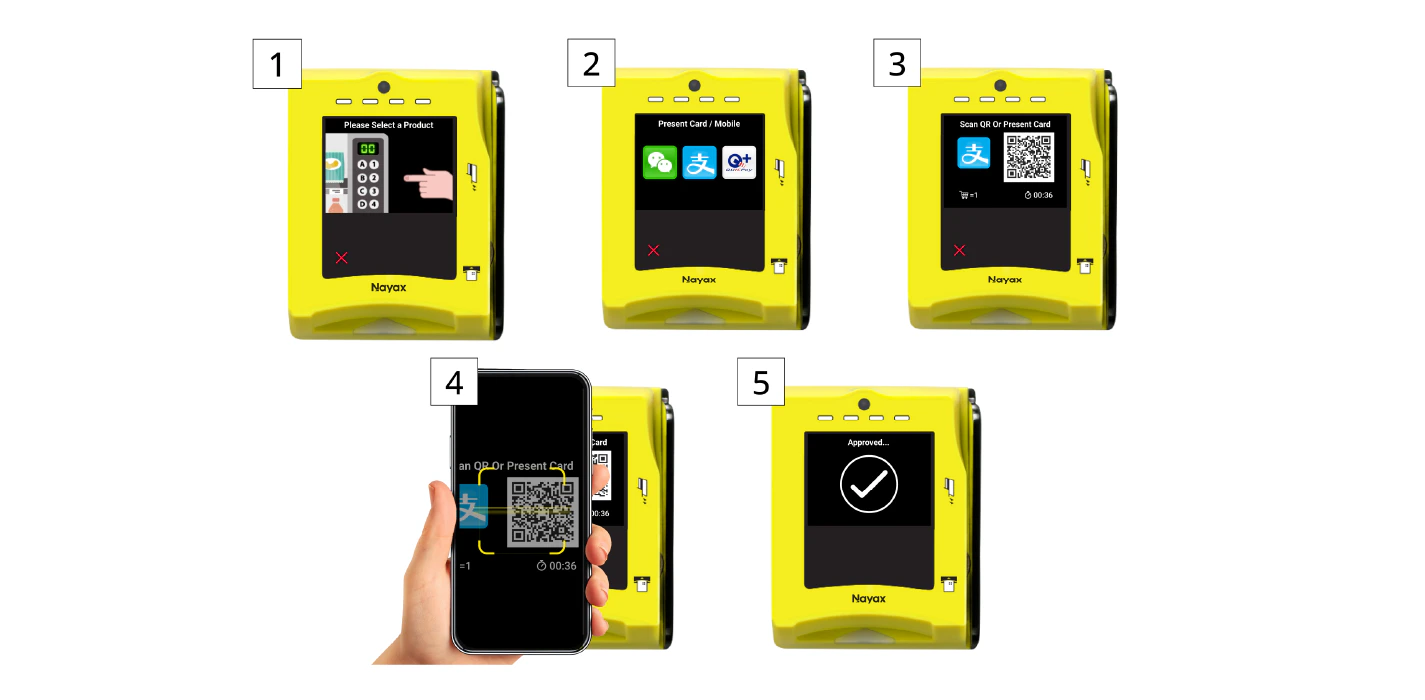
DynamicQR codes enable customers to complete payments by scanning the code with their mobile device, but with an added layer of security generating a unique code for each transaction, ensuring the QR code cannot be reused, making it ideal for high-value or secure transactions.
The Pre-selection flow simplifies the payment process by merging the steps of product/service selection and authorization into a single transaction. This flow is typically used for low-value or quick transactions, where the consumer’s selection and payment authorization are handled together in one step.See the diagram below (the numbers inside the brackets relate to the different sources of timeout):
The steps in this process are as follows:
The consumer presents a means of payment at the machine, selecting QR.
The Nayax Device sends a Begin Vending Session (Default, credit…) command to the Operator Service Machine.
The consumer selects a product, and the Operator Service Machine sends a Vend Request (Code, price…) to the Nayax Device.
The Nayax Device sends a Cortina Transaction Initiation request to the Nayax Server.
The Nayax Server sends a /Start Session request to the Integrator via the Start Session endpoint, and the Integrator returns a Start Session Response Success.
The Nayax Server sends a GenerateQR (Amount, Channel) request to the Integrator using the DynamicQR GenerateQR endpoint.
The Integrator returns a Response including the QR code data to the Nayax Server.
The Nayax Server sends the QR Command Response to the Nayax Device, which then shows the QR code.
Once the consumer scans the QR and confirms via mobile, the Nayax Device sends a QR Payment Command Request to the Nayax Server.
The Nayax Server sends an Inquiry (Transaction ID) to the Integrator using the DynamicQR Inquiry endpoint.
The Integrator returns the Response Status (Approved/Pending) to the Nayax Server.
The Nayax Server sends the QR Payment Command Response to the Nayax Device.
The Nayax Device sends a Vend Approved command to the Operator Service Machine.
The Operator Service Machine dispenses the product and sends a Vend Success notification to the Nayax Device.
The Nayax Device sends the Settlement Command to the Nayax Server.
The Nayax Server returns the Settlement Command Response (Always Approved) to the Nayax Device, which then displays a “Thank you” message.
Was this page helpful?
Assistant
Responses are generated using AI and may contain mistakes.