

Start call.
The selected product can be sent as a product code for MDB or Marshal machines, or a specific pulse line ID for Pulse machines.
This functionality is currently supported only with
VPOS\ONYX device.Virtual machine configurations
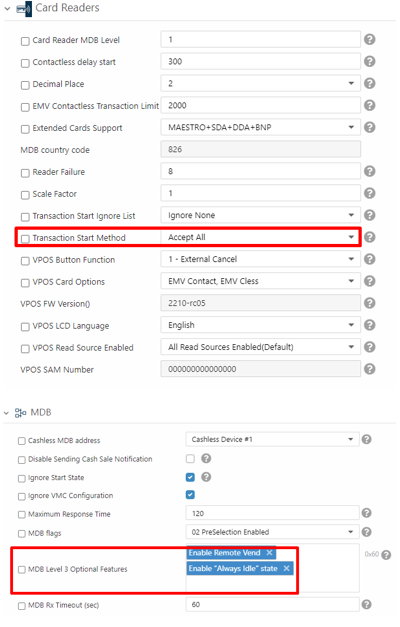
How to implement
When sending the Start request, add a “Products” attribute with an array with one or more products as follows:Pulse machine
Starting from which firmware is it supported?
4.0.10.23What is the format of the call?
The selected product goes inside theProducts array of the Start request. Pulse machines use either Code or PulseLineNumber, depending on how the machine is configured.
See Remote vend: product selection for which field to send and how the numbering works.
Not pulse (MDB, Marshall etc.)
- MDB- note that Remote Vend is supported on MDB machines with level 3 only (a protocol limitation)