

Payment Flow
The diagram below describes the typical payment flow for a front-end integration. ↓ Download diagram Here’s the breakdown of the diagram: 1. Setup Your app calls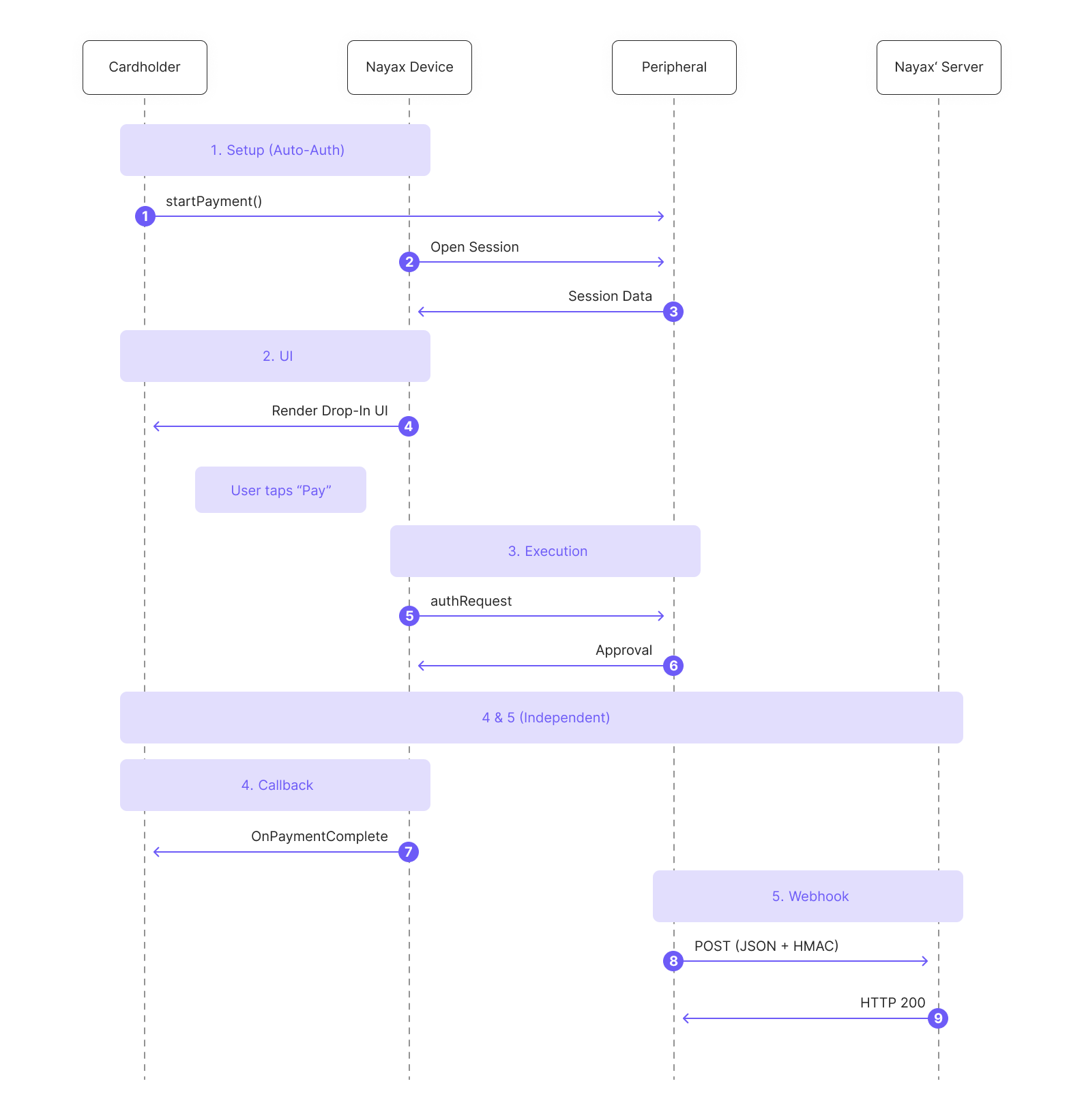
startPayment (PaymentData) once. The SDK handles merchant authentication and session initialization with Nayax automatically. No additional API calls needed from your side.
2. UI
The SDK renders the Drop-In UI, a ready-made payment screen, directly inside your app. The cardholder enters their card details and taps Pay. Your app never touches raw card data.
3. Execution
The SDK submits the authorization request to Nayax. The server responds with an approval or decline based on the requestType you specified (Sale, Auth, or Capture).
4. Callback
The SDK fires a callback (onPaymentComplete, onPaymentFail, or onError) depending on the outcome. Handle these in your app to update the UI and your local order state.
5. Webhook
Once the transaction is processed, Nayax automatically sends the result to your back-end as a webhook notification, a JSON payload containing the transaction status, card details, and your original merchantRequestId. Validate the Hmac field before processing, then return HTTP 200 to confirm receipt. This is your authoritative record of the transaction.
Available Guides
Initiate Payments
Call startPayment to launch a payment flow with the Nayax eCom SDK.
Payment Callbacks
Handle the SDK’s payment result callbacks for Android and iOS.
Drop-in UI
Display a pre-configured list of payment methods anywhere on your site.