Manage access to AWS resources
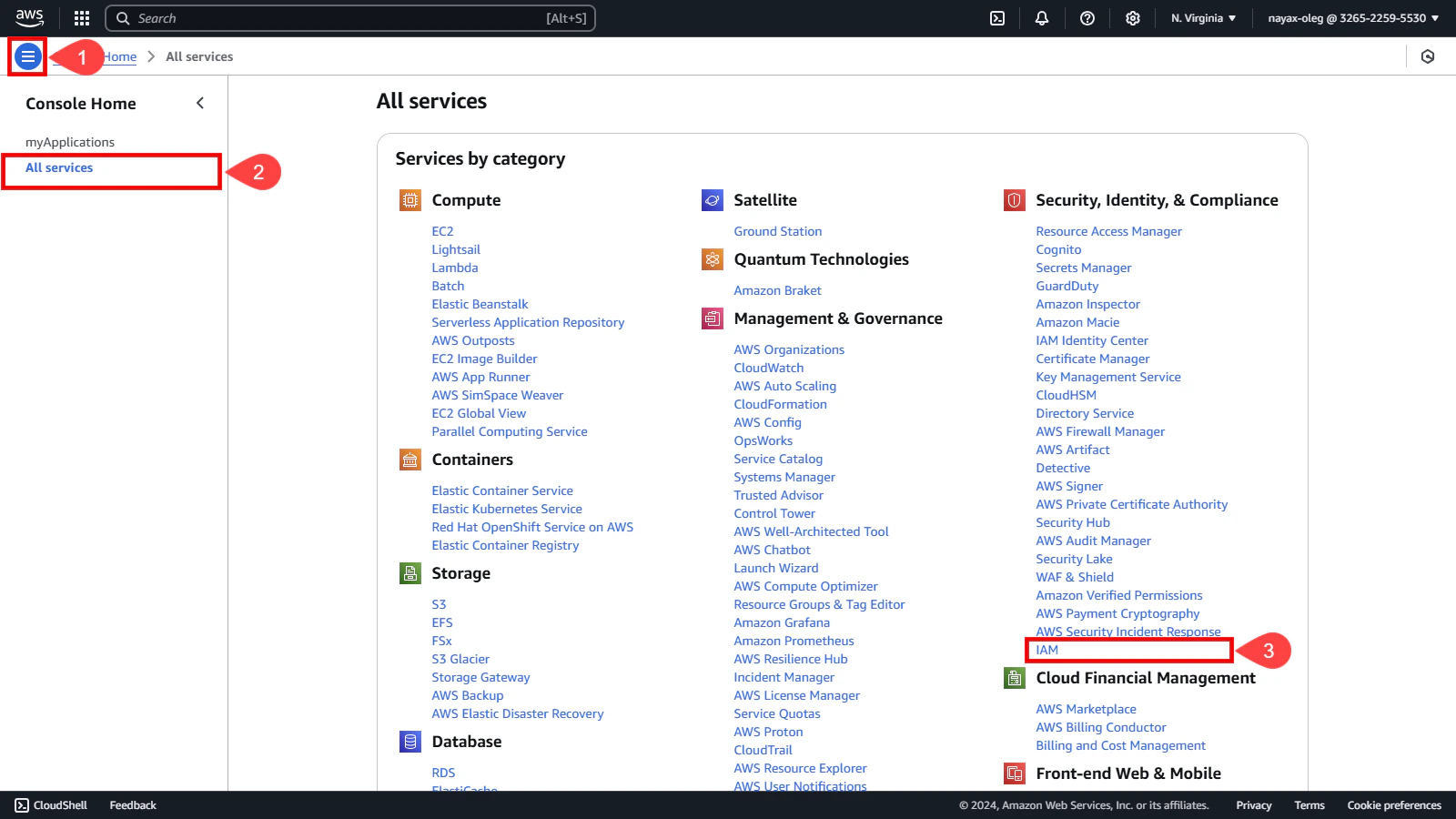
To begin configuring access to your queue, you first need:- Click the three lines icon located in the upper left corner of the AWS console.
- Select the All services option.
-
Search the Security, Identity, & Compliance category and select IAM (Identity and Access Management).
-
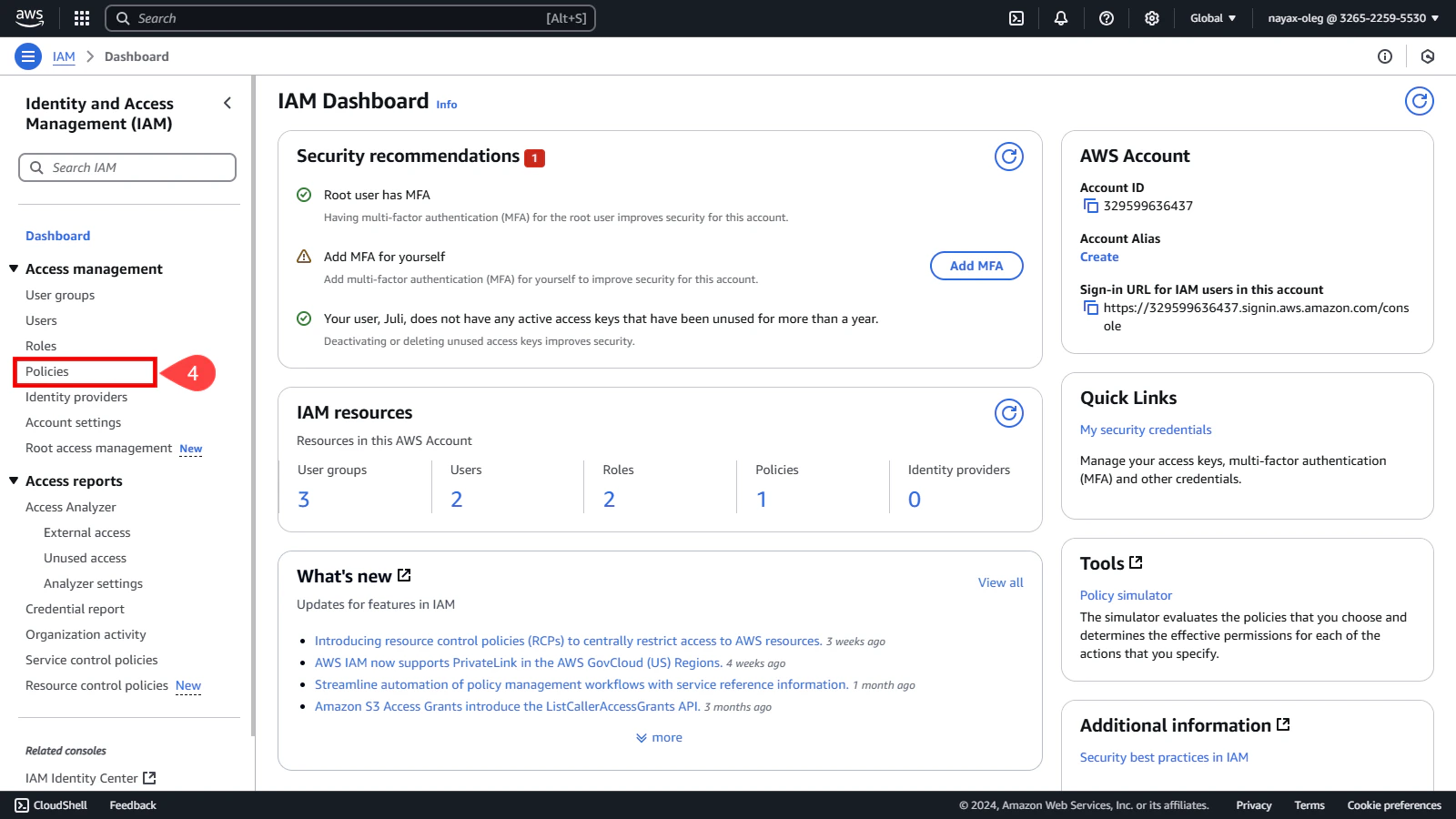
Click Policies on the left side menu.
Create policy
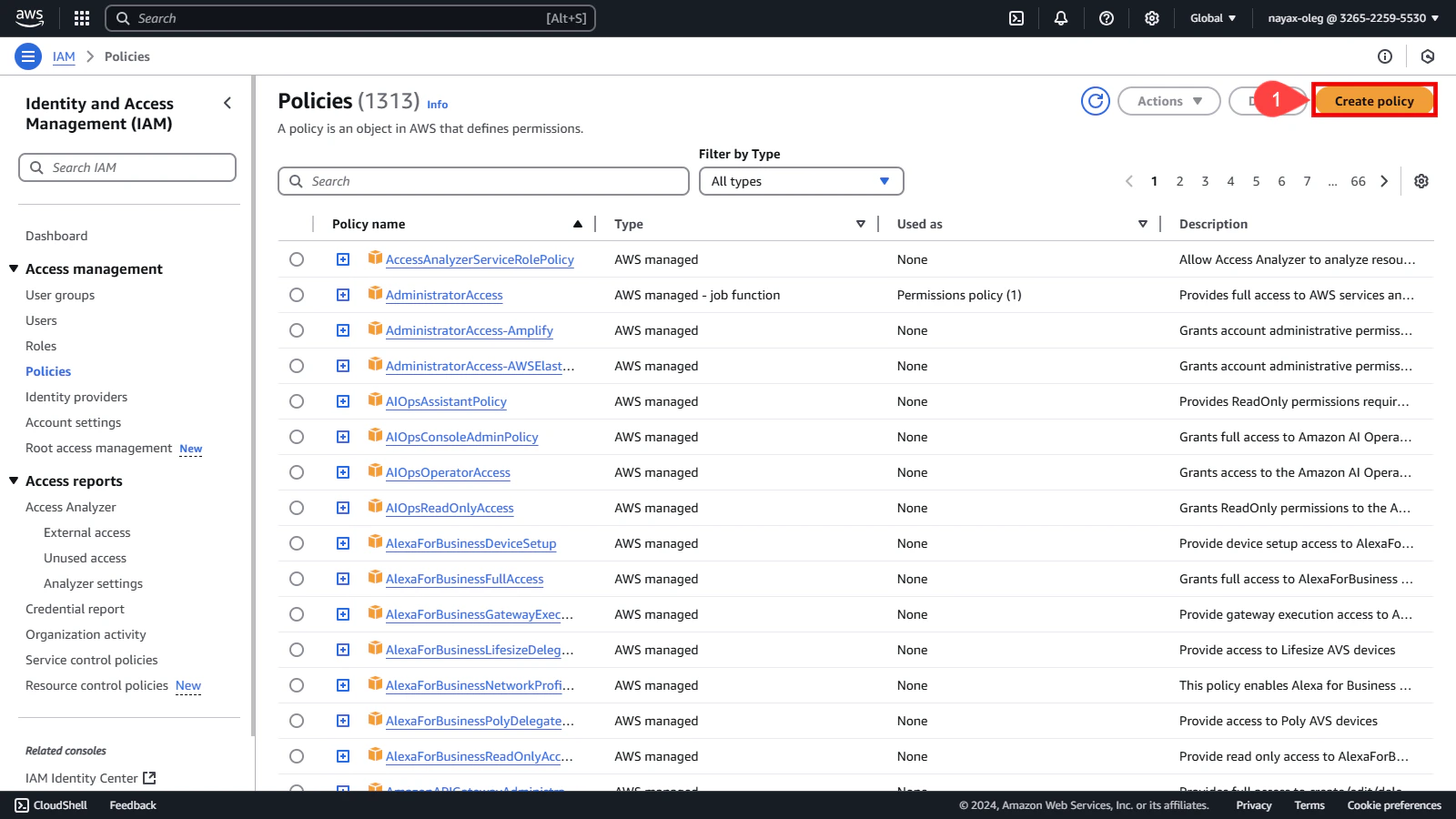
Policies are created to define what actions users can perform on your queue. Follow these steps to create a new policy:-
Click the Create Policy button.
-
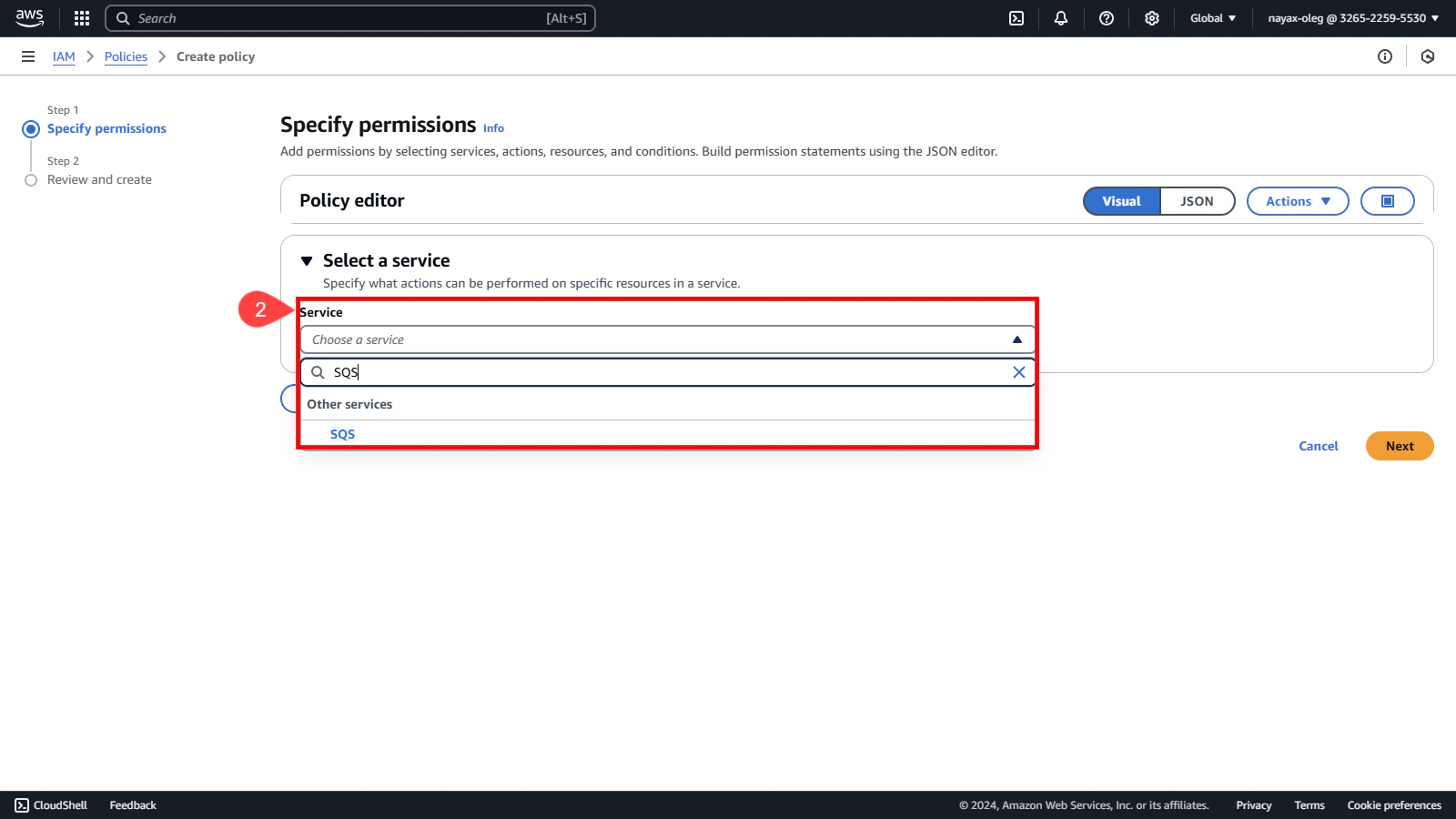
In the Service > Choose a service field, search and select SQS.
Set permissions for SQS
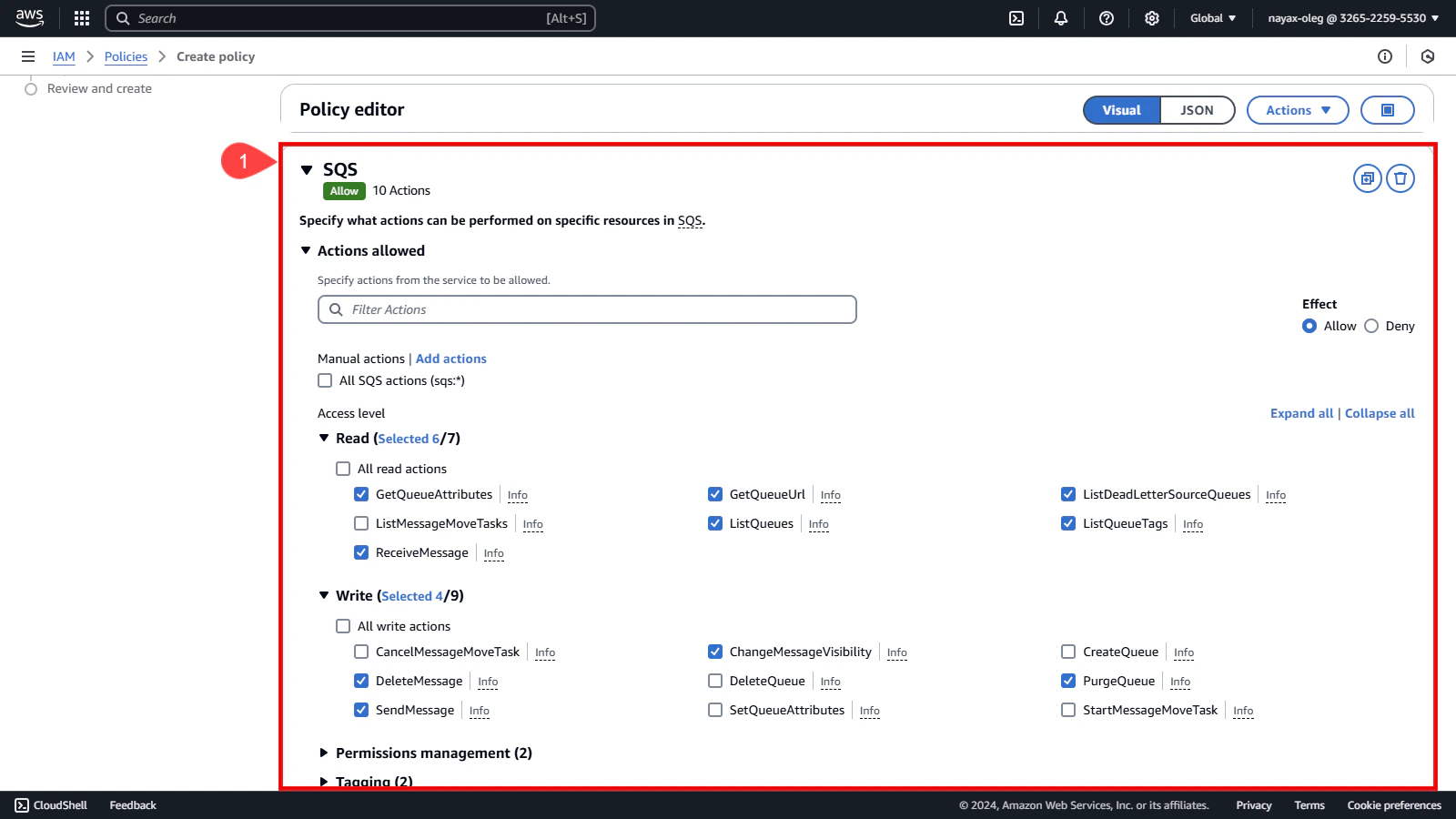
Now that you’ve selected SQS as the service, define the permissions needed for the queue:-
Under Actions, select the permissions you need for the queue.
Set policy to specific ARN
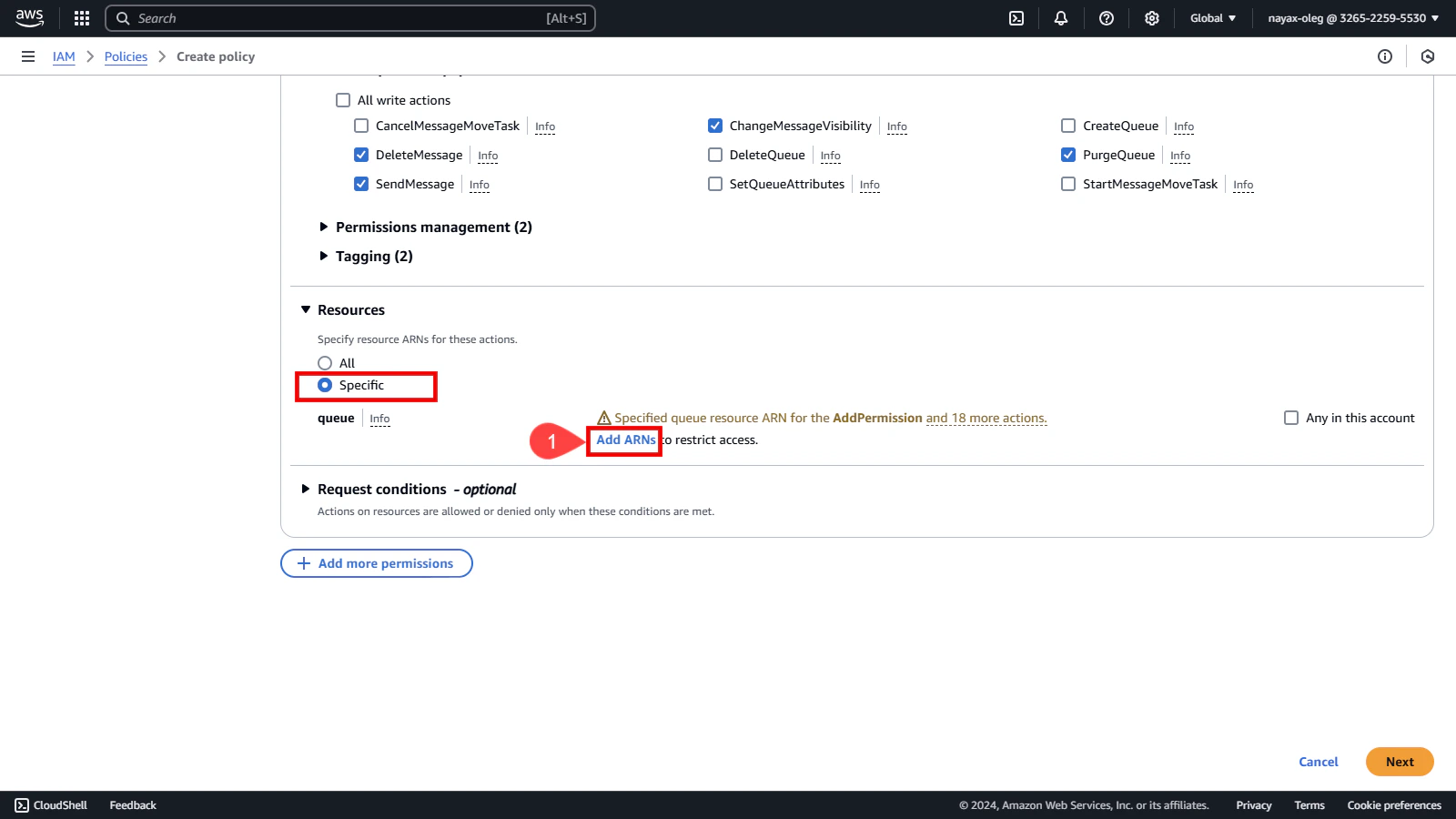
The Policy you are creating can be assigned to any Queue. In this case, you’ll assign it to the specific queue created earlier.ResourcesEnsure that the Specific resource is selected.
-
Click Add ARNs.
- Enter the copied ARN in the Resource ARN field. You can find this value from the confirmation screen displayed at the end of the Create New Queue process.
-
Click the Add ARNs button.
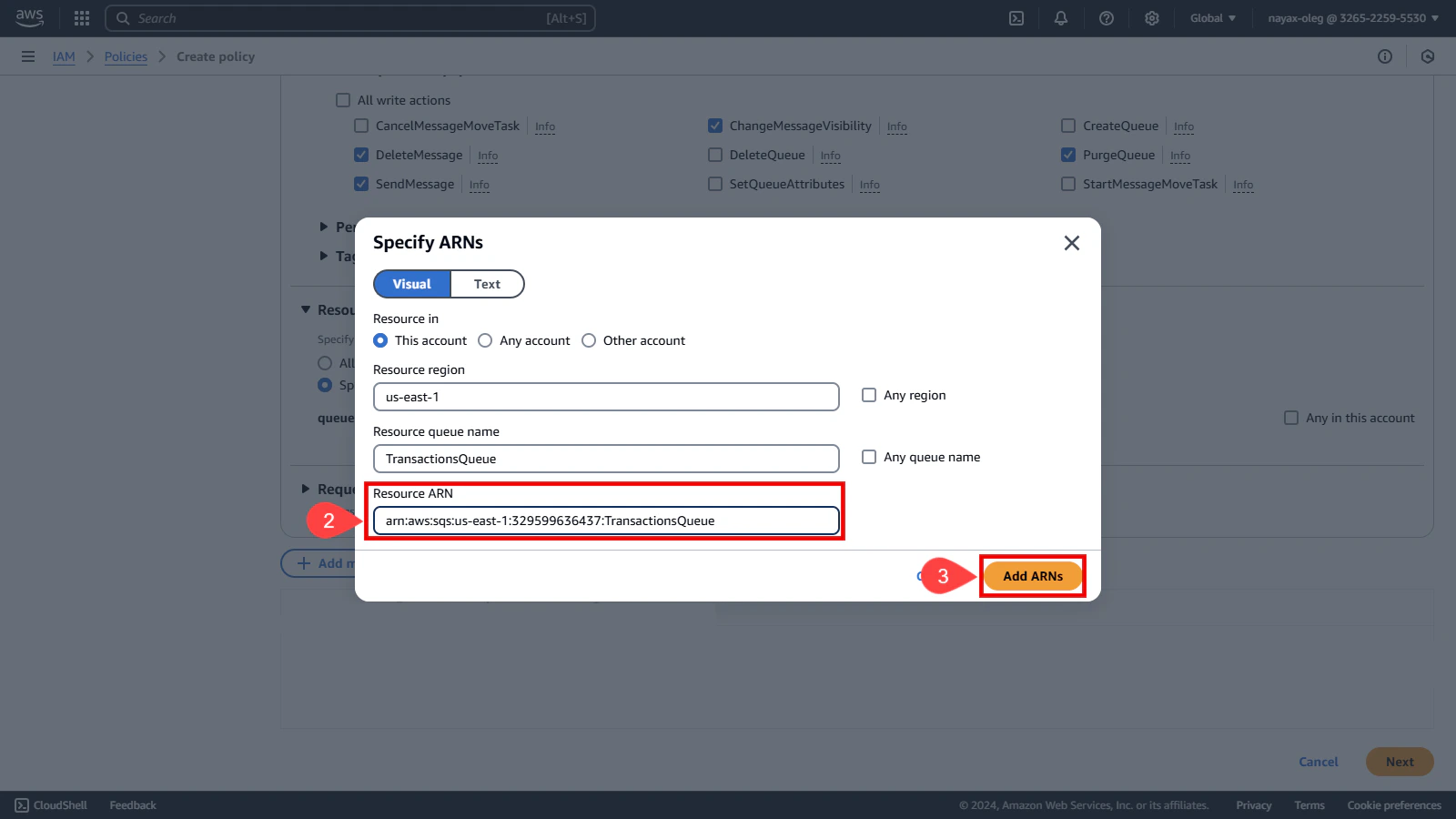
-
Click the Next button.
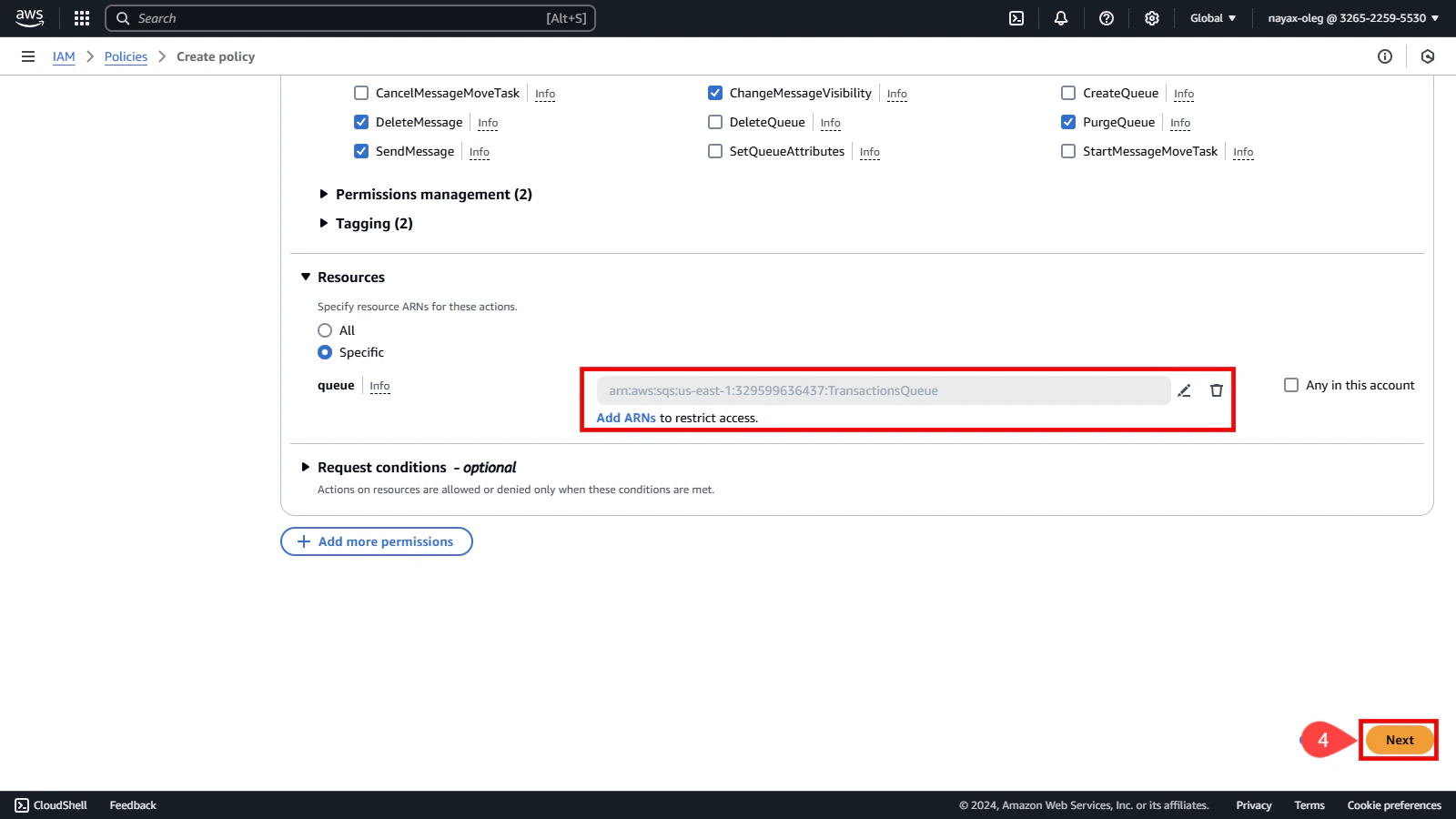
Review and create the policy
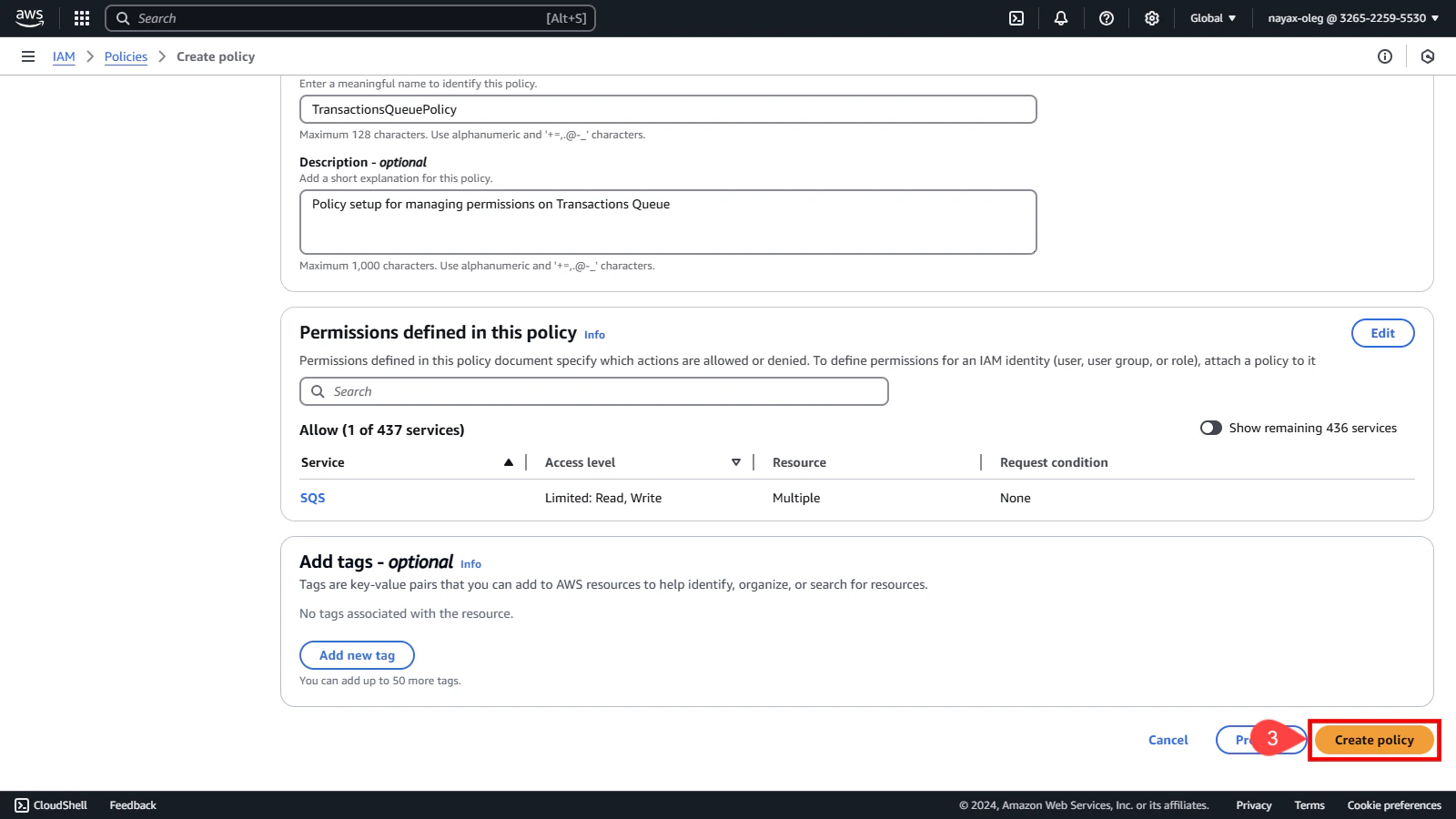
Before finalizing the policy, review its details to ensure all configurations are correct. This step is essential to avoid potential issues with permissions. In the Policy details section:- Enter a unique name to identify this policy.
-
Add a description for this policy (Optional).
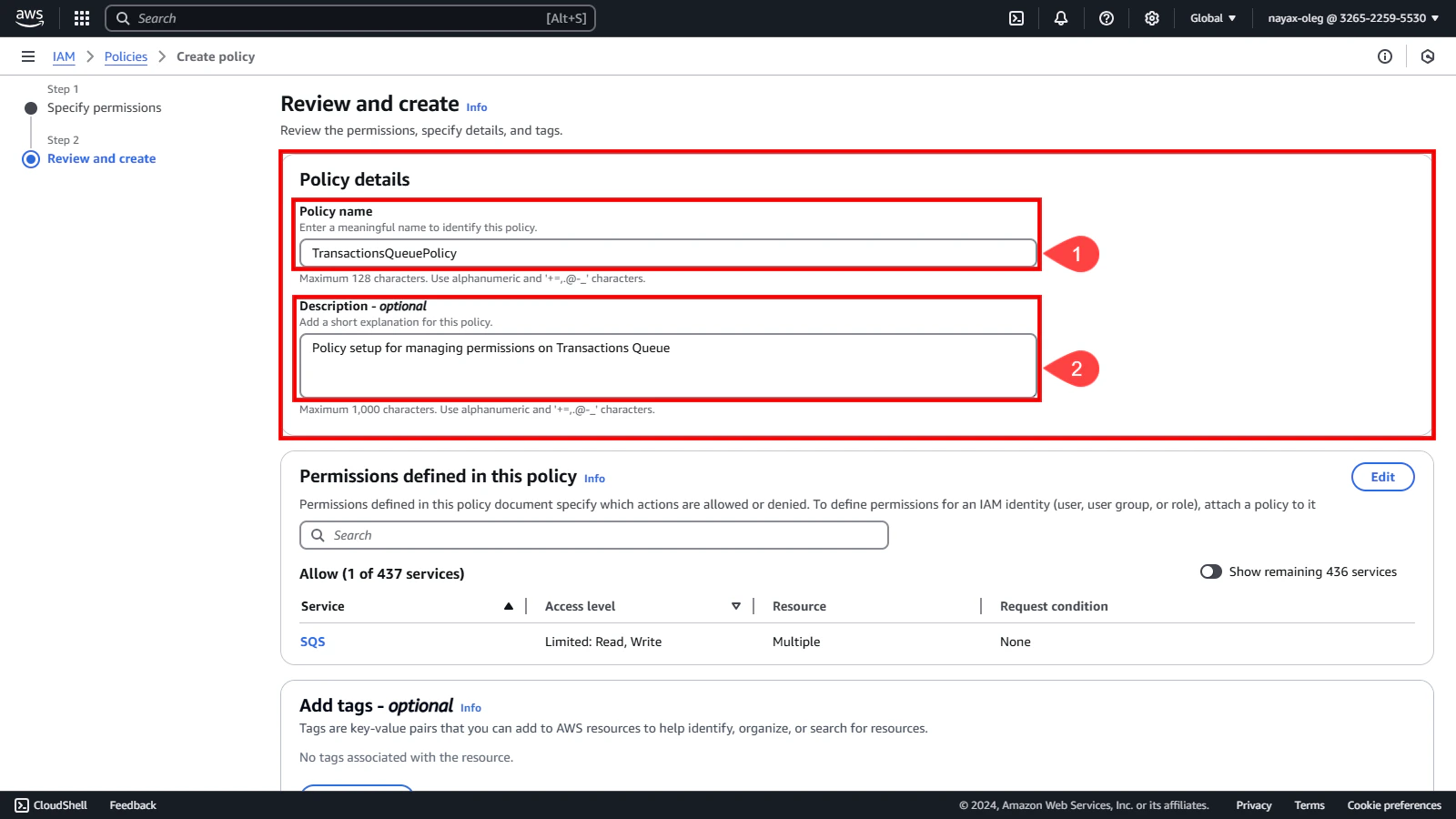
-
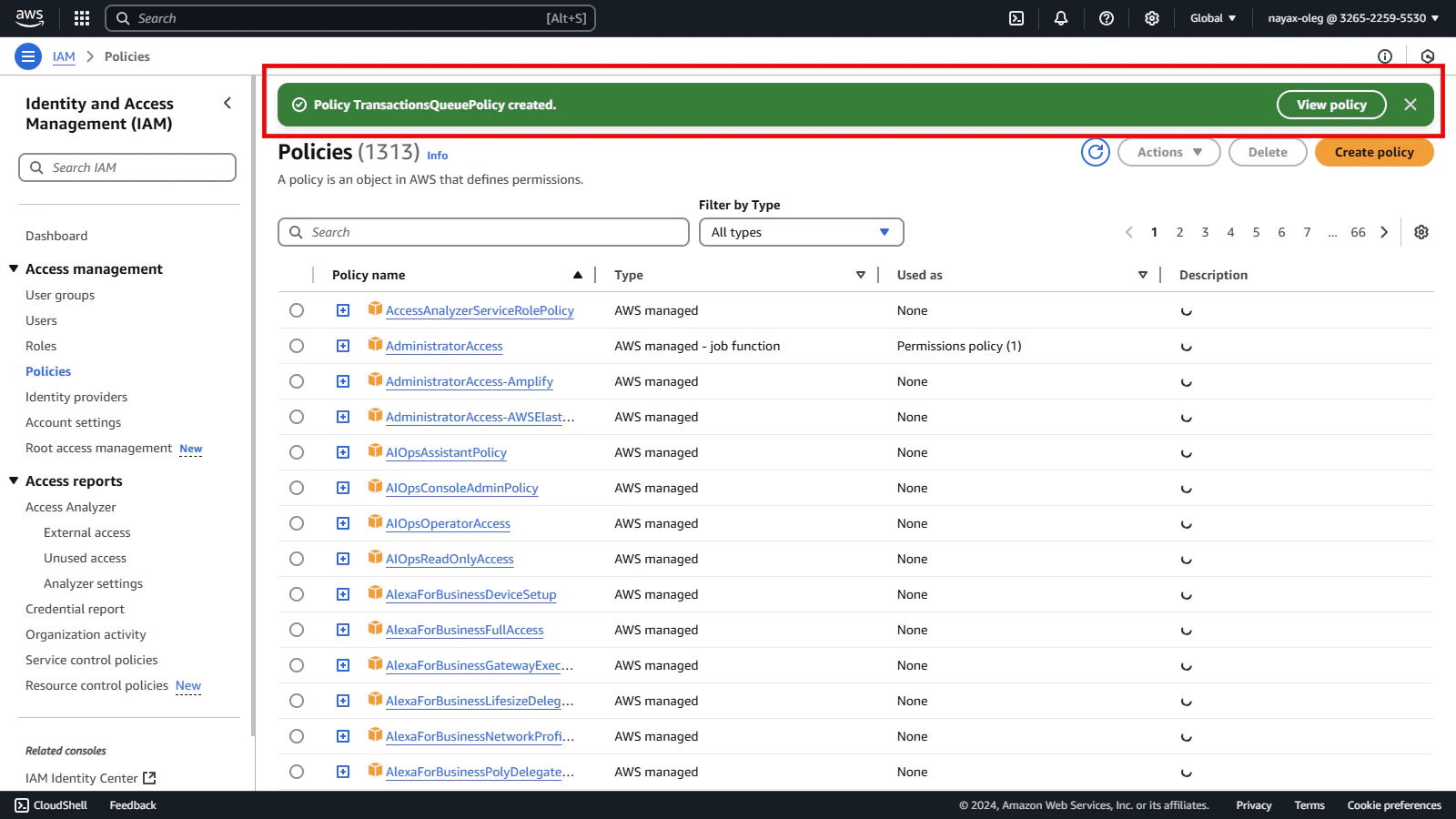
Finally, click the Create Policy button.