Disabling the device
Use the Update Device endpoint to update the device’s status. You need to provide theDeviceID, ActorID (operator ID), and the new status flag. See an example request in the code block below:
Path ParamsReplace
<DEVICE_ID> with the actual identifier of the device you want to disable.
So, to disable the device, change the
StatusID to 2. The response will show details about the device, confirming that the device’s status has been disabled.
Validate the updates
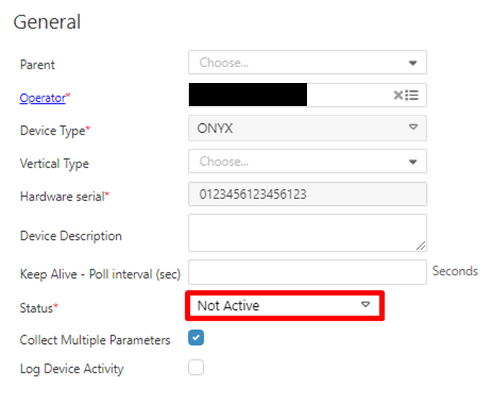
You can also use the Get Device by DeviceID endpoint to retrieve the device’s information and validate the update’s success. Another way to validate this is within Nayax Core, where you can check the details of each device and validate their current status. Follow the steps below to do so:- In your Dashboard, go to Administration > Devices.
- Use the search function to filter through the list of devices.
- Select the desired device from the list.
- Open the General Information tab and see the Status field.