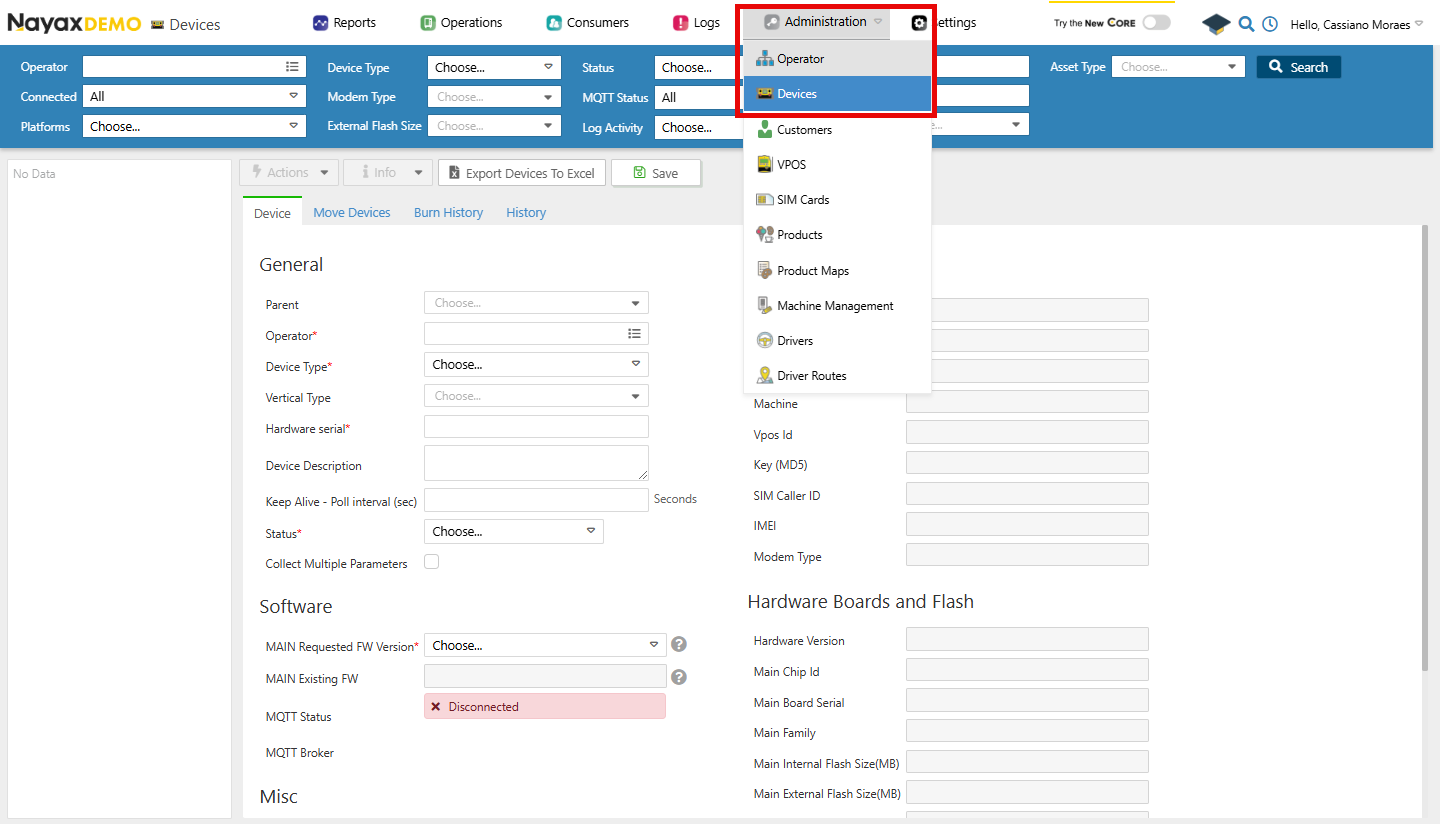
- In your Dashboard, go to Administration > Devices.
- Use the search function to filter through the list of devices.
- Select the desired device from the list.
- Open the General Information tab.
Lynx API Methods
Lynx API allows you to retrieve all this information from one device or a group of devices programmatically using the following endpoints:Retrieve a Device by deviceID
Using the Get Device by DeviceID endpoint, providing it with the deviceID as a path parameter, you can retrieve that device’s details. See an example request and response in the code block below:
Path ParamsReplace
<DeviceID> with the actual identifier of the device.Retrieve all Devices
Using the Get All Devices endpoint, you can retrieve a list of available devices. The code block below shows an example request and response.| Query Parameter | Type | Description |
|---|---|---|
ActorId | int64 | The unique identifier of the actor associated with the devices. |
isConnected | boolean | Filter devices based on their connection status. |
pageNumber | int32 | Defaults to 1. The page number for paginated results. |
pageSize | int32 | Defaults to 1000. The number of results per page. |
nayaxDeviceSerial | string | The serial number of the Nayax device. |
orderId | int32 | Filter devices based on the associated order ID. |
statusId | int32 | Filter devices based on their status ID. |
createdDt | date-time | Filter devices based on their creation date. |
updatedDt | date-time | Filter devices based on the last updated date. |
boardSerial | string | The serial number of the device’s mainboard. |
imei | string | The International Mobile Equipment Identity number of the device. |
chipId | string | The unique identifier for the chip in the device. |