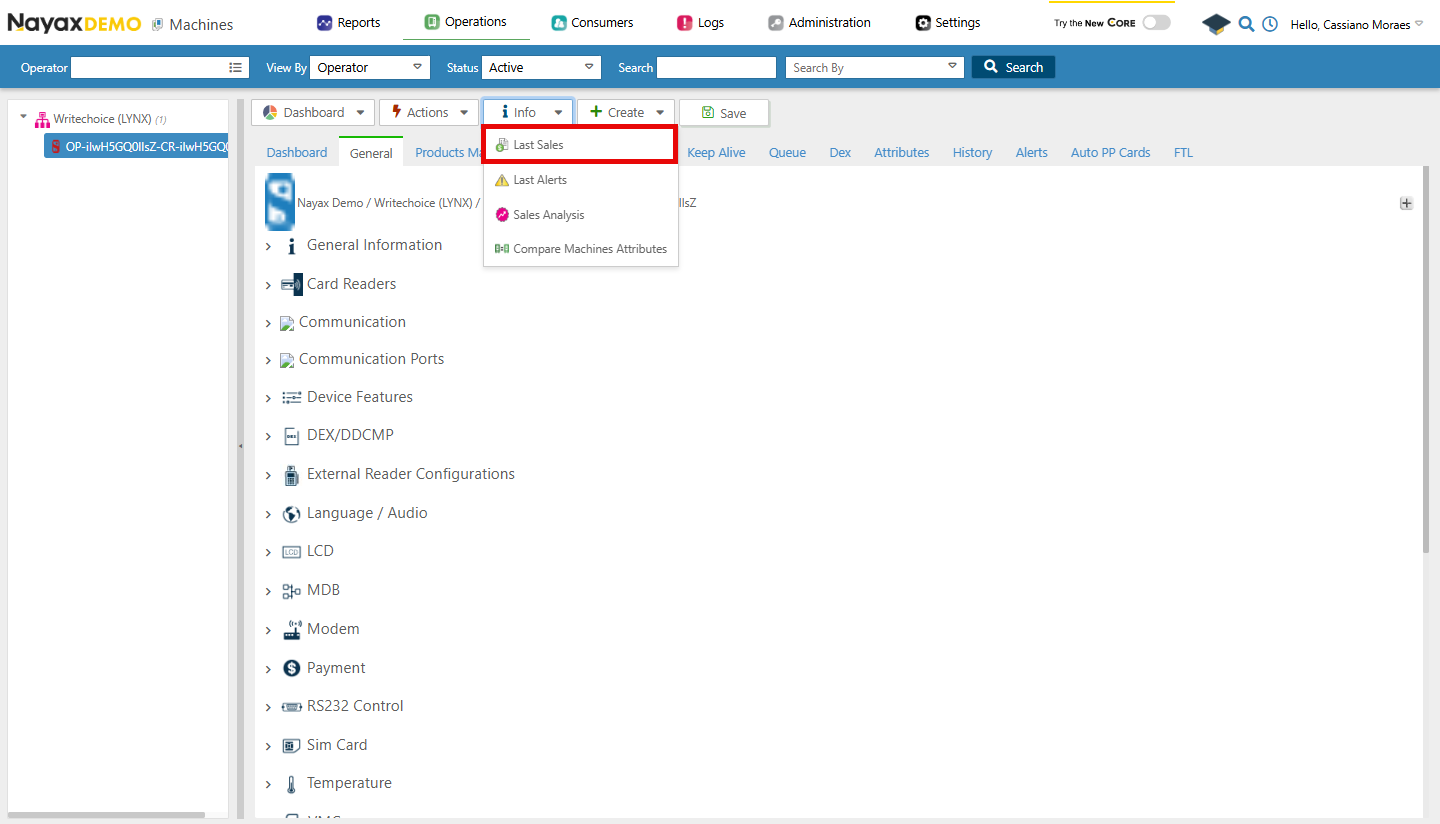
- Go to Operations > Machines .
- Choose your machine and click Info > Last Sales .

Lynx API
Lynx API allows you to do this process programmatically through a GET request. This page will guide you on how to do so using the endpoint below.Get Last Sales for Machine by MachineID
GET
Retrieving the Last Sales
You’ll use the Get Last Sales for Machine endpoint, adding the machine’s unique identifier as a path parameter to retrieve details about the respective machine. This lets you view the latest sales activity associated with the searched machine. See the example request in the code block below:Request
Path ParamsReplace
<MachineID> with the actual machine unique identifier you want to search.Response
| Field | Description |
|---|---|
TransactionID | 2108816976, identifying the transaction. |
PaymentServiceTransactionID | Provides details about the payment processor transaction. |
PaymentServiceProviderName | Indicates the name of the payment processor. |
MachineID | Refers to the machine where the transaction took place. |
MachineName | Name of the machine where the transaction occurred. |
AuthorizationValue | The authorized transaction amount. |
SettlementValue | The settled transaction amount. |
CurrencyCode | The currency used in the transaction (e.g., USD). |
PaymentMethod | The method used for payment. |
RecognitionMethod | How the payment was recognized. |
CardNumber | The card number used for payment. |
CardBrand | The brand of the card used for payment. |
ProductName | Specifies the item sold in the transaction. |
Quantity | The quantity of the item sold. |
AuthorizationDateTimeGMT | The authorization timestamp in GMT. |
SettlementDateTimeGMT | The settlement timestamp in GMT. |