

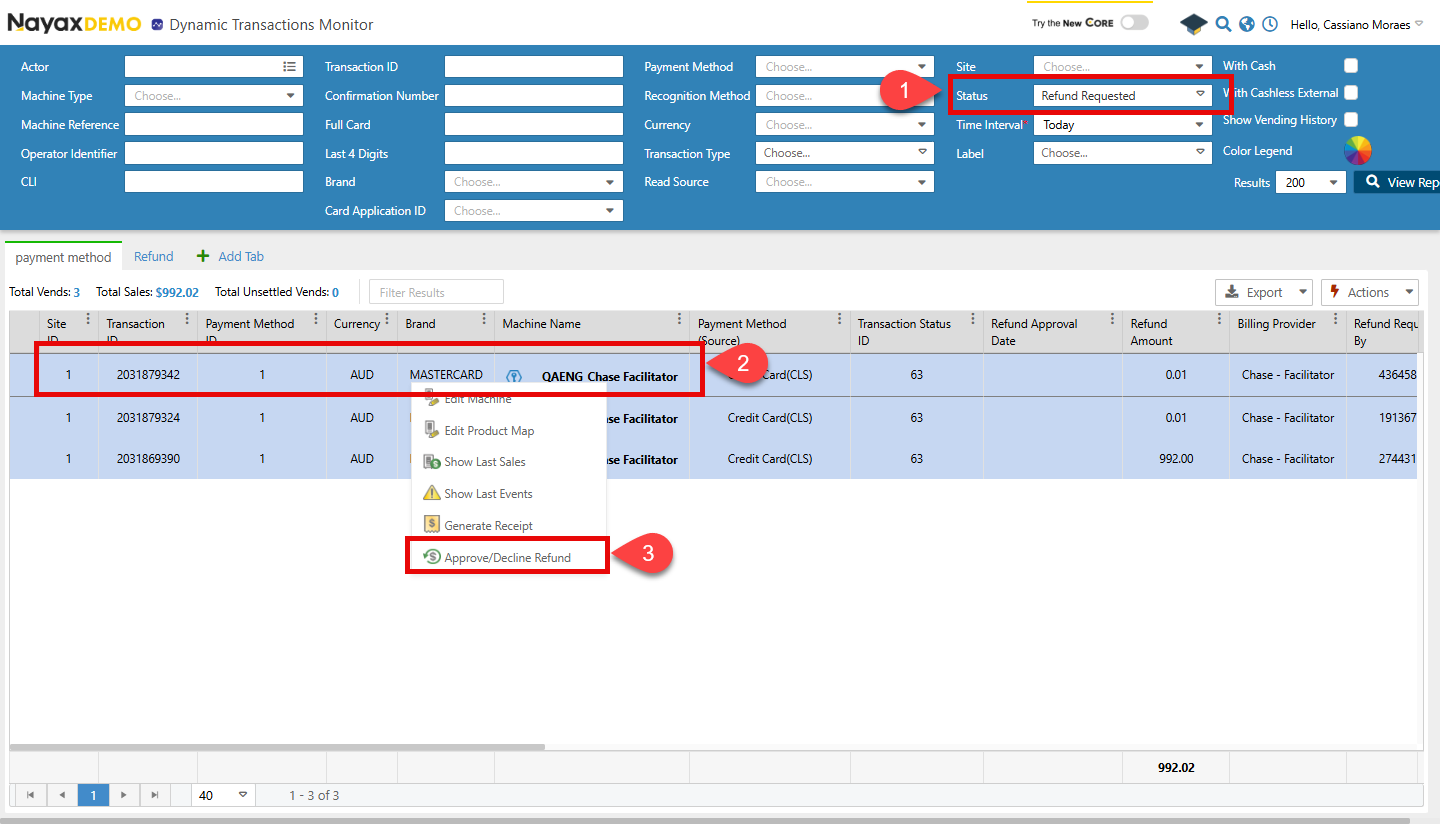
- Use the search feature to find the transaction. Then, choose Refund Requested to filter by Status.
- Right-click the transaction in the list.
-
Click Approve/Decline Refund.
-
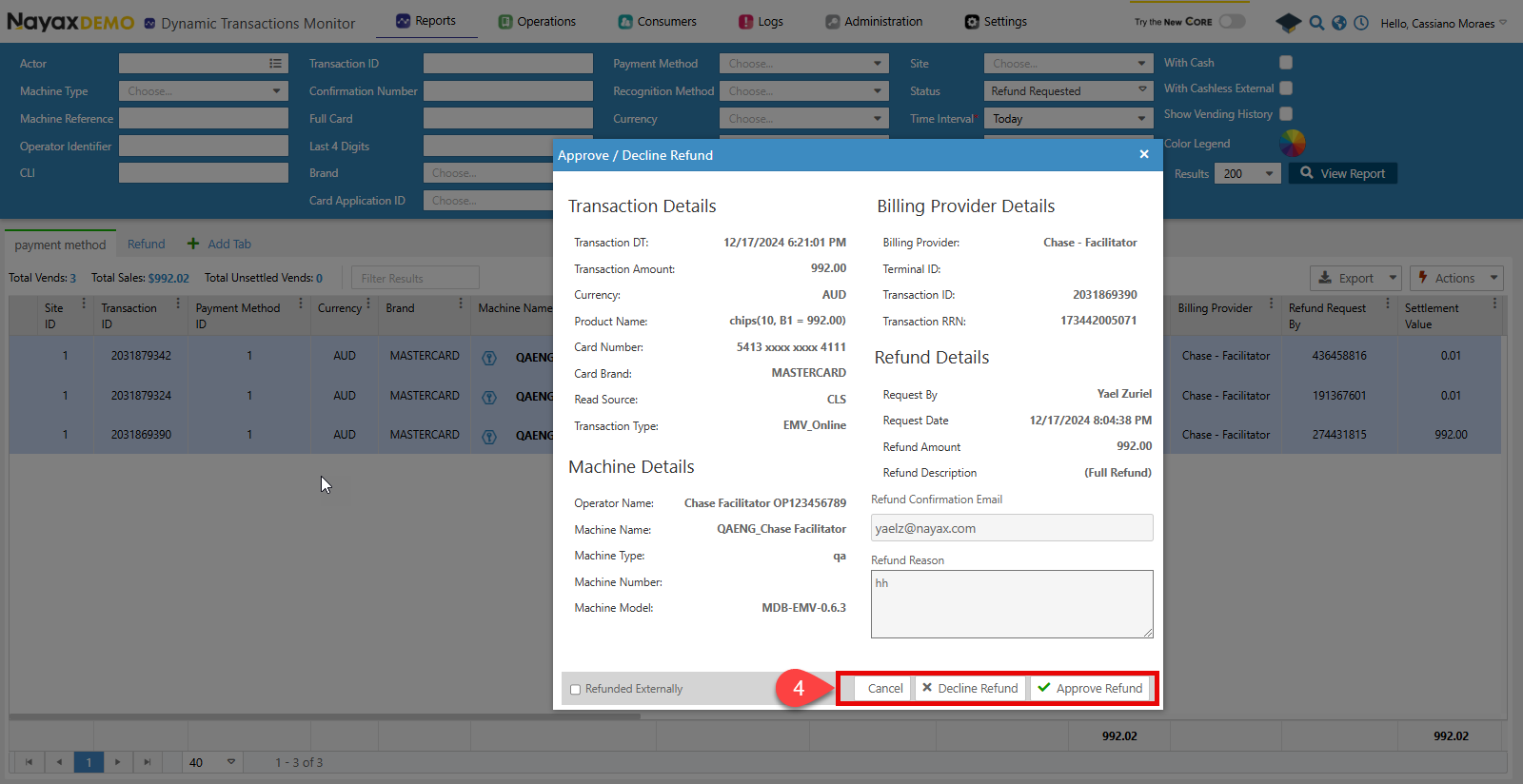
A pop-up window will appear. Click Decline Refund or Approve Refund.
Lynx API
This process can be done through the Lynx API using the endpoints below.Approve request
Use the Approve Payment Refund endpoint to approve the refund. The code block below shows the request object and its body parameters:Request
| Name | Type | Description |
|---|---|---|
| IsRefundedExternally | boolean | It is used when the customer contacts the billing provider for a refund. In that case, this flag is set to true, and the file received by the billing provider is added to the RefundedDocumentUrl. |
| RefundDocumentUrl | string | If IsRefundedExternally is set to true, the URL for the refund document from the billing provider needs to be added here.
SeeUpload Refund Documentationfor more details on uploading the document and getting the URL. |
| TransactionId | int64 | The unique identifier of the transaction for which the refund is being approved. |
| SiteId | int32 | The unique identifier of the site where the transaction occurred. |
| MachineAuTime | date-time | The machine’s authorization time is associated with the transaction |
Decline request
To decline a refund, use the Decline a Payment Refund endpoint. The code block below displays the request object and its body parameters.Request