

- Operator/Actor Level: Widgets that gather data from multiple machines.
- Machine Level: Widgets that show data specific to a single machine.
Every widget has its own unique identifier (
widget_type_id), filters, and other configuration options. See the Widgets ID List for a full reference.Documented Widgets
Sales By Period
Bar chart showing revenue generated across your fleet over a selected time period.
Dashboard Sales Table
Numeric breakdown of revenue and transaction counts by reporting window.
Last Year vs This Year Monthly Sales
Visual comparison of monthly sales performance between the current and previous year.
10 Most Popular Machines Sales/Vends
Ranking of the top-performing machines in your fleet by sales and vend volume.
General Widget Actions
These options appear on the right side of every widget and offer additional controls.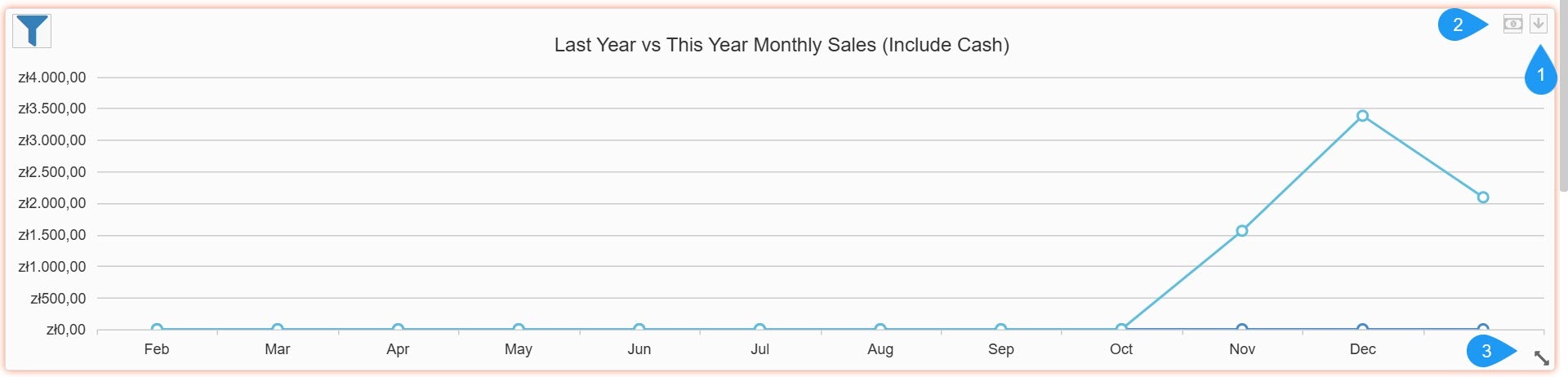
- The Dropdown Arrow button offers the following options:
Options
Options
- Lock Widget: Secures the widget in its current position on the dashboard to prevent accidental moving or resizing.
- Export: Allows you to download the widget’s raw data in PDF format for external reporting.
- Remove Widget: Deletes the widget from your current dashboard view.
- Currency Toggle: The bill/money icon opens a sub-menu that allows you to change the currency in the widget.
- Resize Tool: Located in the bottom-right corner of the widget, this icon lets you click and drag to resize the widget on your dashboard.