- VMO经理
- DEX 通知 - SQS
先决条件:Dex 读取计划配置这些设置说明假设 DEX 读取计划已经配置好。
操作员级别设置
按照以下步骤在 Nayax Core 中的运营商级别配置 DEX 交付:-
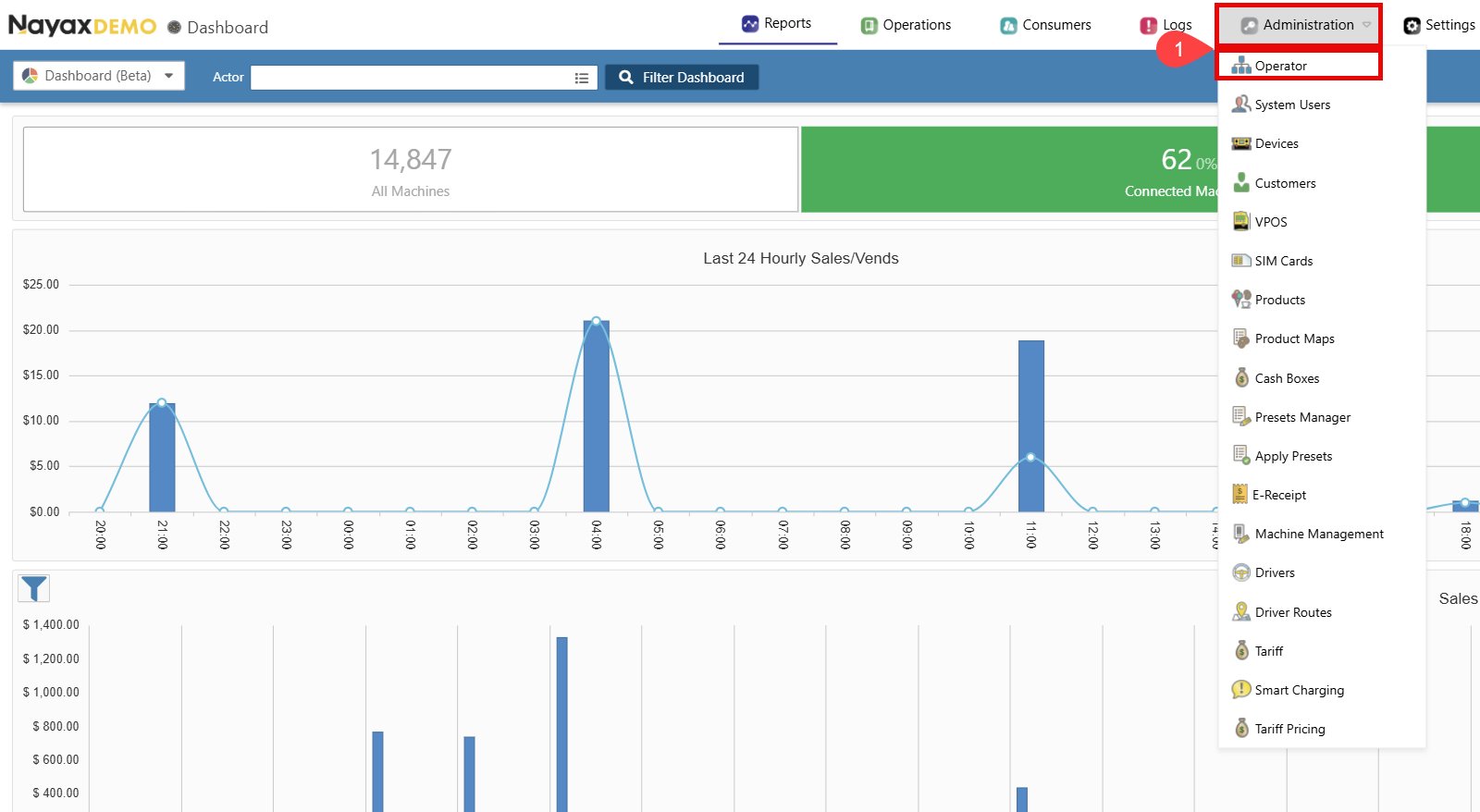
前往管理 > 操作员。
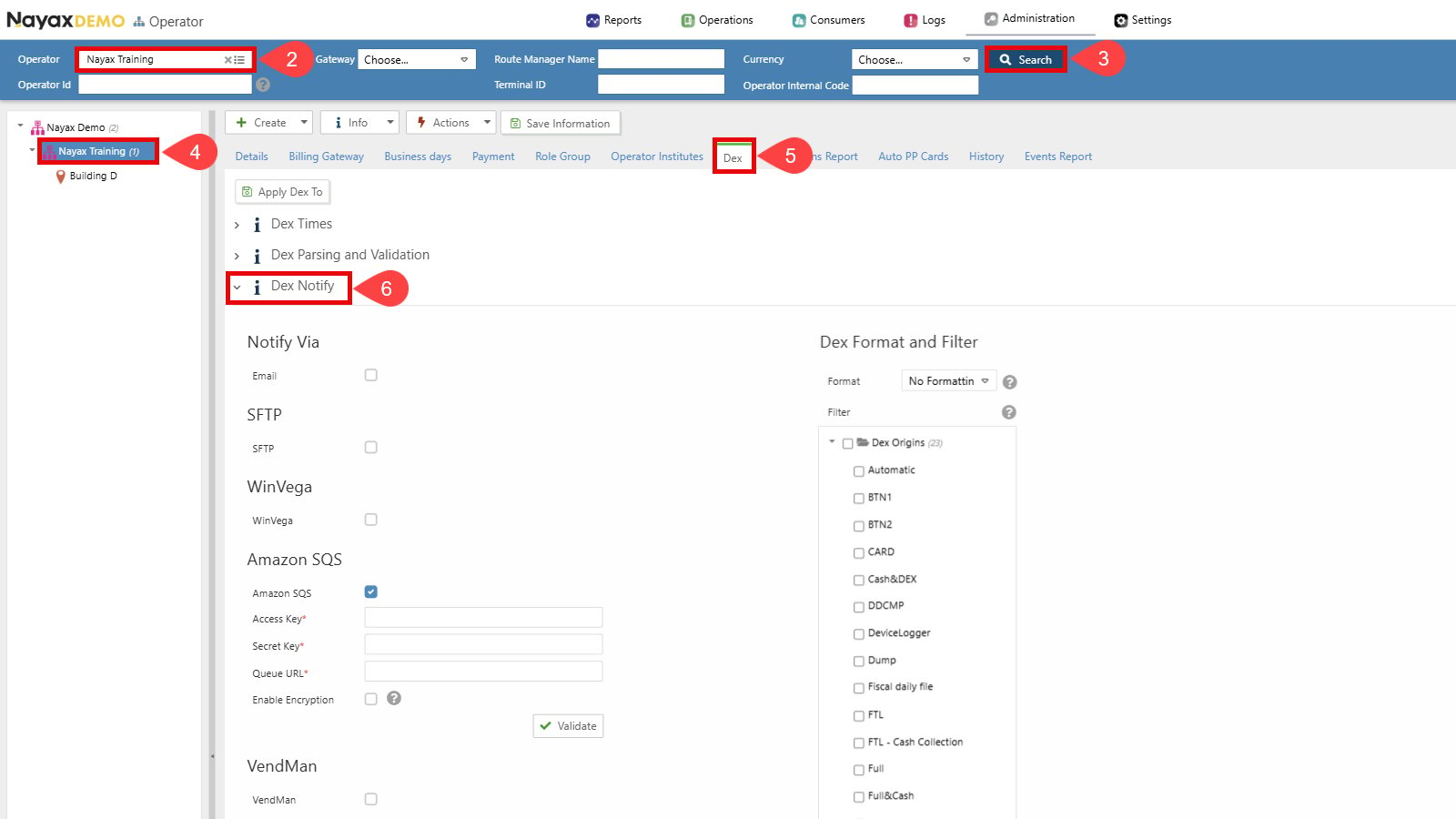
- 找到您想要设置的运营商。
- 单击**“搜索”**按钮。
- 选择操作员以显示所有选项卡和详细信息。
- 转到Dex选项卡。
-
单击打开Dex Notify部分。
-
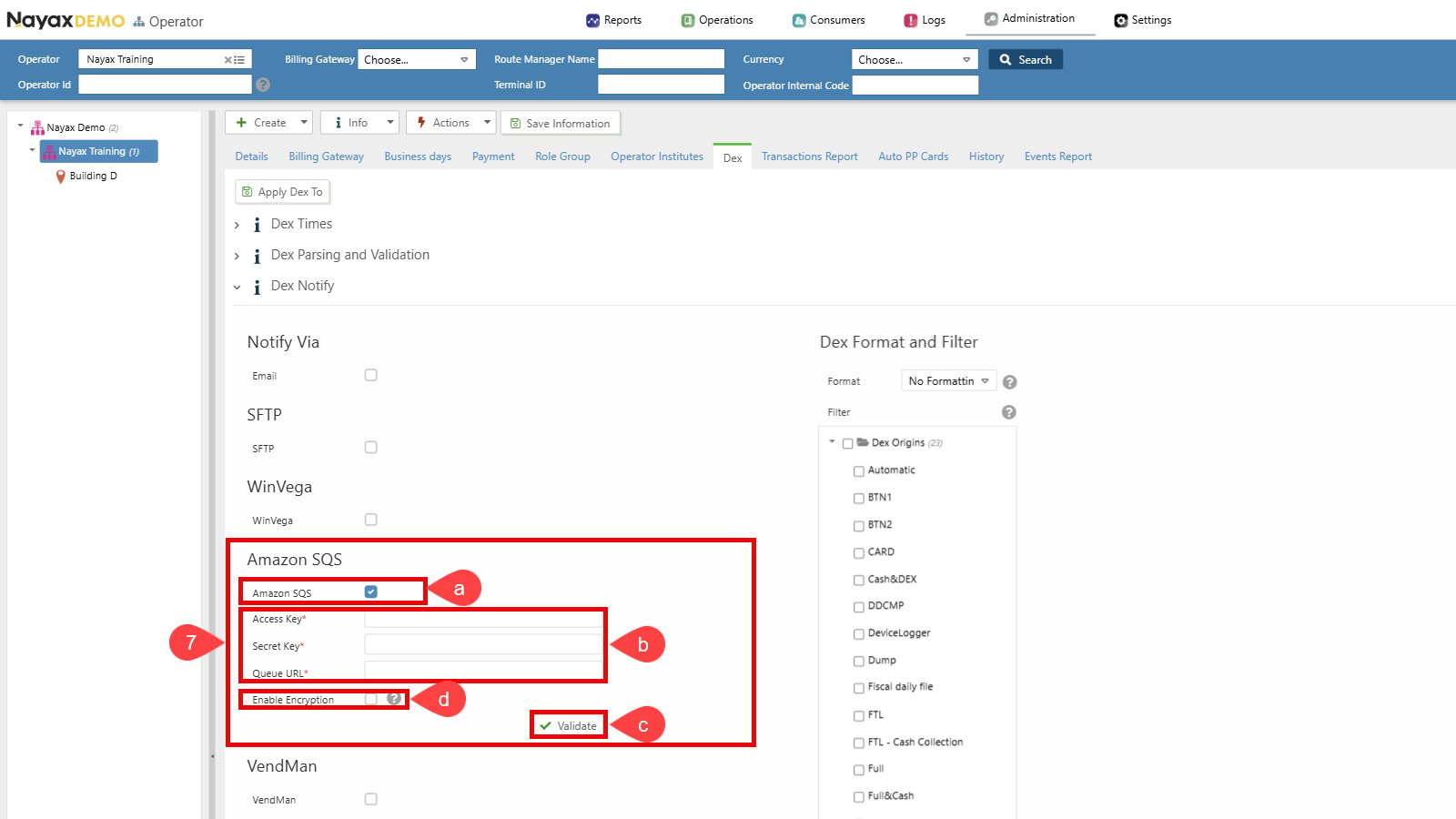
Set up Dex Transmission to Amazon SQS:
a. Select the checkbox next to Amazon SQS to enable this option.
b. Enter the SQS credentials (Access Key, Secret Key and Queue URL).
c. Click the Validate button to ensure the Queue credentials are correct.
d. Enable Encryption (Optional). See the Set Up Encryption section for details.
-
选择 Dex 格式和过滤器设置:a. 确保格式设置为**“无格式”** 。b. 选择所需的 DEX 读取类型。只有选定的 Dex 来源才会被发送到队列。
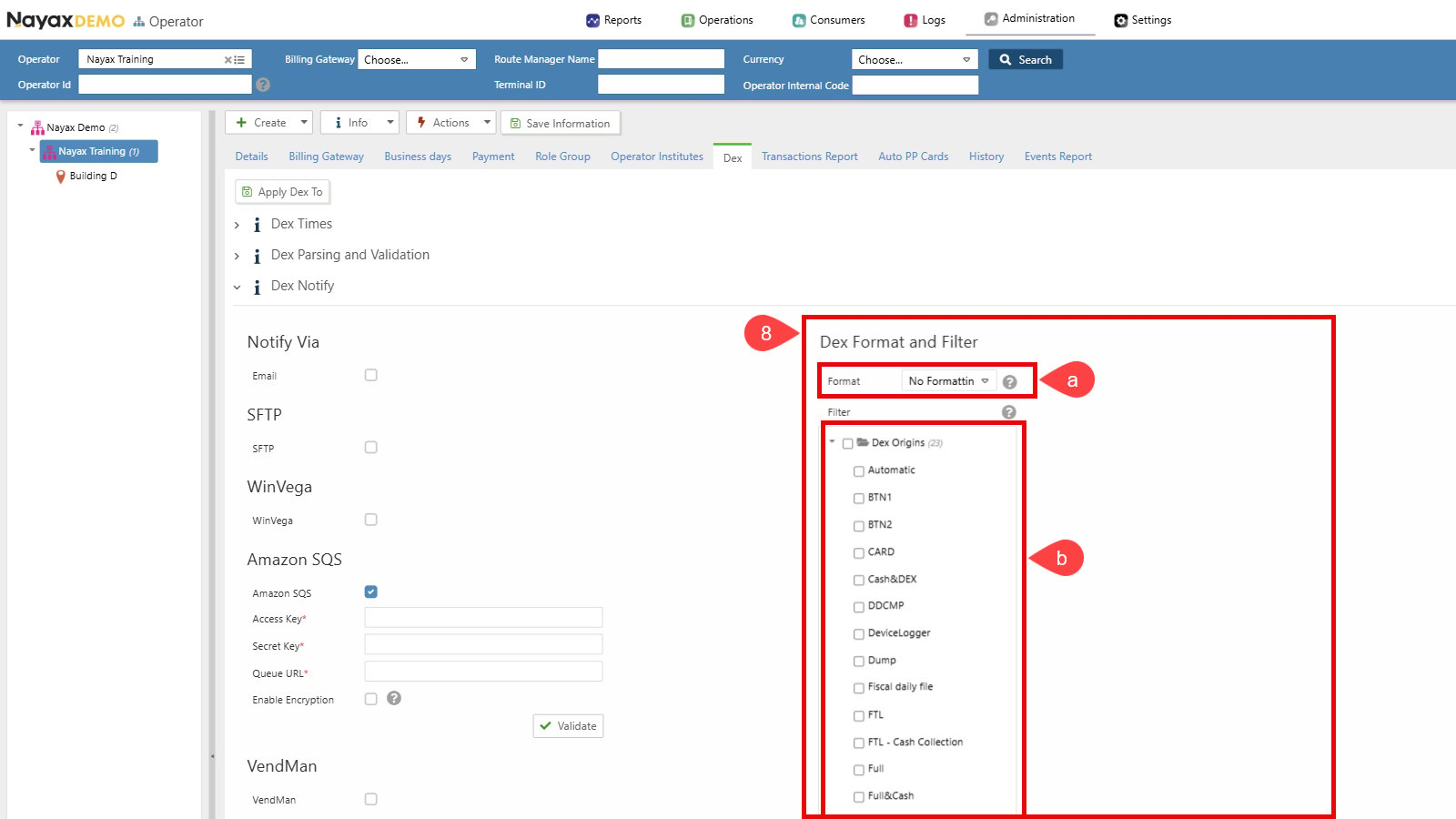
-
单击**“保存信息”**按钮以应用更改。
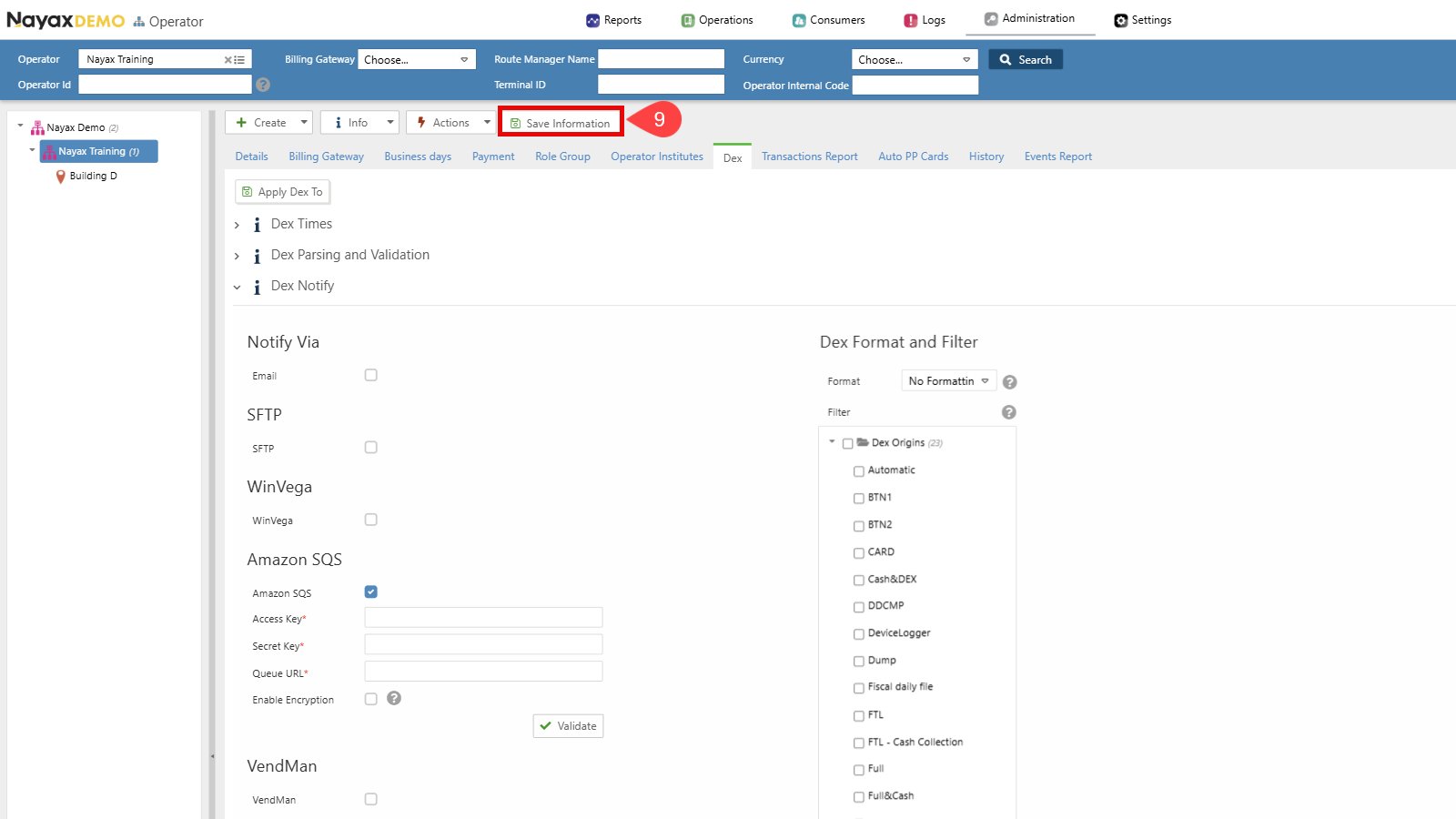
操作员默认设置与机器级配置在操作员级别设置 DEX 交付并不会启动将 DEX 文件交付到队列的操作。相反,这些配置将作为操作员层级下新机器的默认配置。您可以使用**“将 Dex 应用于”**按钮来应用这些设置,也可以按照下文的说明在机器级别执行单独的设置。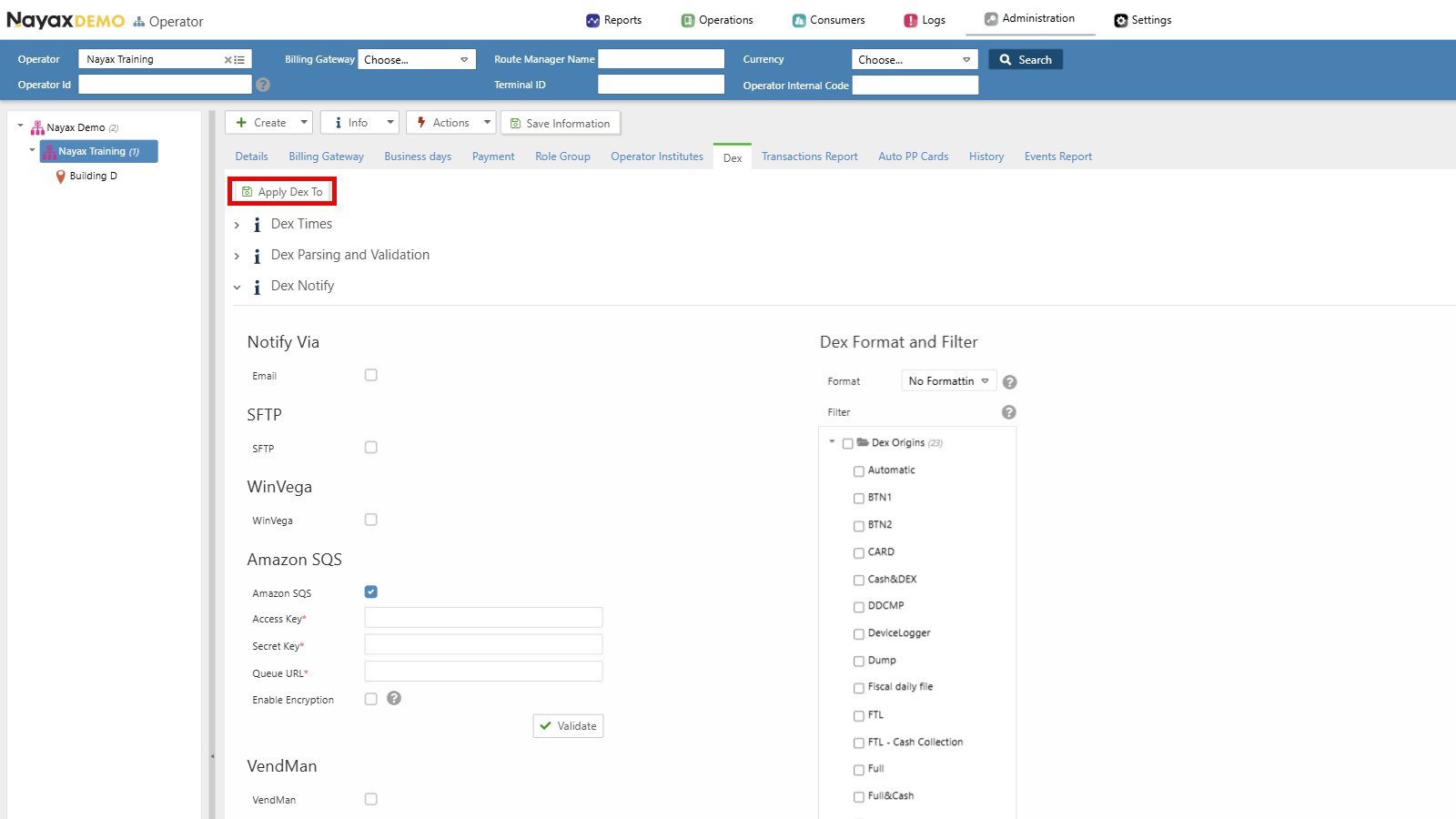
机器级别设置
先决条件:Dex 读取计划配置这些设置说明假设 DEX 读取计划已经配置好。
-
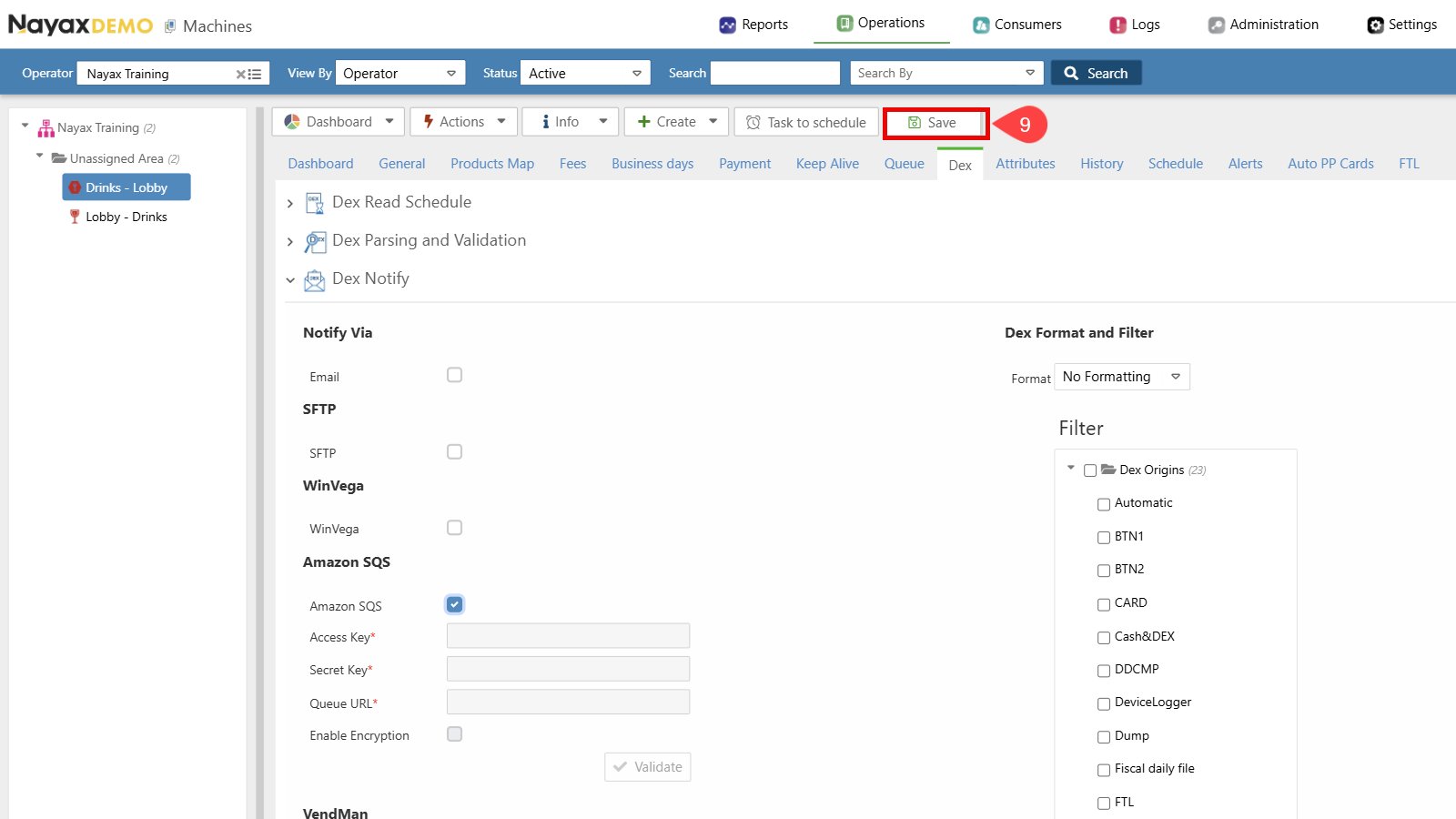
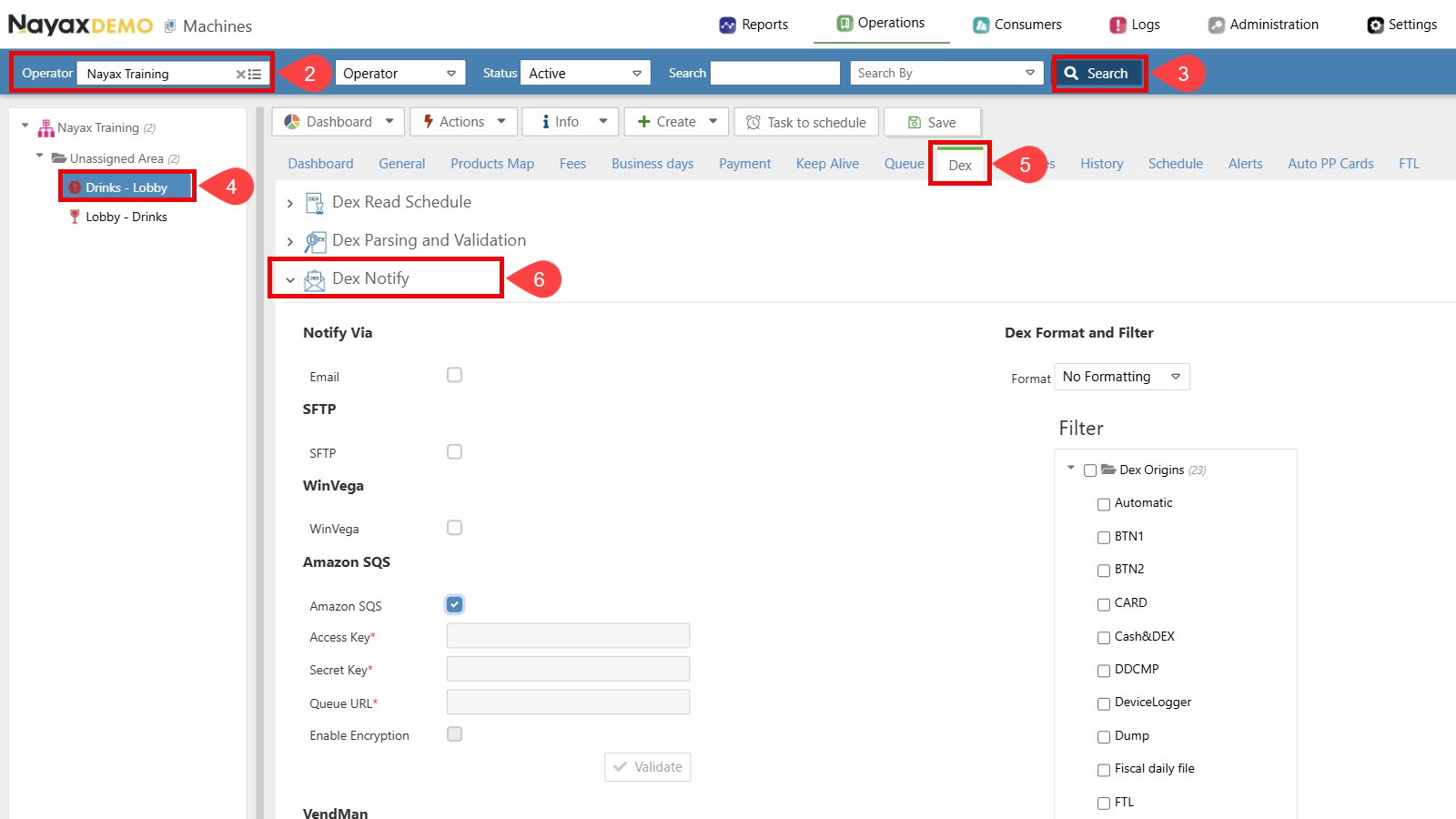
前往**“操作” > ** Nayax 核心中的机器。
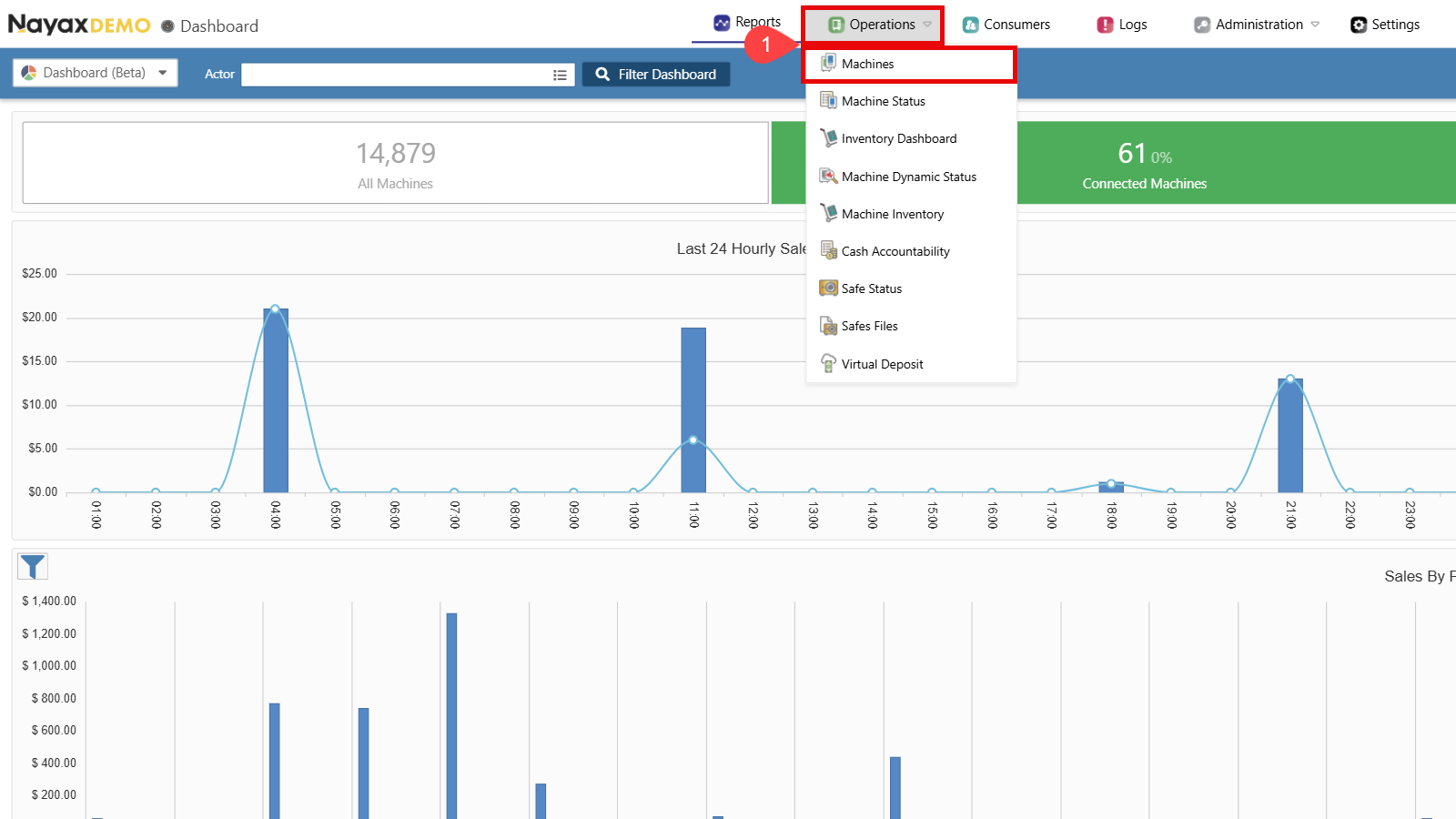
- 找到您想要设置的运营商。
- 单击**“搜索”**按钮。
- 选择操作员以显示所有选项卡和详细信息。
- 转到Dex选项卡。
-
单击打开Dex Notify部分。
-
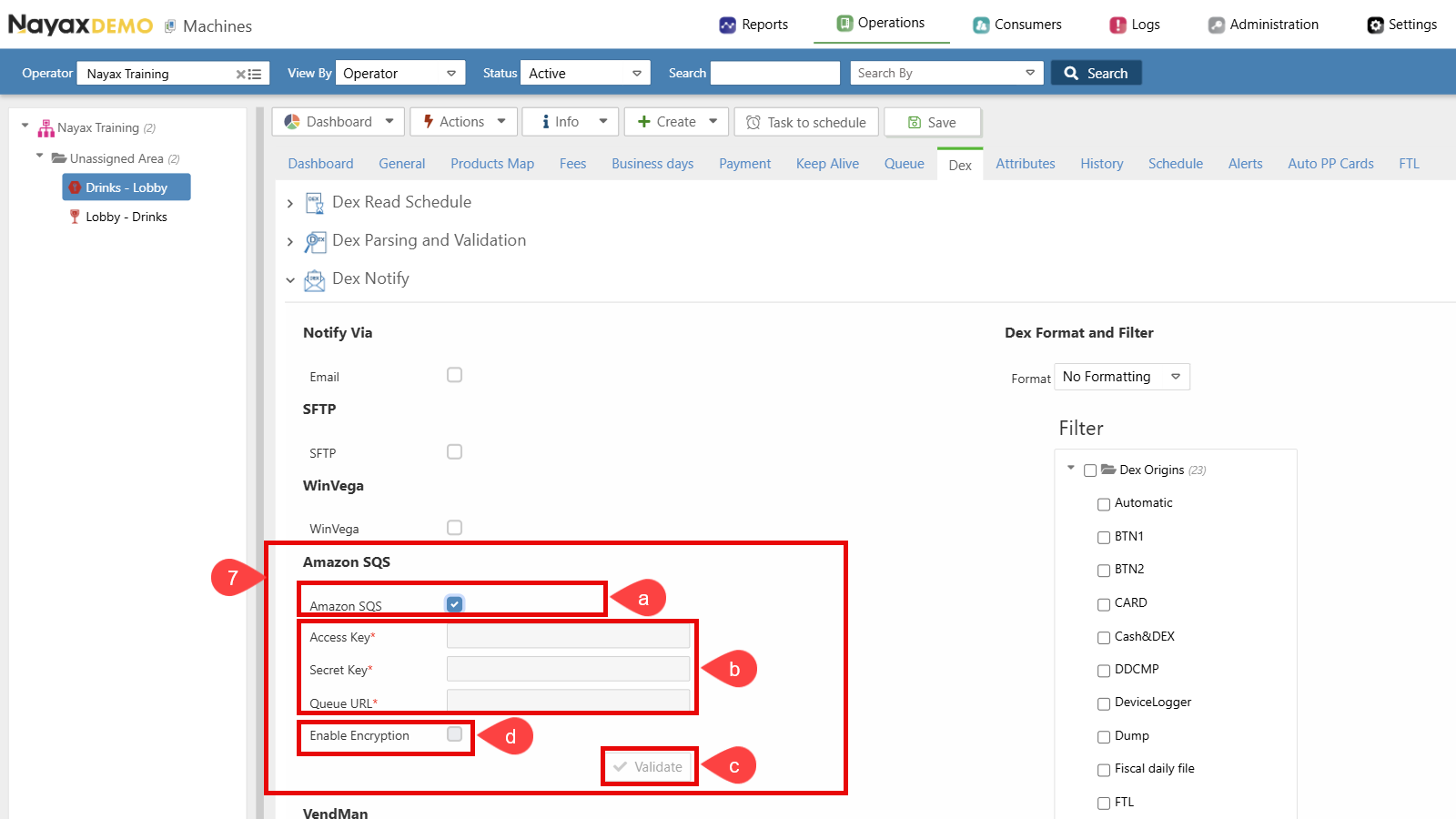
Set up Dex Transmission to Amazon SQS:
a. Select the checkbox next to Amazon SQS to enable this option.
b. Enter the SQS credentials (Access Key, Secret Key and Queue URL).
c. Click the Validate button to ensure the Queue credentials are correct.
d. Enable Encryption (Optional). See the Set Up Encryption section for details.
-
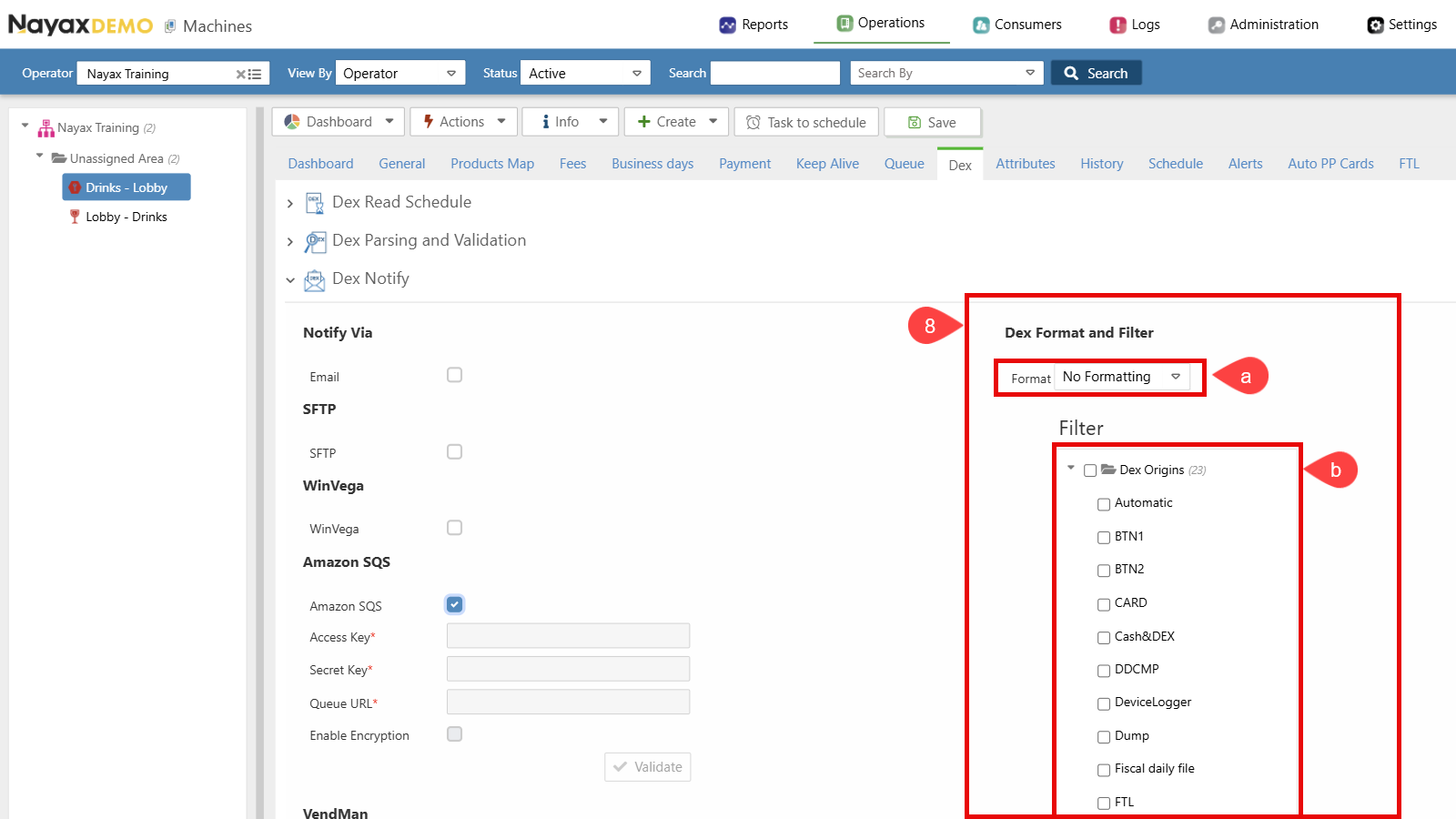
选择 Dex 格式和过滤器设置:a. 确保格式设置为**“无格式”** 。b. 选择所需的 DEX 读取类型。只有选定的 Dex 来源才会被发送到队列。
-
单击**“保存”**按钮以应用更改。