

Transaction flow
To understand the pre-authorization transaction flow, consider the following sequence of events: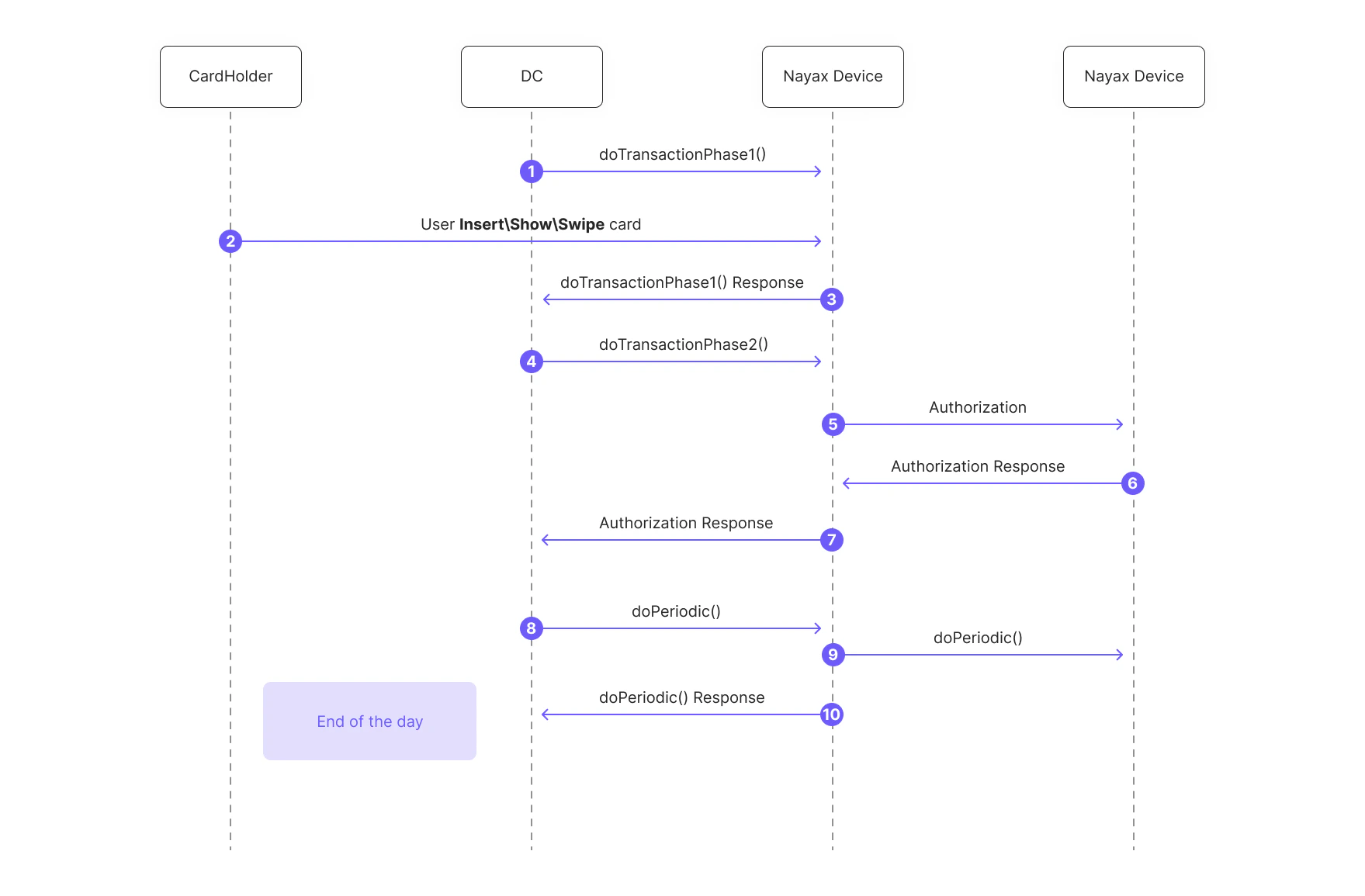
- The client application (POS) sends a
doTransaction()request to the Nayax Device with a parameter (Trancode=2) to initiate a pre-authorization. - The cardholder inserts, shows, or swipes their card.
- The Nayax Device communicates with the payment server to perform the pre-authorization.
- The payment server responds, and the Nayax Device relays the
Authorization resultback to the POS. - At a later time, the POS sends another
doTransaction()request, this time with a parameter (Trancode=3) to initiate the completion of the pre-authorized transaction. - The Nayax Device communicates with the payment server to complete the transaction.
- The payment server responds with a
Completion result, which the Nayax Device sends back to the POS. - At the end of the day, the POS sends a
doPeriodic()request. The Nayax Device communicates with the payment server to perform the settlement of the day’s transactions and sends adoPeriodic()result back to the POS.
See also
Regular transaction
Process and authorize a payment request in a single step.
Two phases transaction
Split a transaction into an information retrieval step and a completion step.
Deferred payment
Run a pre-authorization phase followed by a final authorization phase.
Split transaction
Split a transaction’s payment across multiple sub-merchants.