Methods to add credit to card
Adding credit to a card increases its available balance, allowing the cardholder to perform transactions. Lynx API offers a couple of ways to do so:- PUT Method: With this option, you can use the same endpoints for creating or retrieving a card’s data, but using a PUT request with the new amount of credit. For example, you can use the Update Card by ID endpoint with the
CardIDin the URL and the updated credit amount in the body parameters. - POST Method: Lynx API also offers a specific endpoint to perform a POST request with the credit to be added to a card. This is a much simpler option, since you will not have to deal with the bigger body objects the PUT Method has.
Adding credit
To add credit to a card you can use the POST method on the Add Credit to a Card endpoint. Sending the card’s Unique Identifier in the URL. See the example query below:Replace
{CardUniqueIdentifier} with the actual identifier of the card.CardCredit: The credit amount to be added.CreditChangeRemarks: A note about the transaction for tracking purposes.
Verifying credit on Nayax Core
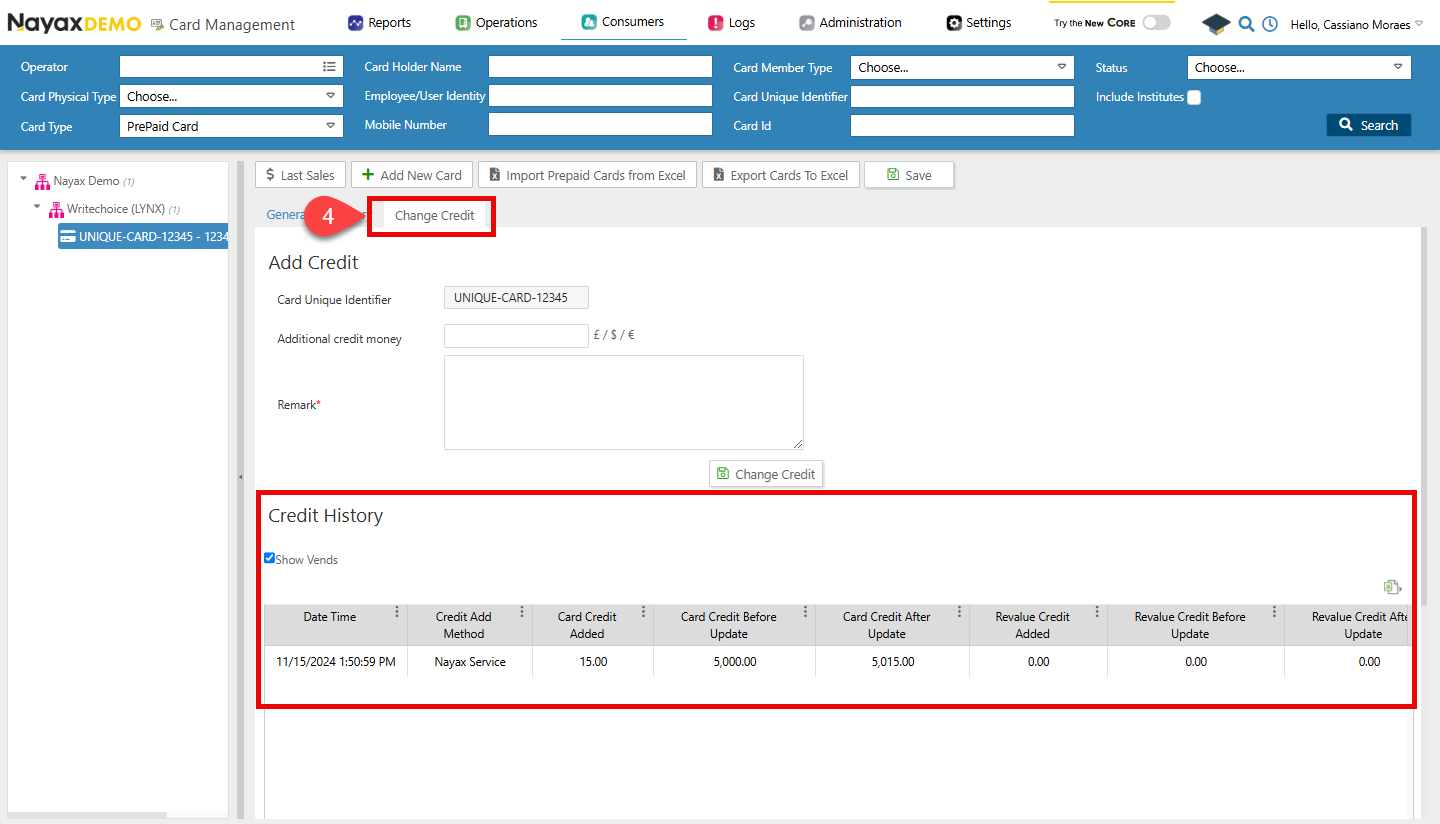
Once the request to add the card credit is successful, you can go to Nayax Core and check the card´s credit and history in the Card Management tab. Follow the steps below to do so.- Access your Nayax Core Dashboard
-
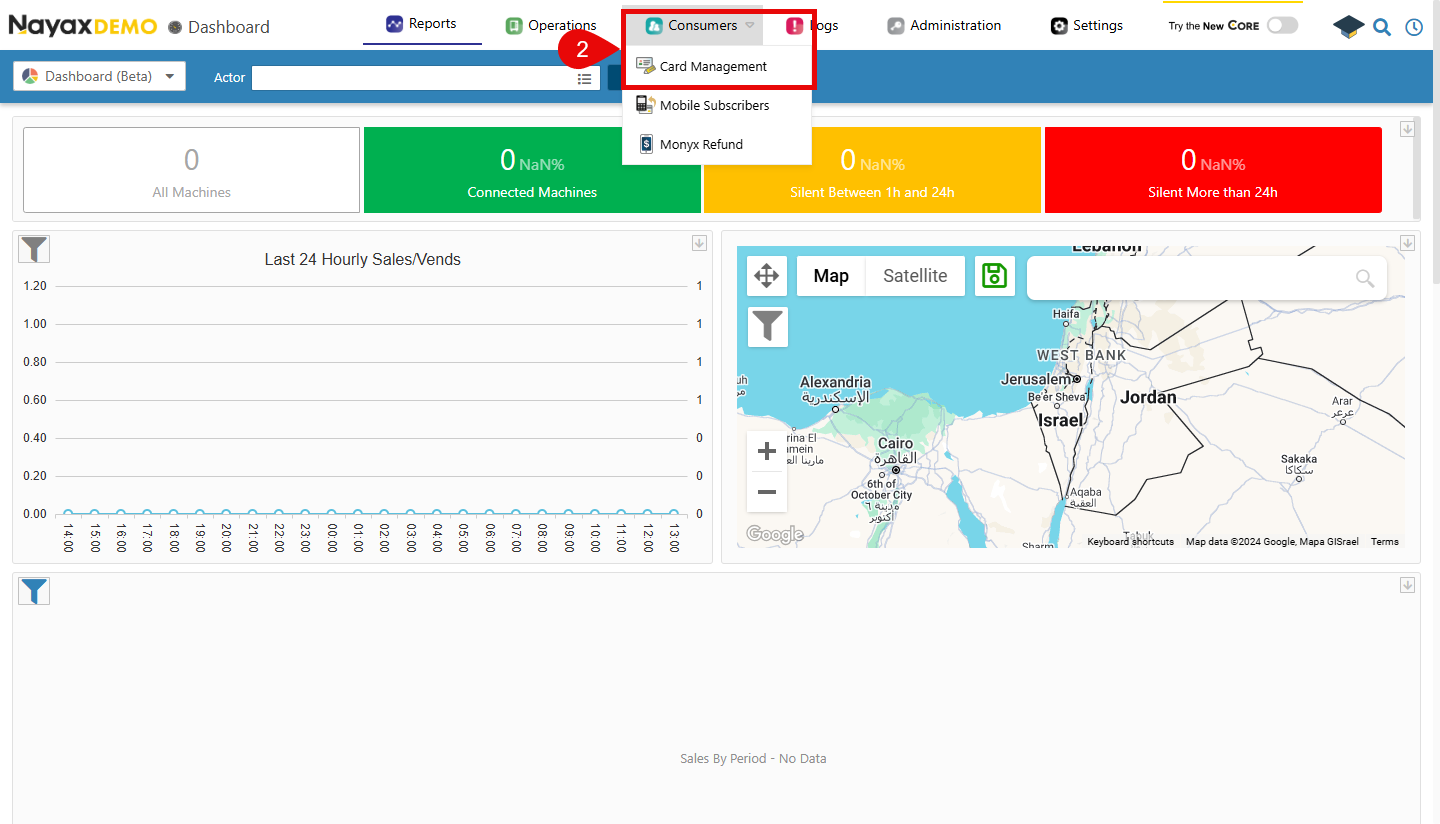
On the top menu, navigate to Consumers > Card Management
-
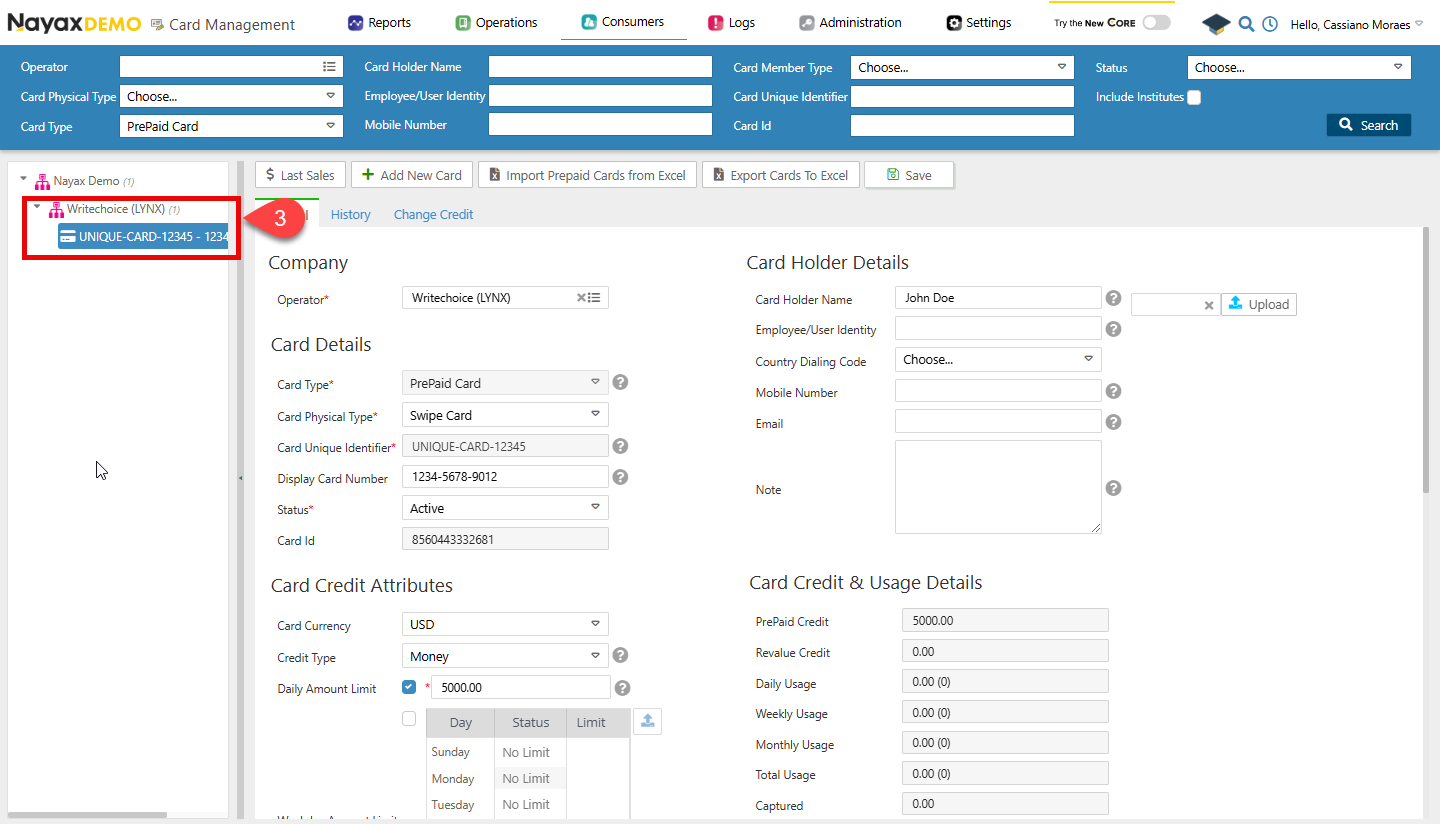
Search for the card to which the credit was added and select it.
-
Open the Change Credit tab and check the Credit History section.