

Verifying card details in Nayax Core
To see the details of a card in Nayax Core, Access the Card Management tab and use the search bar to look for the card you want to check, and select it.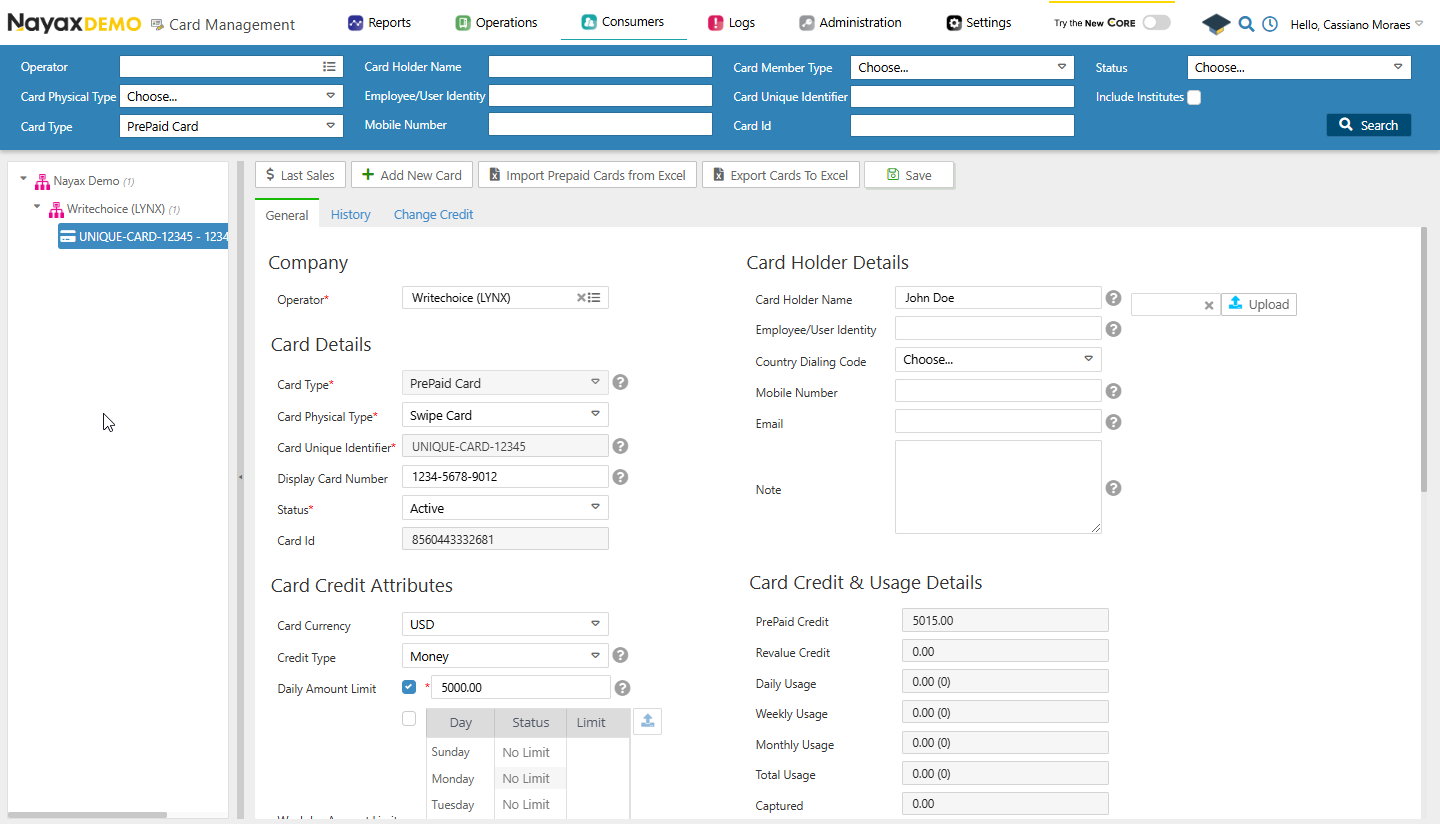
Get cards
This general endpoint will retrieve an overview of all cards, including essential details like Card ID, Card Holder Name, and Card Status. See the example query:Request
1409315030 you can use the query in the code block below.
Request
CardIDCardUniqueIdentifierCardDisplayNumberCardMobileNumberExternalApplicationUserIDCardEmailCardHolderName
Get card by the card’s display number
It fetches card details based on its display number, which is the physical card number. This is ideal for cases where only the display number is available for reference. See the code block below for an example query:Replace
{CardDisplayNumber} with the actual number of the card.Get prepaid card
It retrieves details of a prepaid card associated with a specific card ID. Use this to manage prepaid cards or verify their status and attributes. See the code block below for an example query:Request
Replace
{CardID} with the actual CardID of the card.Get the credit from a card
This option fetches the current credit balance for a specific card, identified by its unique identifier. Use it to monitor card balances, such as those of prepaid or technician cards. See the code block below for an example query:Replace
{CardUniqueIdentifier} with the actual identifier of the card.Get card’s revalue
Retrieves the revalue amount associated with a specific card, identified by the card’s unique identifier. See the query example below:Request
Replace
{CardUniqueIdentifier} with the actual identifier of the card.