

Card types
Nayax offers several types of cards, each designed for a distinct purpose:- Prepaid Card: Preloaded with funds, prepaid cards are ideal for controlled spending. They are commonly used for gift cards, employee stipends, or consumer transactions and offer convenience and security.
- Technician Card: Issued to service technicians or employees, these cards facilitate access to specific systems or authorize work-related transactions, ensuring secure operations in the field.
- Refund Card: Designed to process refunds, these cards efficiently return funds to customers, simplifying financial workflows and enhancing customer satisfaction.
- Discount Card: Used in loyalty programs or promotional campaigns, discount cards offer exclusive benefits like reduced prices or special offers, encouraging customer retention and engagement.
Card creation
To create a new virtual credit card with Lynx API you can use the POST method on two different endpoints: The sections below will guide you through creating a card using any of these options through Lynx API.V1 endpoint
The V1 option requires only the essential fields for basic card creation, with minimal optional fields. To create the card, send a POST request to the Create Virtual Card endpoint, filling in the card details in the body parameters. See the example in the code block below:ActorID: Operator ID tracks the card issuer.CardUniqueIdentifier: A unique identifier for the card.CardStatus: Card’s status (1 = Active, 2 = Inactive).CardType: Type of card.- Prepaid Card:
33 - Technician Card:
31 - Refund Card:
34 - Discount Card:
30000616
- Prepaid Card:
CountryID: Country code based on ISO standards (viewable in the “Lookups” section).Currency: Currency ID code.CardPhysicalType: The physical type of the card, options are:0000528: Swipe Card30000529: Contact Card30000530: Contactless Card30000531: Contactless Sticker30000532: Monyx App Virtual ID30000533: Custom 3rd Party ID30000534: Dual Card Contact + Contactless30000535: Dual Card Swipe + Contactless30000601: Monyx Virtual Card943237560: QR Code
V2 endpoint
The V2 option provides extended functionality, including additional fields for detailed customization. This version lets you specify card type, physical type, membership level, activation and expiration dates, and group limits. To create the card, send a POST request to the Create New Card endpoint, filling in the card details in the body parameters. See the example in the code block below:CardDetailsActorID: Operator ID.CardUniqueIdentifier: Unique card identifier.CardTypeID: Type of card.PhysicalTypeID: Physical card type.Status: 1 for Active.
CardHolderDetailsCardHolderName: Name of the cardholder.CountryID: ISO country code.MemberTypeID: Membership type.
CardCreditAttributesCurrencyID: Currency code.
Verifying the card in Nayax Core
Once you send the request to create the card using any endpoints mentioned above, you can go to Nayax Core and check if the card is present in the Card Management screen. Follow the steps below to do so.- Access your Nayax Core Dashboard
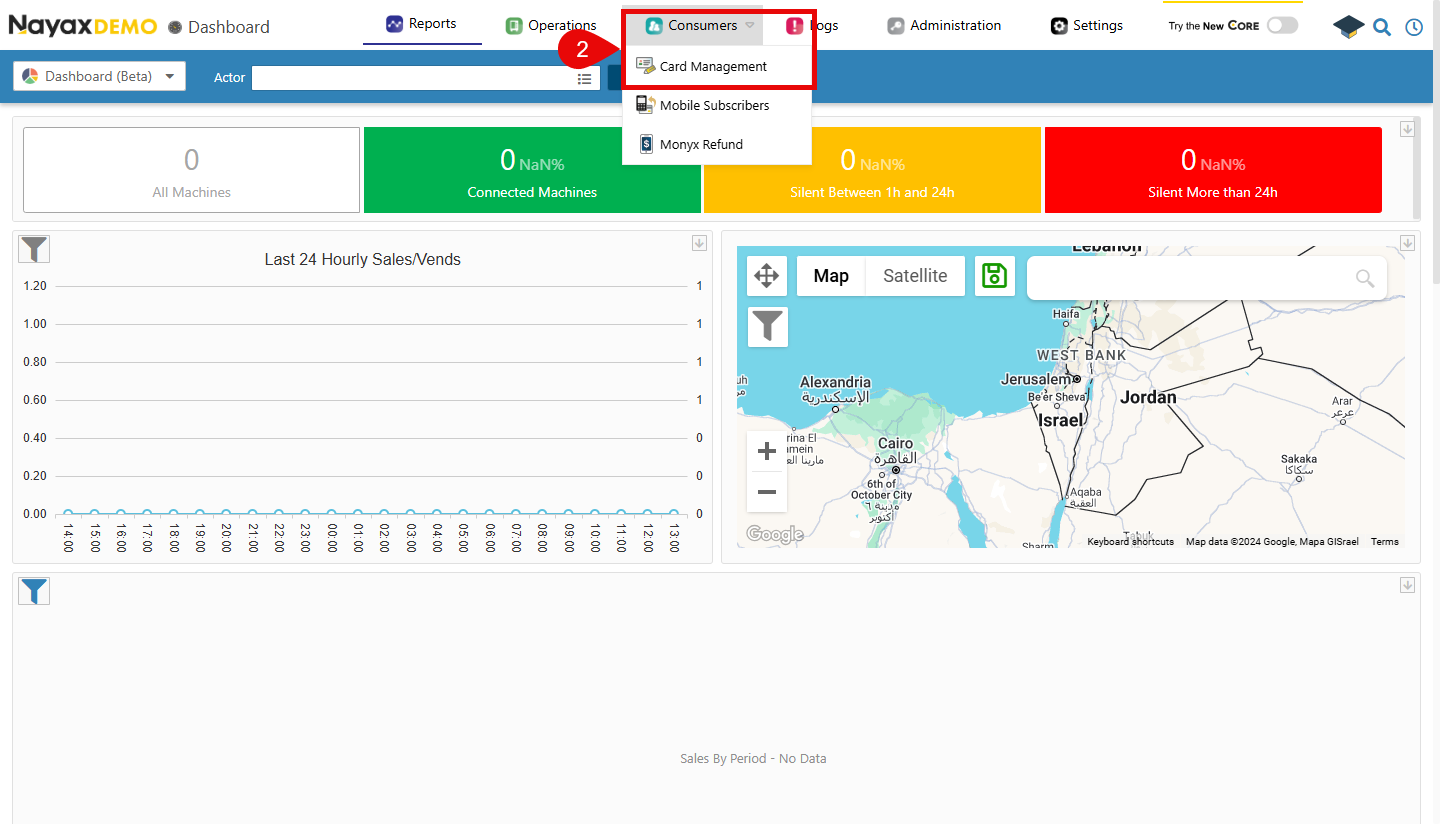
- On the top menu, navigate to Consumers > Card Management
- Now, you can search for the created card and select it from the list.
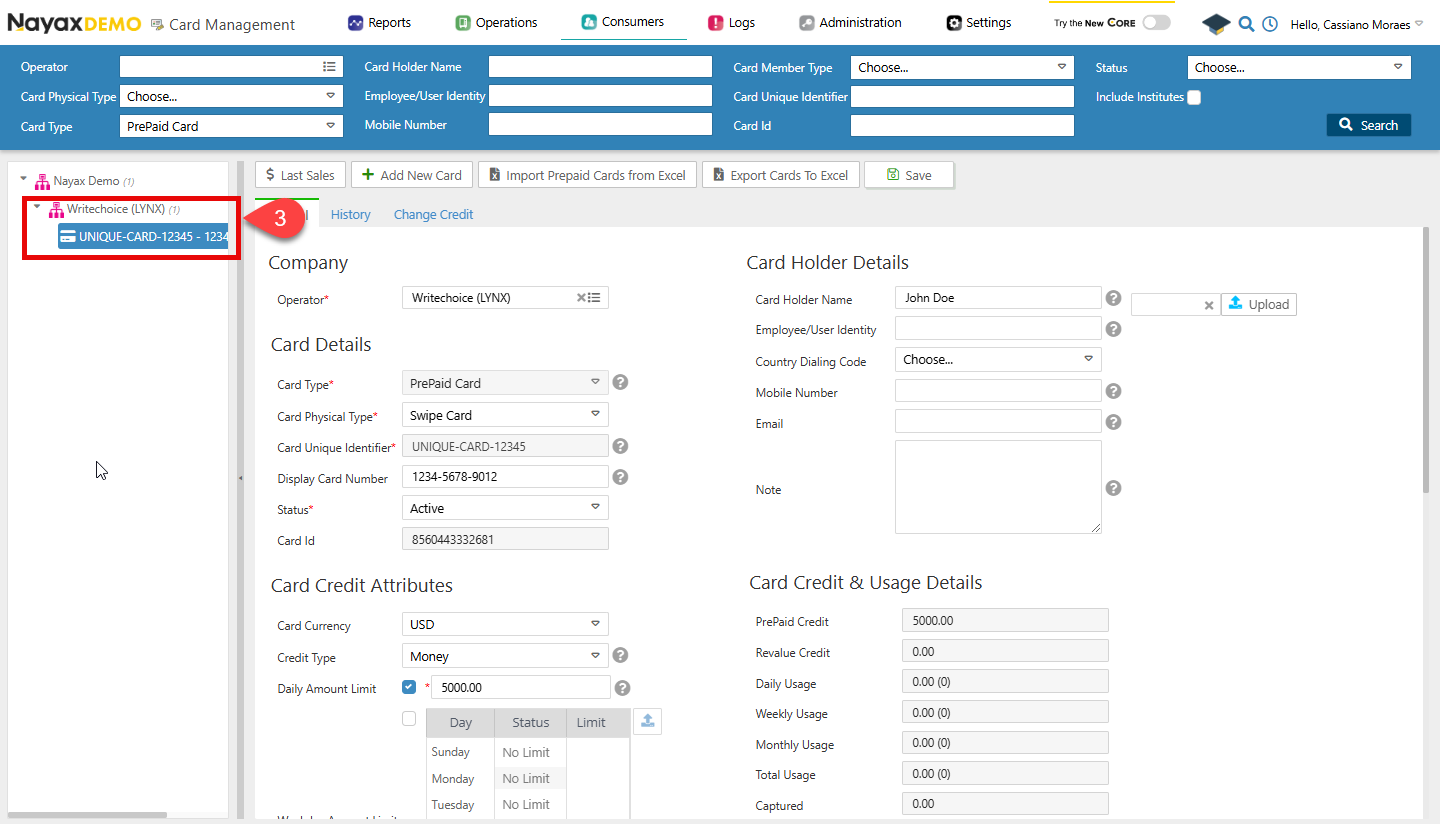
The
ExternalApplicationUserID field won’t appear in Nayax Core, but it would appear when using the GET method of the cards endpoint.