

External cancel flow methods
The External Cancel flow makes use of the following Spark methods:External cancel flow
This flow is required when a transaction was authorized on the Nayax Device, but the service failed or was canceled at the point of interaction. To understand the External Cancel flow, see the diagram below: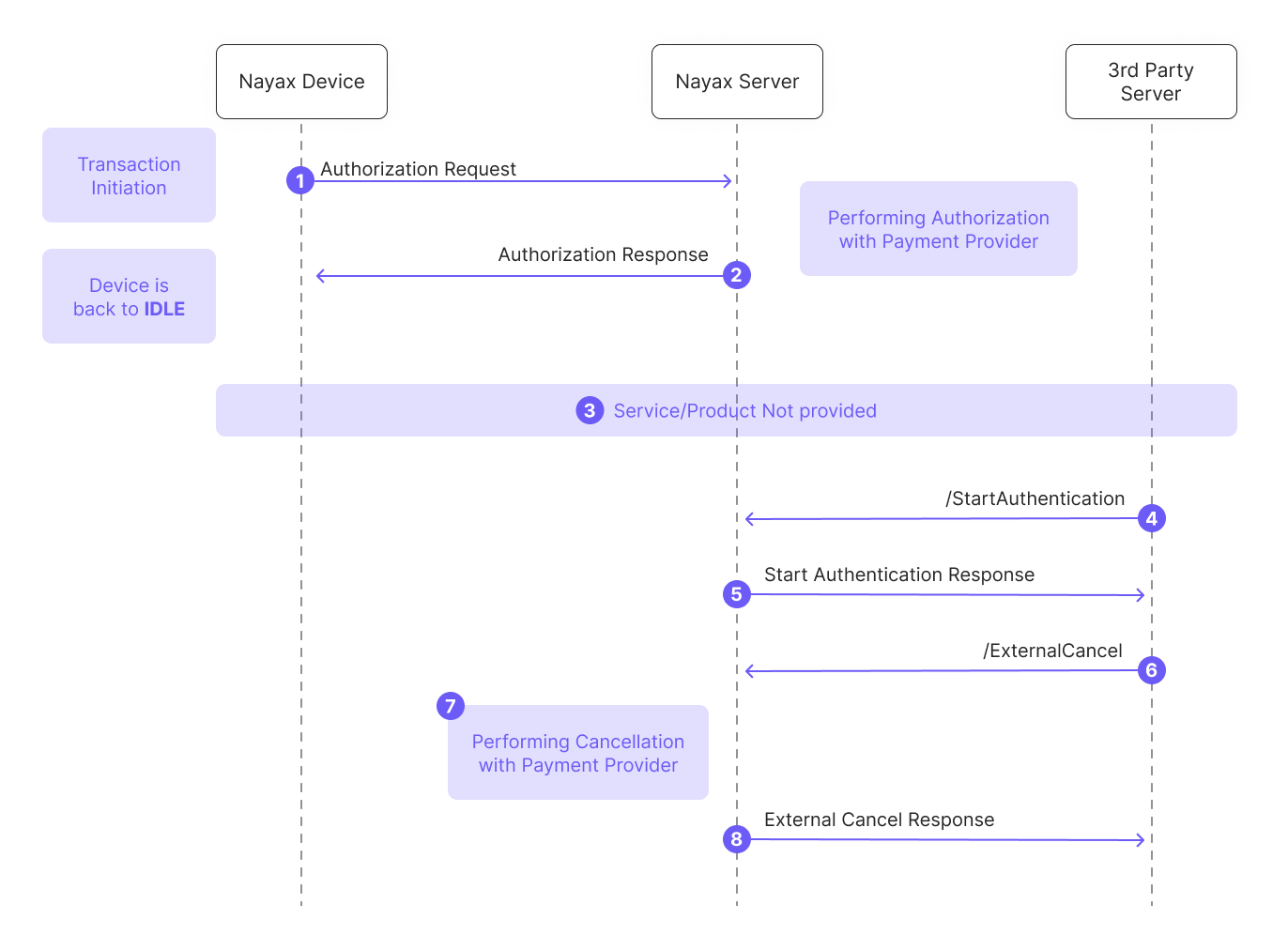
Below is a breakdown of the diagram:
- Authorization Request: The process begins when a transaction is initiated on the Nayax Device, which sends an authorization request to the Nayax Server.
- Authorization Response: The Nayax Server authorizes the amount with the payment provider and sends the response to the device. The device then returns to an IDLE state.
- Service Failure: A failure occurs, and no service or product is delivered to the consumer.
- /StartAuthentication: To resolve the failed transaction, the Third-Party Server initiates communication by calling the StartAuthentication method.
- Authentication Response: The Nayax Server validates the credentials and responds with a success message.
- /ExternalCancel: The Third-Party Server sends the ExternalCancel request. This must include the original
NayaxTransactionIdandSiteId. - Financial Reversal: Upon receiving the request, the Nayax Server performs the cancellation with the payment provider to release the funds.
- External Cancel Response: The Nayax Server confirms the cancellation outcome to the Third-Party Server.
Failure handling and retries
If a request fails, the follow-up action depends on which stage of the process failed:Important Terminologies:In a Pre-Authorization flow, this operation is a “Cancel.” In a Pre-Selection flow, it is a “Void.” You must indicate the correct type in your request payload.