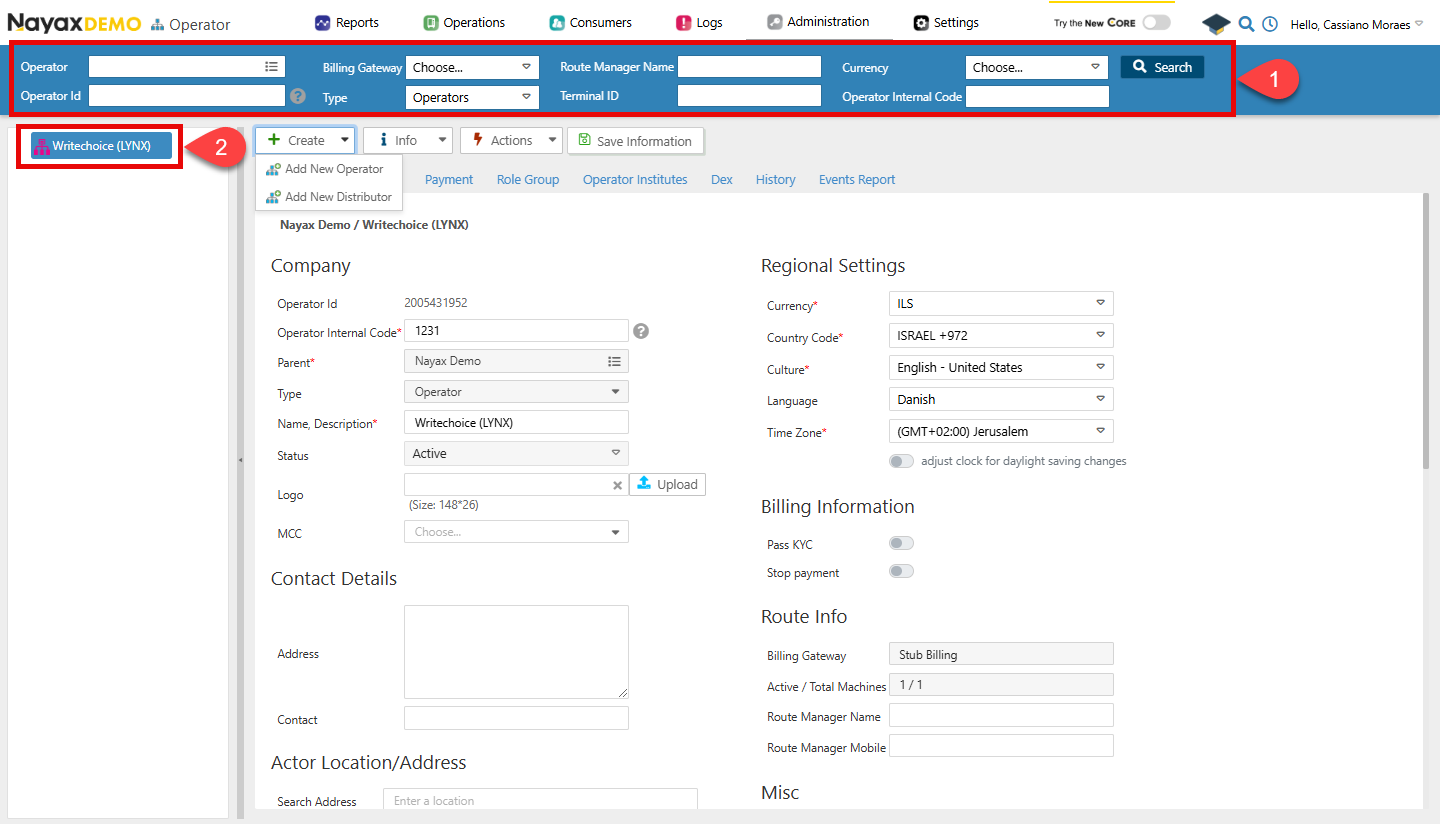
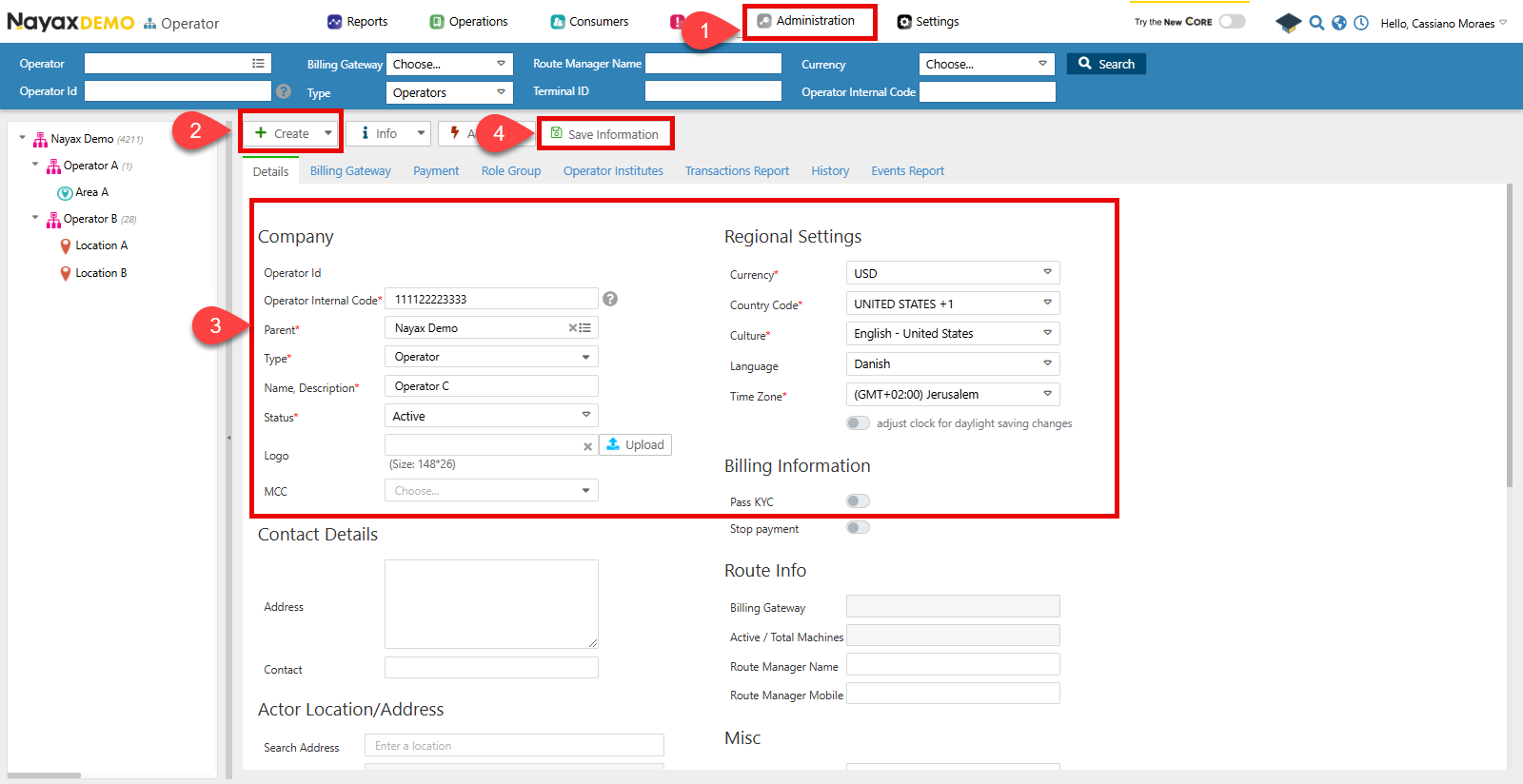
- Go to Administration > Operator.
- Click Create > Add New Operator.
- Now, you must fill out the required details on the form.
- Operator Internal Code: This is the SAP Customer number.
- Parent: Refers to the parent actor for this new operator, which, in this example, is the distributor itself.
- Type: The operator type.
- Status: The status of the operator.
- Regional Settings: Configuration regarding currency and timezone.
- When finished, click Save Information.
Lynx API
This process can also be done programmatically through Lynx API with a POST request to the following endpoint:Create New Actor
POST
Create Operator Request
The Create New Actor endpoint allows for registering a new operator in the Nayax system. See the example request in the code block below:Request
Path ParamsChange the
ParentActorID with the unique identifier of the parent actor under which the new operator will be created.| Parameter | Type | Description |
|---|---|---|
| ParentActorID | int64/null | The unique identifier of the parent actor is if this actor is a sub-entity. |
| ActorID | int64/null | The unique identifier for the actor. |
| ActorDescription | string/null | A brief description of the actor. |
| ActorCode | int64/null | A code representing the actor is often used for identification or categorization. |
| ActorAddress | string/null | The physical address associated with the actor. |
| ActorContact | string/null | Contact information for the actor, such as a phone number or email. |
| ActorTypeID | int32/null | The identifier represents the type of actor. |
| ActorStatus | int32/null | The current status of the actor. |
| CurrencyID | int32/null | The currency identifier used by the actor for transactions. |
| CountryID | int32/null | The identifier for the country in which the actor is located. |
| ActorMerchantBit | boolean/null | Indicates whether the actor is associated with a merchant. |
| ActorLanguageID | int32/null | The language preference of the actor. |
| GeoCity | string/null | The city where the actor is located. |
| GeoLongitude | double/null | The geographic longitude of the actor’s location. |
| GeoLatitude | double/null | The geographic latitude of the actor’s location. |
| ActorCreationDate | date-time/null | The date and time when this actor was created. |
Verify Creation
You can check if your operator was correctly created in Nayax Core in theOperators menu.
- Use the Search function to filter your operator.
- Select it from the list.