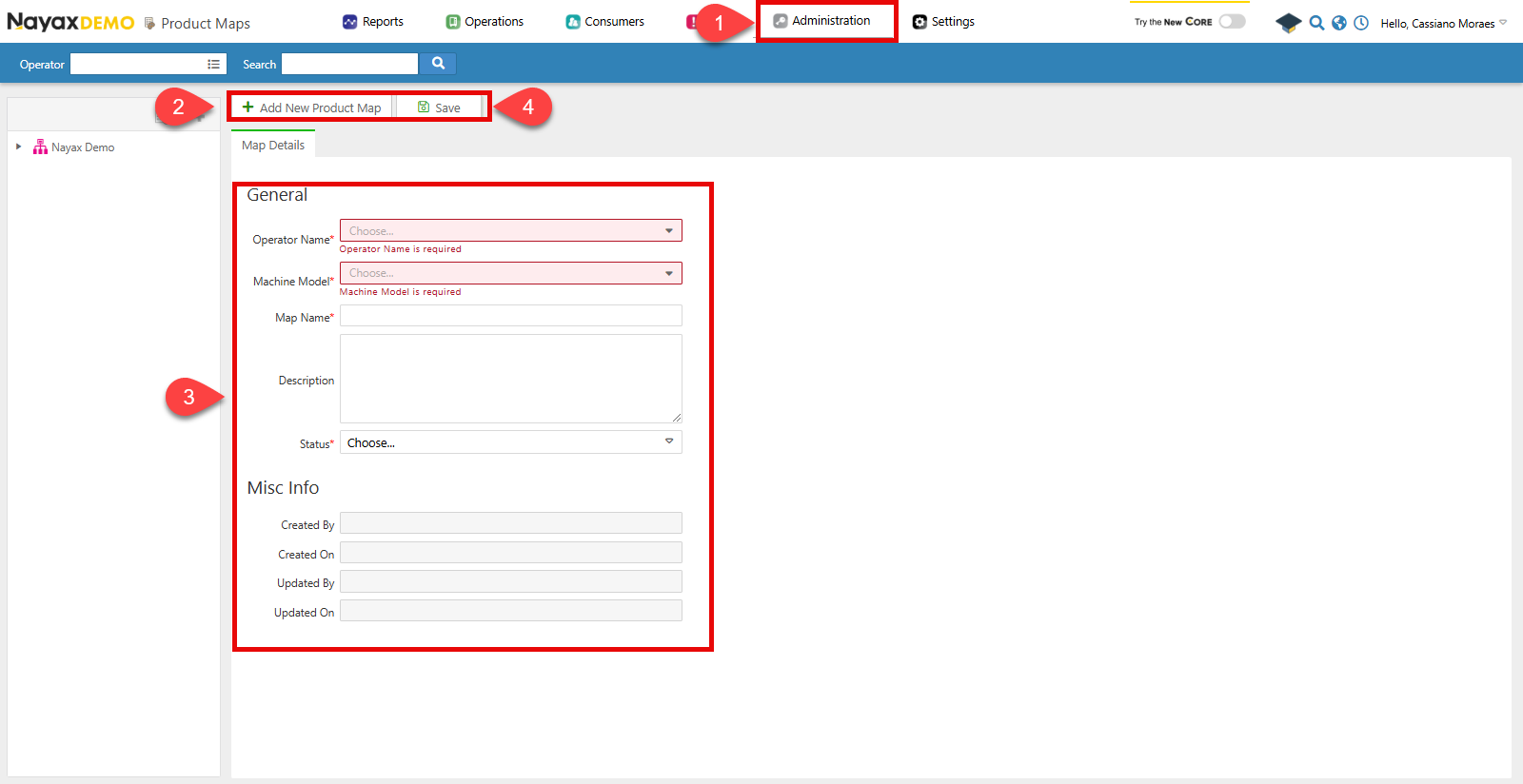
- Go to Administration > Product Maps.
- Click Add New Product Map
- Fill in the required fields for the product map.
- Operator Name: Specify under which operator the map will be located.
- Machine Model: Select which machine the map is for.
- Map Name
- Status: Whether the map is active or not.
- Click Save

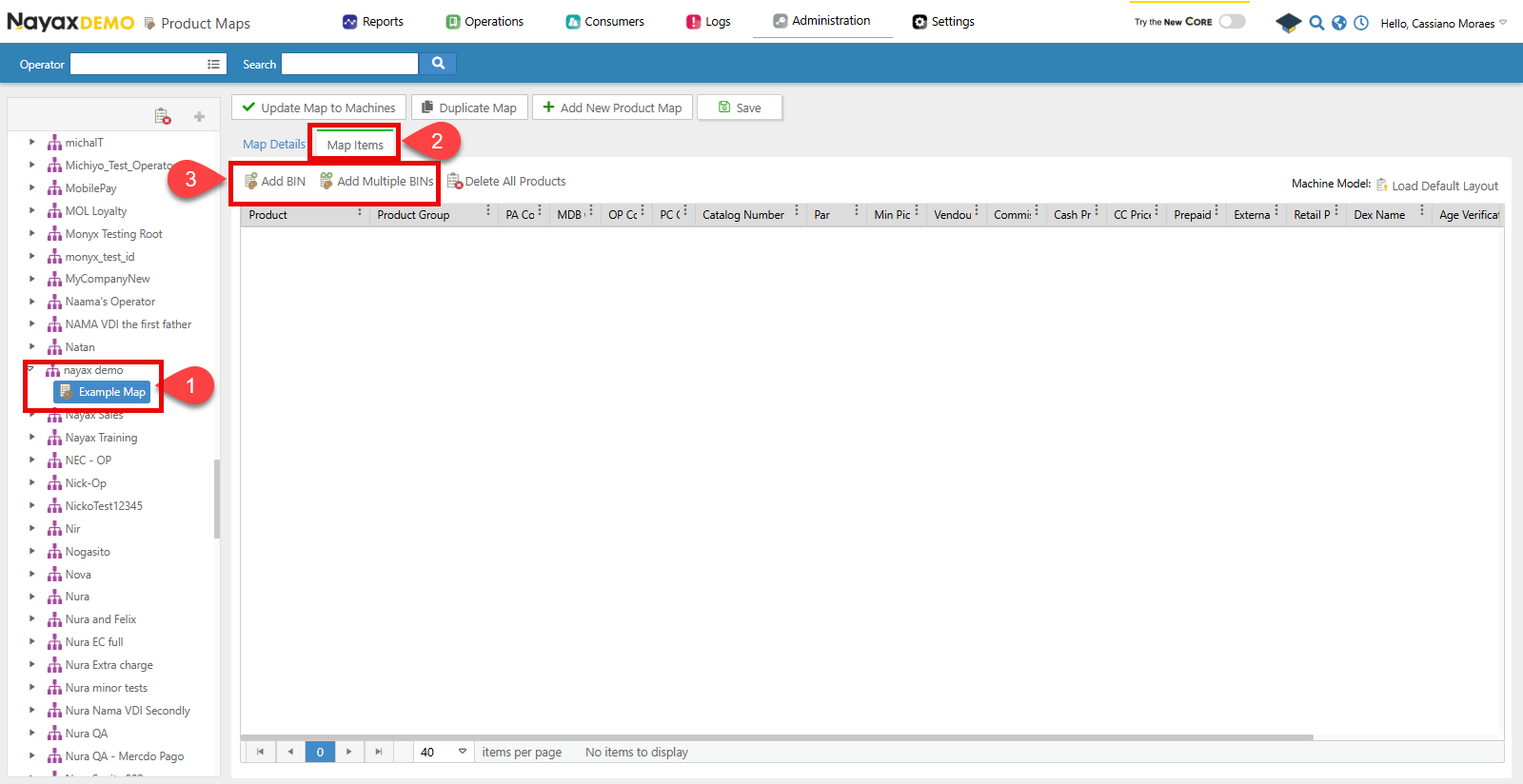
- Select the Map from the list.
- Click on the Map Items tab.
- Now you can add a product to this map by clicking:
- Add BIN: This will let you add one product directly to the list.
- Add Multiple BINS: This will bring a pop-up window that will let you select multiple products to add to the map.

Lynx API
With Lynx API, you can add one or multiple products to the Machine’s Product Map using the following endpoint:Create Machine Products
POST
Add Machine Product
the Create Machine Products endpoint allows you to create the product map for a machine and add products to it by providing theMachineID in the path param of the request. See the example request in the code block below:
Path ParamsChange the
MachineID with the unique identifier of the machine to map its products.| Parameter | Description |
|---|---|
NayaxProductID | A unique identifier for the product in the Nayax system. |
MDBCode | The MDB (Multi-Drop Bus) code associated with the product. |
PAR | The price adjustment ratio for the product. |
CashPrice | The price of the product when purchased with cash. |
CreditCardPrice | The price of the product when purchased with a credit card. |
MachinePrice | The price of the product set directly on the vending machine. |
RetailPrice | The suggested retail price of the product. |
DEXProductName | The product name as it appears in the DEX (Data Exchange) format. |
PACode | The PA (Price Adjustment) code associated with the product. |
PCCode | The PC (Product Category) code associated with the product. |
ProductMinimumPickQTY | The minimum quantity of the product required for restocking or picking. |
VendOutAlertThreshold | The stock level threshold that triggers a vend-out alert. |
PrePaidCardPrice | The price of the product when purchased using a prepaid card. |
OperatorButtonCode | The code used by the operator to select the product manually. |
CommissionValue | The commission value associated with the product. |
ExternalPrepaidPrice | The price of the product when purchased with an external prepaid solution. |