

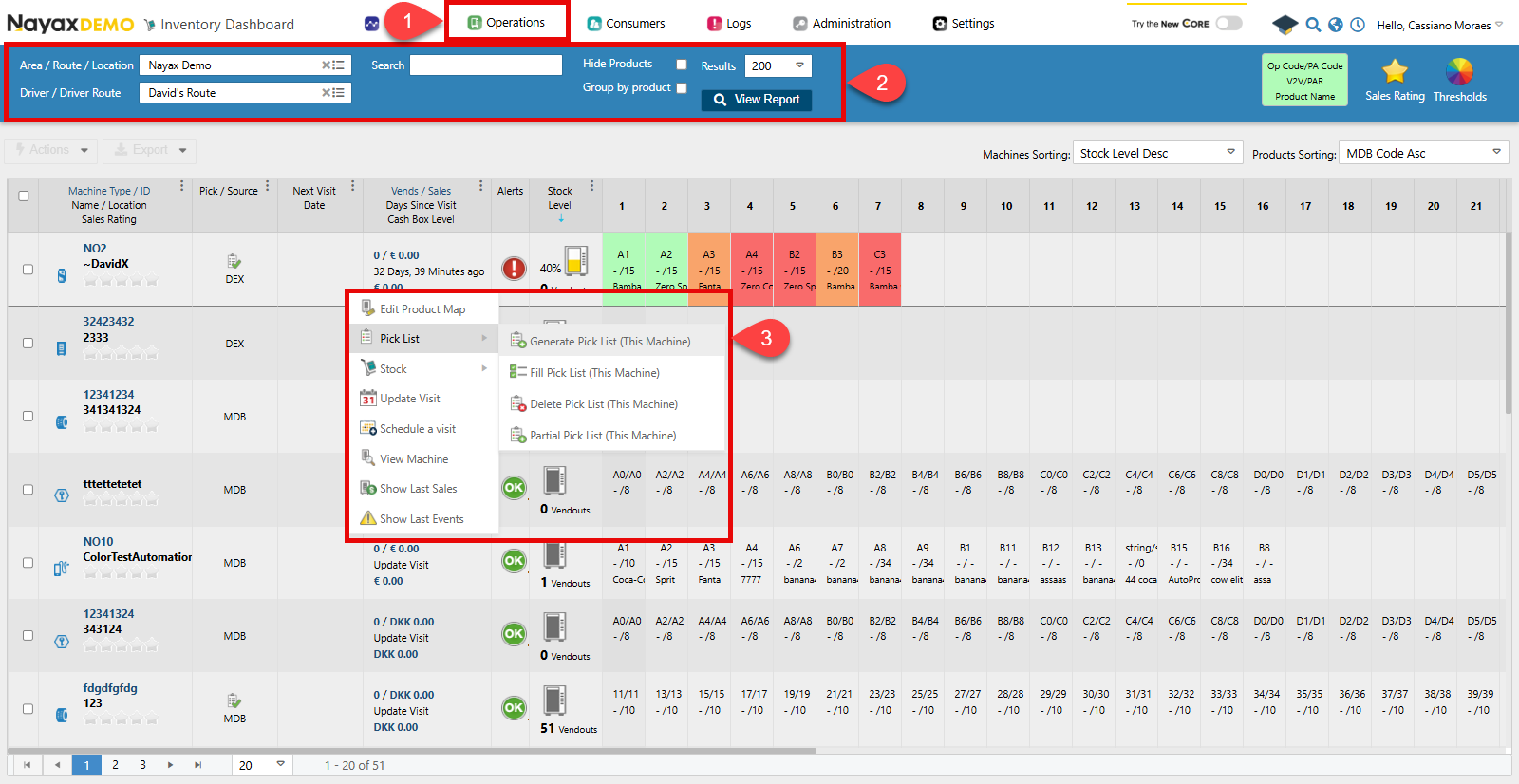
- In your Dashboard, go to Operations > Inventory Dashboard.
- Use the search filter to look for your desired machine.
- Right-click the machine and select Pick List > Generate Pick List.
Generate for multiple machines
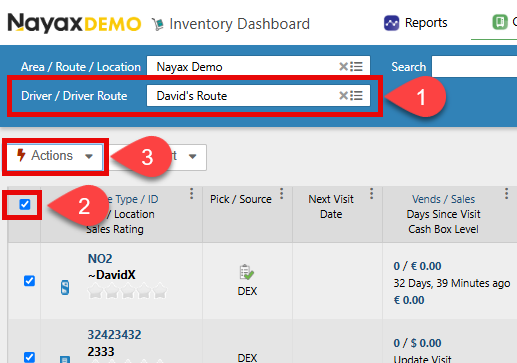
To generate a pick list for more than one machine at once, for example all machines under a specific Route:- Add the filter to the search feature.
- Select all the machines in the list (you can also individually select the machines you want).
- Click Actions > Generate Pick List.
Generate a pick list via API
Use the Create Pick List endpoint to generate a pick list for a specific machine based on its current stock levels and sales data.Send a POST request with the
MachineID as a path parameter. The endpoint returns 204 No Content on success — no response body is returned.
Request