

Payment flow
The diagram below illustrates the complete sequence of events for a Multi-Vending with Pre-Authorization transaction.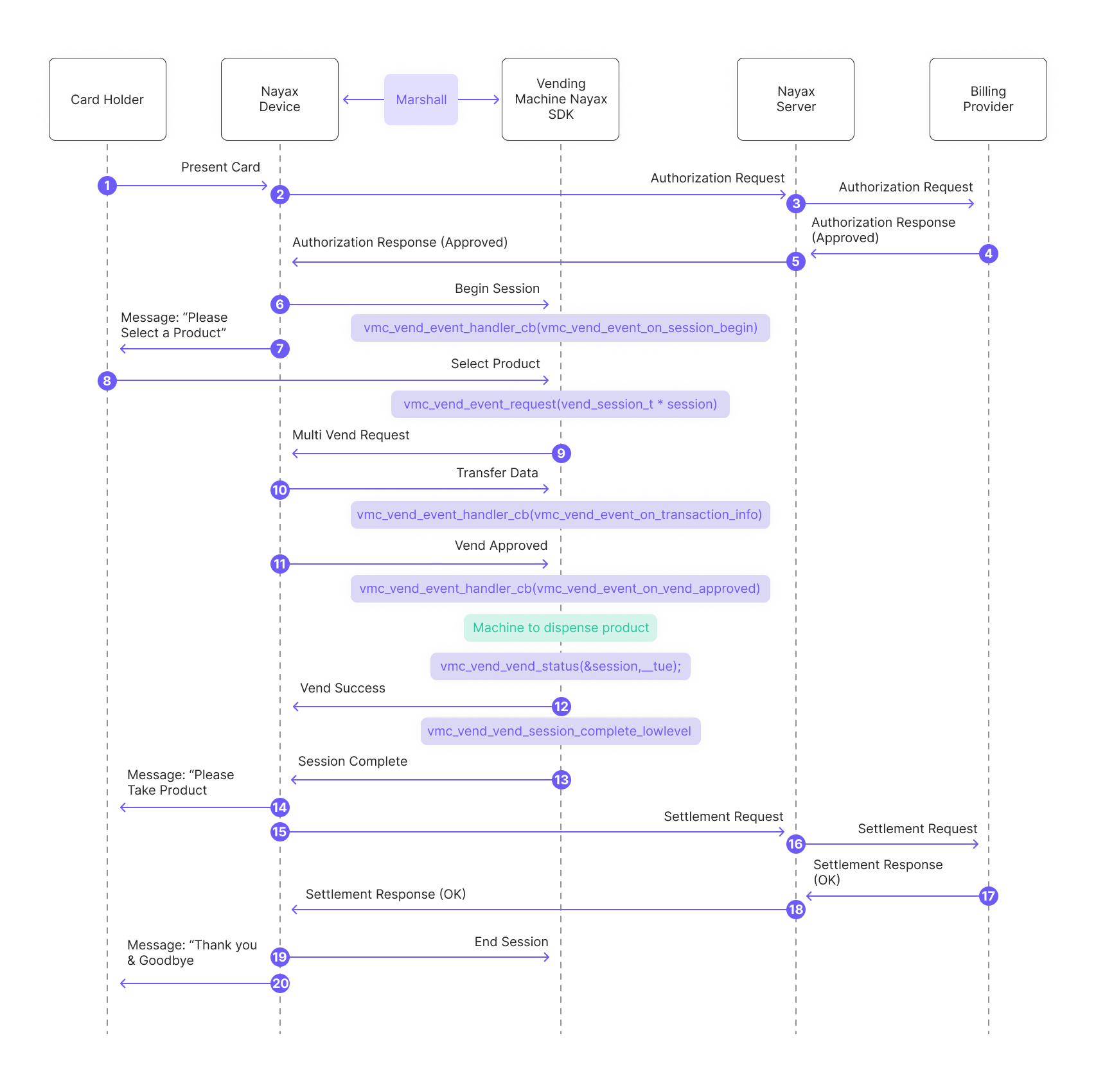
- The consumer presents the card to the Nayax Device.
- The Nayax Device sends an authorization request to the Nayax Server.
- The Nayax Server forwards the authorization request to the Billing Provider.
- The Billing Provider sends an authorization response (approved) to the Nayax Server.
- Nayax Server sends the authorization response (approved) back to the Nayax Device.
- The peripheral’s SDK begins the session and triggers the “session begin” event:
- Message to the consumer: “Please Select a Product.”
-
The consumer selects the desired product/s from the vending machine. Said products are being added to a list called “session”:
-
The peripheral’s SDK sends a “Multi Vend Request” to the Nayax Device:
- The peripheral’s SDK handles transaction data received from the Nayax Device via Transfer Data (said data includes information about the Nayax transaction ID and the consumer’s card details):
- The peripheral’s SDK triggers the “vend approved” event:
- The peripheral dispenses the product/ provides the service to the consumer
- The SDK reports “vend success”:
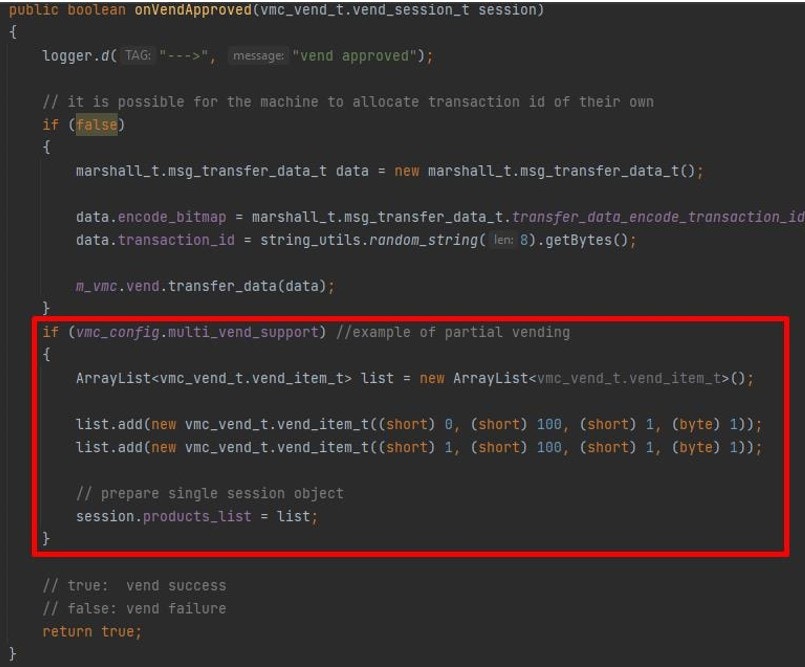
Note: in case of partial dispensing (meaning not all of the selected items were actually vended) you can create a new list with only the items which were actually vended prior to responding with “true”:
C
C#
Java
- Message to the consumer: “Please Take Product.”
- Nayax Device sends a settlement request to the Nayax Server.
- Nayax Server forwards the settlement request to the Billing Provider.
- The Billing Provider sends a settlement response (OK) to the Nayax Server.
- Nayax Server sends the settlement response (OK) back to the Nayax Device.
See also
Payment flows
Explore the full range of payment flows available in the Marshall SDK.
Get started
Get up and running with the Marshall SDK integration.
Methods & functions
Find reference documentation for all methods and functions in the Marshall SDK.