

Payment flow
Visualize the Pre-Selection process with the diagram below, which illustrates each step of the single vending session flow, from product selection to payment authorization and dispensing.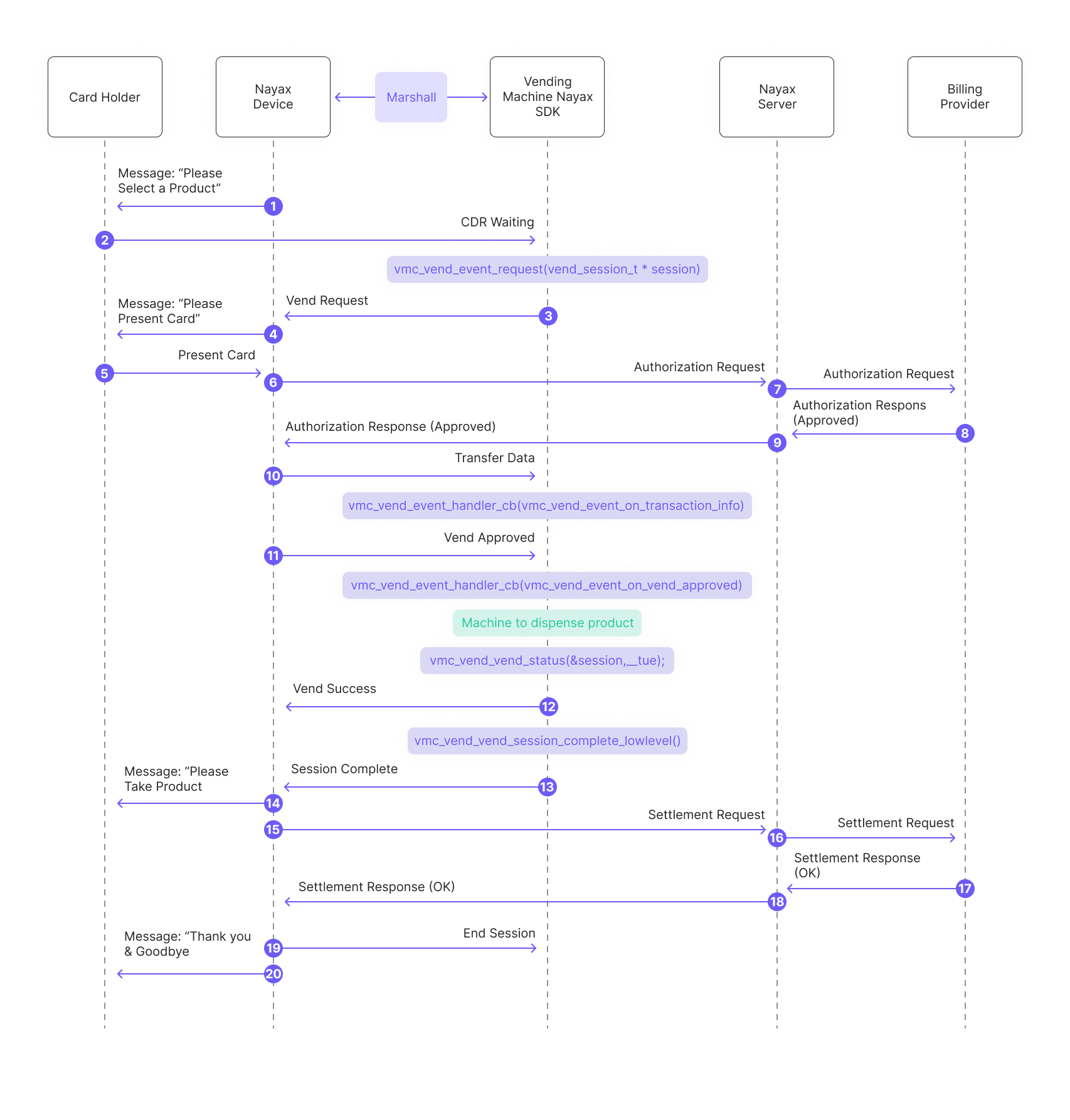
- The Nayax Device sends a message to the consumer: “Please Select a Product.”
- The consumer selects a product from the vending machine.
-
The peripheral’s SDK sends a vending request to the Nayax Device.
- The Nayax Device sends a message to the consumer: “Please Present Card.”
- The consumer presents their payment card.
- The Nayax Device sends an authorization request to the Nayax Server.
- The Nayax Server forwards the authorization request to the Billing Provider.
- The Billing Provider sends an authorization response (approved) to the Nayax Server.
- The Nayax Server sends the authorization response (approved) back to the Nayax Device.
-
The peripheral’s SDK handles transaction data received from the Nayax Device via the Transfer Data command (said data includes information about the Nayax transaction ID and the consumer’s card details):
-
The SDK triggers “Vend Approved” events:
- The peripheral dispenses the product/ provides the service to the consumer.
-
The SDK reports “vend success”:
And completes the vend session:
- Message to the consumer: “Please Take Product.”
- The Nayax Device sends a settlement request to the Nayax Server.
- The Nayax Server forwards the settlement request to the Billing Provider.
- The Billing Provider sends a settlement response (OK) to the Nayax Server.
- The Nayax Server returns the settlement response (OK) to the Nayax Device.