

Configuration & device behavior
Once enabled, settlement is handled externally rather than by the host application:- The only way to settle a transaction is via the ExternalSettlement command.
- The settlement amount can be less than or equal to the authorized amount.
Managing unsettled transactions
When no product or service is provided, you must proactively manage the transaction to maintain a good user experience.- External Cancel: If no settlement will occur, you must send an External Cancel immediately.
- Consumer Impact: If a transaction remains authorized without being canceled or settled, the consumer’s funds will stay captured on their payment method, leading to potential disputes.
External settlement flow
The flow consists of two phases: payment authorization handled by EMV Core, and settlement or cancellation triggered by your 3rd-party server.Payment authorization
The steps below cover the authorization phase, from card tap through session completion.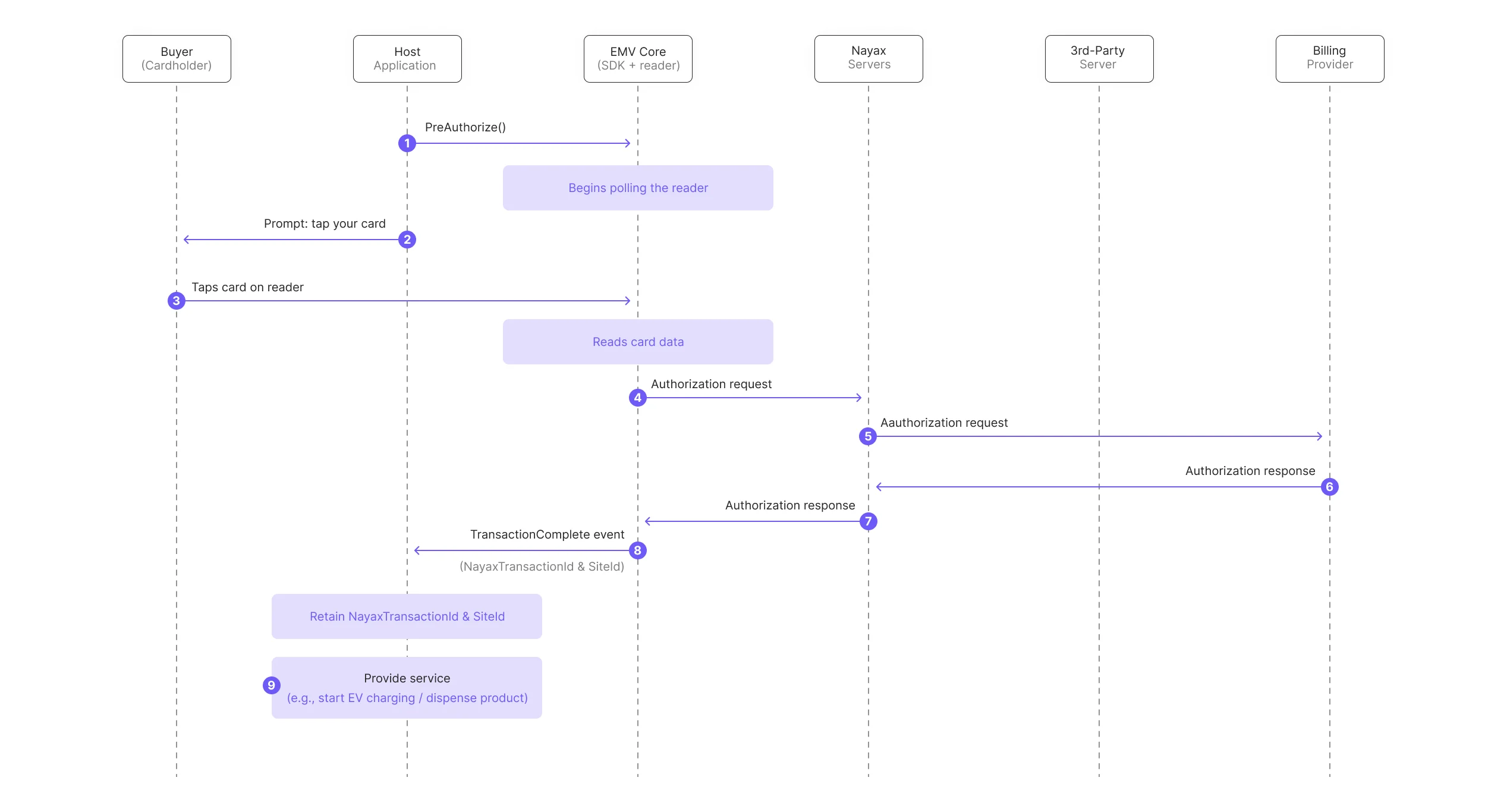
- The host machine calls the
PreAuthorizemethod using the EMV Core SDK. - EMV Core begins polling the reader. The host application should prompt the buyer to tap their card.
- The buyer taps their card on the reader.
- EMV Core reads the card data and sends an authorization request to the Nayax Servers.
- Nayax Servers perform authorization with the Billing Provider.
- The Billing Provider sends an authorization response to the Nayax Servers.
- Nayax Servers return the authorization response to EMV Core.
- EMV Core sends a
TransactionCompleteevent to the host application. The event contains the transaction ID and transaction data, includingNayaxTransactionIdandSiteIdin theauthorizationDetails.Additional_Parametersfield.
NayaxTransactionId and SiteId for later use in the External Settlement or External Cancel request.
- The host application proceeds with providing the service (for example, starts an EV charging session or dispenses a product).
Settling the transaction
After service delivery, a 3rd-party server handles either settlement or cancellation depending on the outcome. If the service was provided: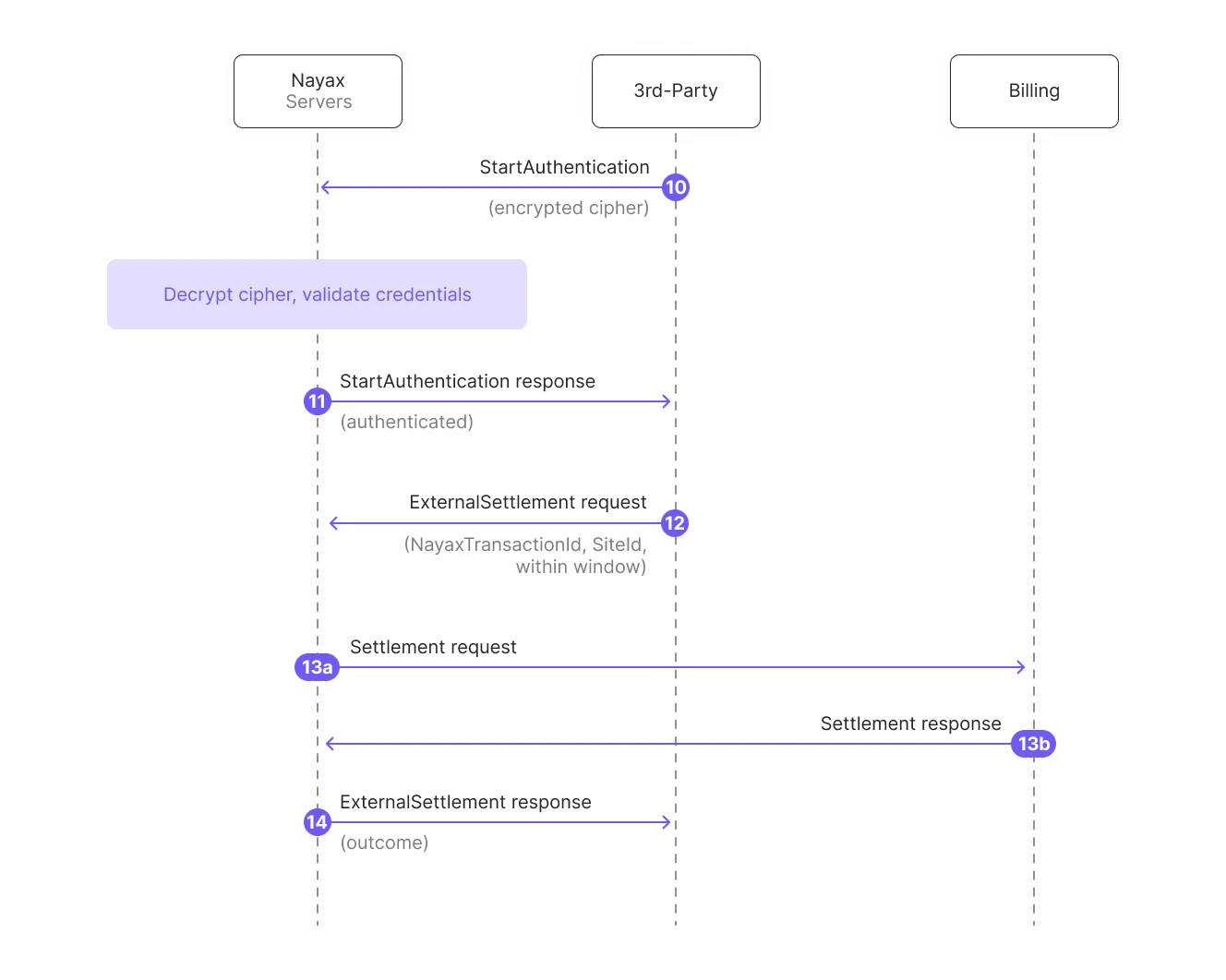
- The 3rd-party server initiates communication by calling the
StartAuthenticationmethod with an encrypted cipher to authenticate. - The Nayax Server decrypts the cipher and validates the credentials to confirm authenticity.
- The 3rd-party server sends an ExternalSettlement request. It must contain the
NayaxTransactionIdandSiteIdretrieved from theTransactionCompleteevent, and must be sent within the settlement window. - Nayax Servers process the settlement with the Billing Provider.
- Nayax Servers send an ExternalSettlement response to the 3rd-party server confirming the settlement outcome.
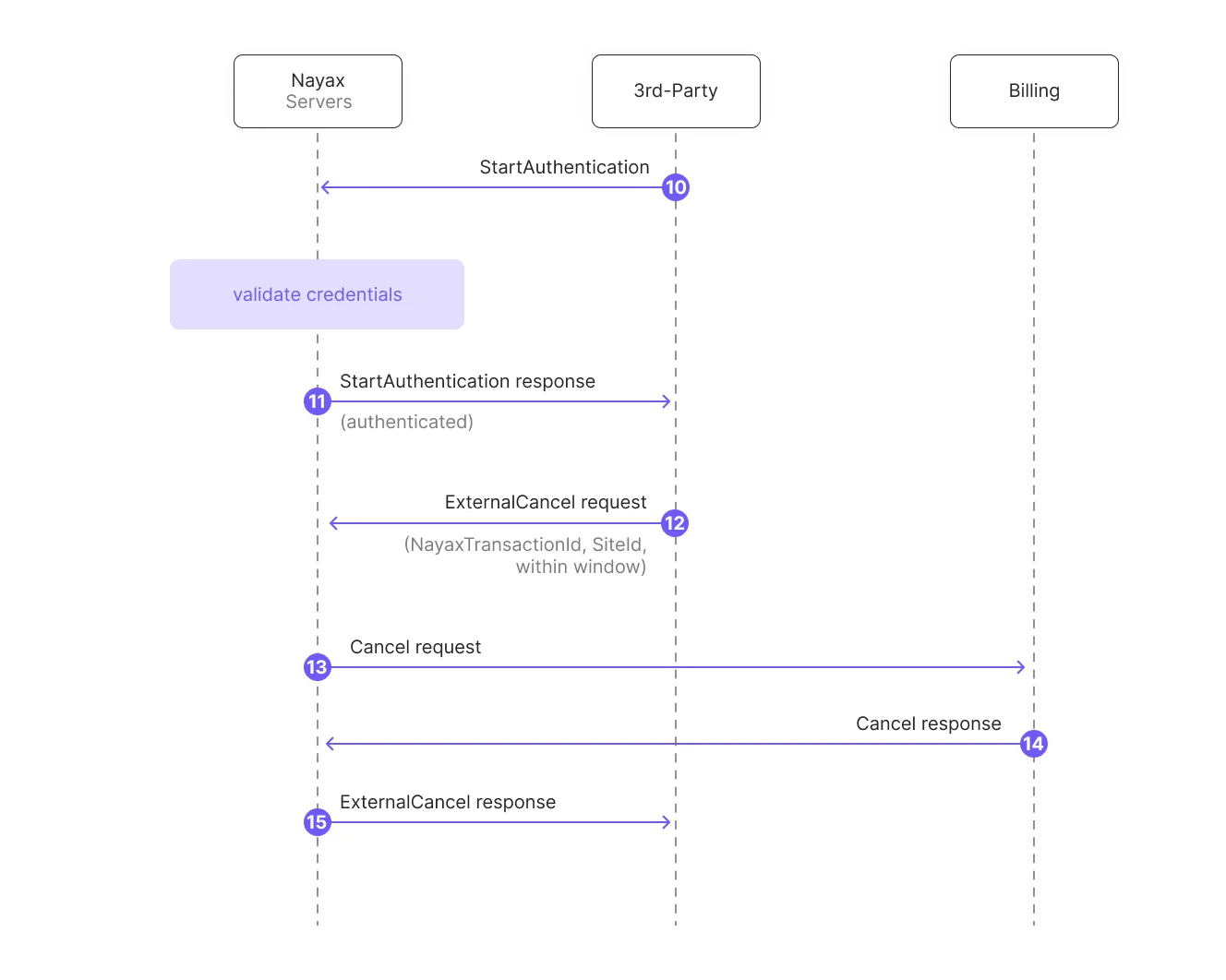
- The 3rd-party server initiates communication by calling the
StartAuthenticationmethod. - The Nayax Server validates the credentials.
- The 3rd-party server sends an ExternalCancel request. It must contain the
NayaxTransactionIdandSiteIdretrieved from theTransactionCompleteevent, and must be sent within the settlement window. - Nayax Servers initiate the cancellation process with the Billing Provider.
- Nayax Servers receive the response from the Billing Provider.
- Nayax Servers send an ExternalCancel response to the 3rd-party server.
Next steps
External settlement API
API reference for the ExternalSettlement endpoint used to settle authorized transactions from a 3rd-party server.
External cancel API
API reference for the ExternalCancel endpoint used to cancel authorized transactions when no service is provided.